Home
/
Blog
/
Tech Assessment
/
Top Technical Skills Assessment Test Tools in 2026

Top Technical Skills Assessment Test Tools in 2026

Author
Vineet Khandelwal
Calendar Icon
December 19, 2025
Timer Icon
3 min read
Share

Explore this post with:

  • Technical hiring is becoming more difficult, so teams rely on skill-based assessments to evaluate applicants more objectively.
  • That shift makes fair, structured evaluations essential, especially with larger applicant pools and remote workflows.
  • As hiring scales, tools like HackerEarth bring proof of real coding ability while reducing bias and interview load.
  • This creates faster, more consistent tech hiring where recruiters feel supported and candidates get a fair experience.

Skills tests can help you spot strong talent early, but they only work when you use them the right way. That is why many teams start their technical hiring process with a quick screening call, giving them a first look at whether a candidate fits the role. The problem is that recruiters do not always feel fully confident with technical terms, which makes it harder to judge someone’s abilities with clarity.

This is where good technical assessment tools can lift a massive weight off your hiring process. It supports your judgment in simple, practical ways:

  • It sets clear criteria for every role
  • It speeds up early screening steps
  • It creates a fair and consistent process for all candidates

With the right tool, recruiters feel supported and candidates feel respected from the very first interaction.

Why Technical Assessment Tools Matter Today

Hiring engineers once depended heavily on resumes, gut instincts, and lengthy interview rounds. Today, teams face distributed workflows, larger applicant pools, and tight deadlines. 

Technical assessment tools help solve those challenges by bringing structure, fairness, and clarity to developer hiring. Here’s how:

1. Resume-based screening is no longer reliable.

Resumes often fail to reflect fundamental job‑relevant skills. According to SHRM’s 2025 recruiting report, 69% of organizations still face significant recruiting difficulty, with many citing technical skills gaps among applicants. 

Without the right coding assessments, teams risk advancing candidates who simply look good on paper, not those who can actually do the work.

2. Engineering teams need proof of skill, not self-reported expertise.

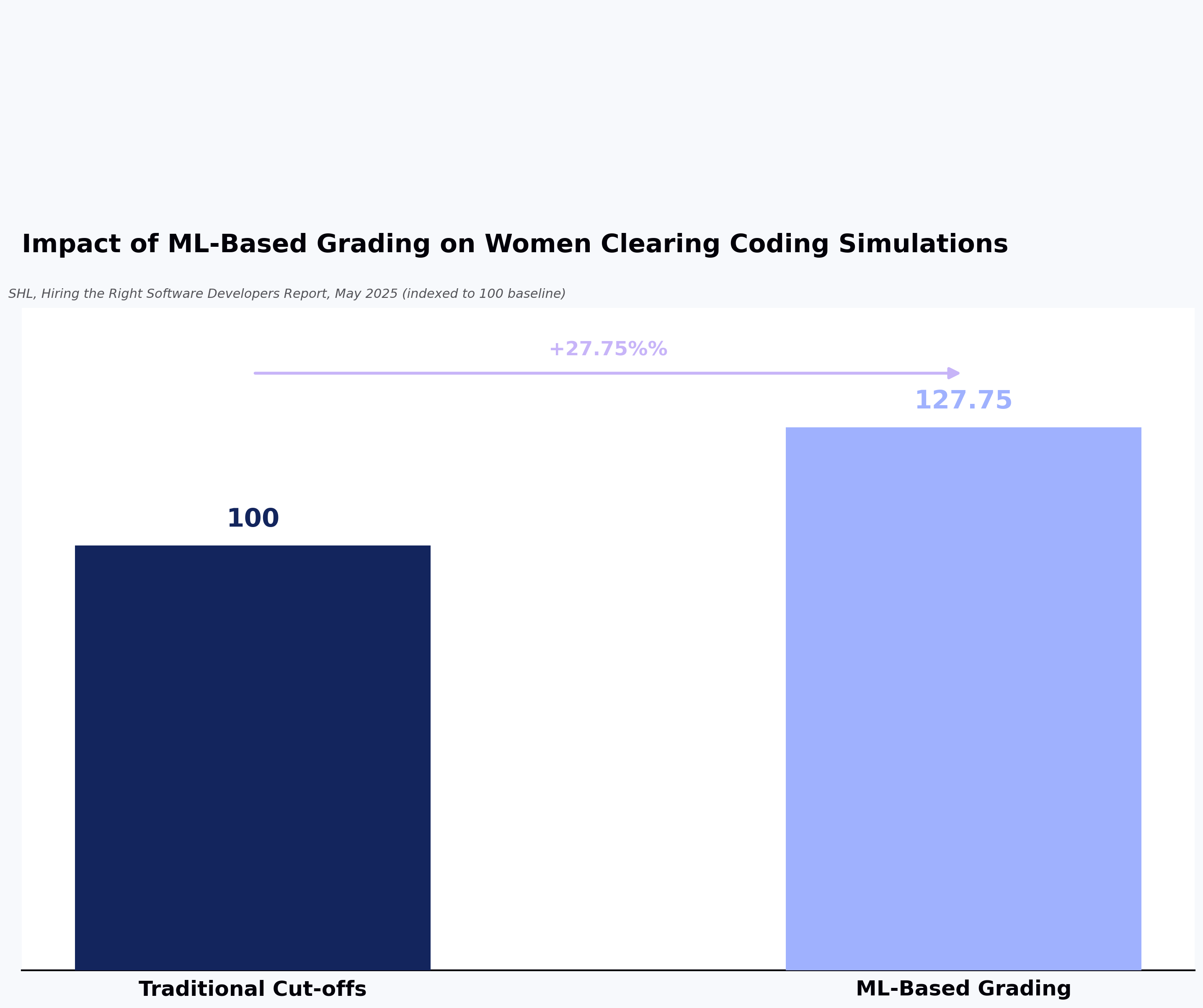
Research by SHL in 2025 showed that using ML–based grading for technical tests increased the number of women who cleared coding simulations by 27.75% compared to traditional cut‑offs. 

That kind of proof-of-skill matters because it highlights people who might otherwise be excluded.

3. Standardized assessments create fairness and reduce interview load.

In 2025, skills‑based hiring is growing fast. In fact, a recent report found that about two‑thirds of employers say using skills tests has reduced their number of mis‑hires.

Standard assessments provide everyone with the same, clear criteria, reducing bias and eliminating unnecessary interview rounds.

How to Evaluate Technical Assessment Tools Correctly

Choosing the right assessment platform affects candidate quality, completion rates, and overall hiring speed. These criteria help you evaluate each tool.

  • Assessment depth and realism: The strongest assessment platforms replicate day-to-day engineering tasks instead of testing academic puzzles. Tech recruitment tools that offer project-based evaluations, version-control workflows, debugging tasks, or multi-step challenges help hiring managers see how a candidate thinks, builds, and solves problems. 
  • Language and framework coverage: Modern engineering teams use diverse tech stacks, so any assessment platform must support up-to-date languages, frameworks, cloud environments, and recruitment automation tools. Broad stack coverage helps teams test candidates for backend, frontend, full-stack, mobile, DevOps, or data roles without switching platforms. It also helps global teams hire for emerging technologies faster.
  • Proctoring and anti-cheating measures: Remote hiring increases the risk of test fraud, so proctoring tools keep assessments fair. Online test cheating prevention platforms that use webcam monitoring, IP tracking, keystroke analysis, plagiarism detection, and tab-switch alerts can maintain credibility without harming the candidate experience. 
  • Candidate experience: No one wants a complicated or slow testing interface. Since developers often evaluate companies based on assessment experience, tools with clean UI, clear instructions, and friendly workflows reduce drop-offs and improve candidate experience. It also increases completion rates and enhances employer brand perception.
  • Reporting and integrations: Teams need to move fast, so tools that support ATS integrations, detailed analytics, skill benchmarks, role templates, and shareable reports help hiring managers make decisions quickly. Integrations with platforms like Greenhouse, Lever, Workday, and Workable streamline hiring and reduce manual effort.

📌Related read: How Recruiting Automation is Changing the Talent Game

10 Best Technical Assessment Tools in 2026

Technical hiring has gotten more complex, with companies needing reliable ways to evaluate real skills. Here are 10 of the best technical assessment tools in 2026 that will help you vet developers with precision:

1. HackerEarth: Best for enterprise-grade, customizable real-world assessments

HackerEarth Assessments page showing features and coding test overview
HackerEarth platform with 36,000+ coding questions, advanced proctoring, and role-based assessments

HackerEarth provides a comprehensive platform that combines technical assessment tools and developer engagement features to help companies hire the right technical talent efficiently. The platform allows recruiters to create customized coding tests, conduct automated candidate screening, and run virtual interviews using built-in IDEs. 

With a developer community of over 10 million members across 133 countries, HackerEarth connects organizations to a vast, diverse talent pool. Its Hiring Challenges let companies engage developers directly using real-world coding problems, giving hiring managers insights far beyond what resumes can provide. The platform features a massive question library of over 36,000 coding problems, detailed performance reports, and tech-based assessments that allow recruiters to understand each candidate’s coding style and problem-solving ability.

HackerEarth also offers a sophisticated online assessment proctoring system that uses smart monitoring tools to prevent impersonation and cheating during tests. Among its AI-powered features, the AI Screening Agent stands out by analyzing resumes and conducting dynamic questioning to identify the top 20% of candidates quickly. This feature can reduce hiring cycles by up to 75% while decreasing interviewer workload. Candidates benefit from a user-friendly interface that supports over 40 programming languages and tools, including Jupyter Notebooks, enabling them to demonstrate real-world technical skills effectively.

Leading tech companies such as Microsoft, Google, PayPal, and Barclays trust HackerEarth for reliable online talent assessments. Its combination of real-world assessments, AI automation, and efficient evaluation processes positions it as one of the best recruiting software available for enterprises seeking top developer talent quickly and fairly.

Key features

  • Create end-to-end hiring processes handling assessments, sourcing, and evaluation on one platform
  • Host global hackathons to engage developers with real-world coding scenarios
  • Maintain assessment integrity using SmartBrowser technology and tab-switch detection tools
  • Automatically grade technical submissions and generate detailed performance reports 
  • Connect with applicant tracking systems to simplify recruitment processes
  • Access over 36,000 questions across more than 1,000 technical skills
  • Challenge candidates with project-based assessments simulating real-world datasets and tasks

Ideal for

  • Enterprises looking for customizable, large-scale, real-world technical assessment solutions for developers

Pros

  • Source pre-vetted talent beyond traditional job boards efficiently
  • Simulate real-world challenges through project-based coding assessments
  • Speed up hiring processes with AI-driven evaluation and test creation

Cons

  • Does not offer low-cost or stripped-down plans
  • Fewer customization options at entry-level pricing

Pricing

  • Growth Plan: $99/month 
  • Scale Plan: $399/month 
  • Enterprise: Custom pricing with volume discounts and advanced support

📌Suggested read: The 12 Most Effective Employee Selection Methods for Tech Teams

2. HackerRank: Best for deep algorithmic coding tests

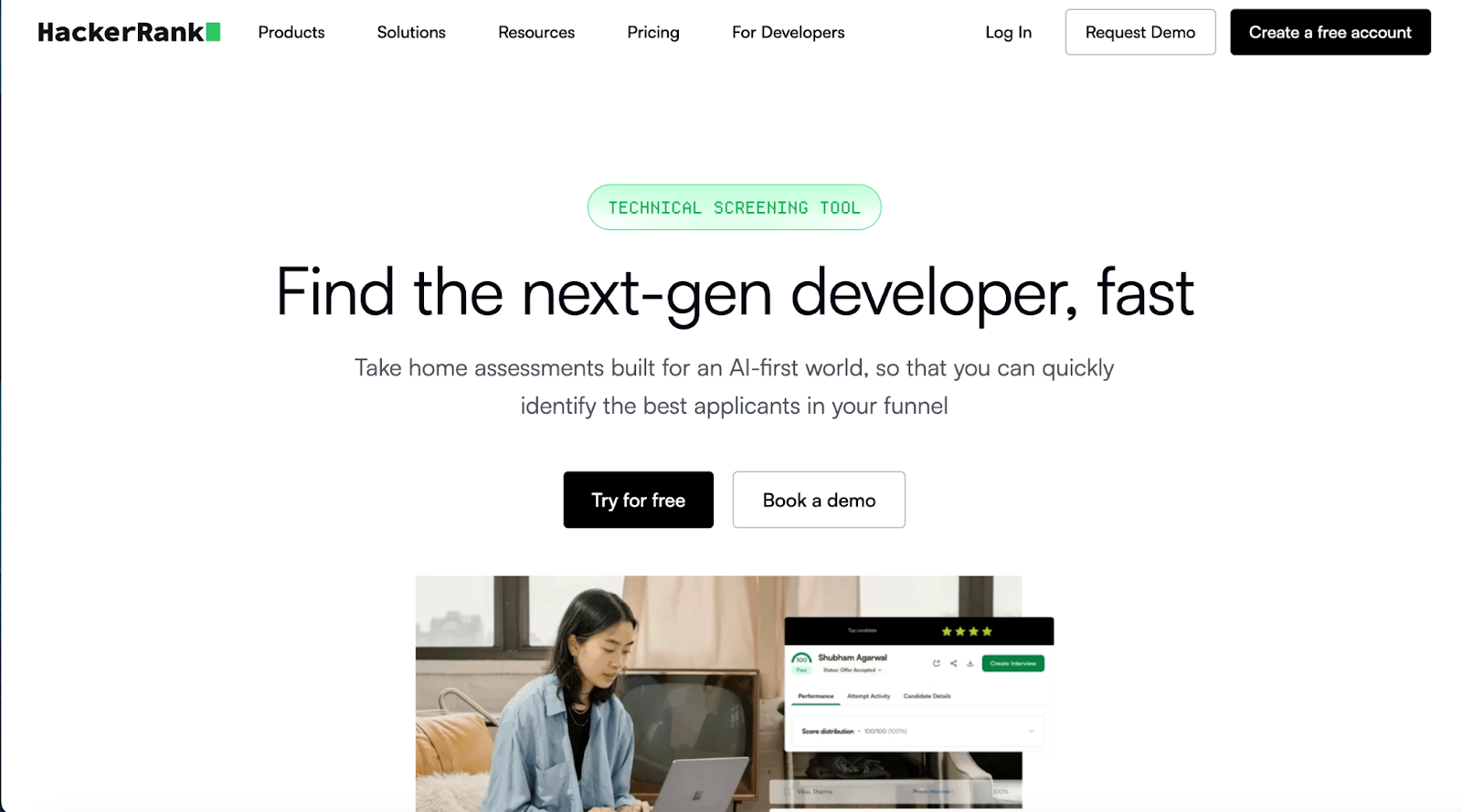
HackerRank technical assessment landing page
HackerRank certified assessments validate candidate coding skills 

HackerRank’s library contains 1000+ curated coding challenges spanning multiple difficulty levels, covering algorithms, data structures, SQL, and AI-related tasks. The platform supports automated scoring, detailed candidate performance reports, and AI-driven shortlisting to quickly highlight the top-performing applicants. 

You can conduct live coding interviews through CodePair’s collaborative IDE and monitor candidates with advanced proctoring tools that track browser activity and detect suspicious behavior. It also integrates seamlessly with major ATS, making it ideal for high-volume tech hiring.

Key features

  • Build tests directly from job descriptions using AI to map skills accurately
  • Apply Proctor Mode to monitor candidate behavior via webcam and browser activity
  • Use CodePair live interviews with a collaborative IDE for real-time pair programming

Ideal for

  • Teams hiring for algorithm-heavy, data structure-intensive roles where deep technical skill matters most

Pros

  • Evaluate serious algorithmic skills with high‑quality coding challenges
  • Maintain test fairness through built‑in AI proctoring and plagiarism detection
  • Simulate real work with live coding interviews in a shared IDE

Cons

  • It requires significant preparation time for building deep algorithmic tests
  • Feels less suited for non‑technical or soft‑skill assessments 

Pricing

  • Starter: $199/month
  • Pro: $449/month

3. Codility: Best for real-work simulation and hiring workflows

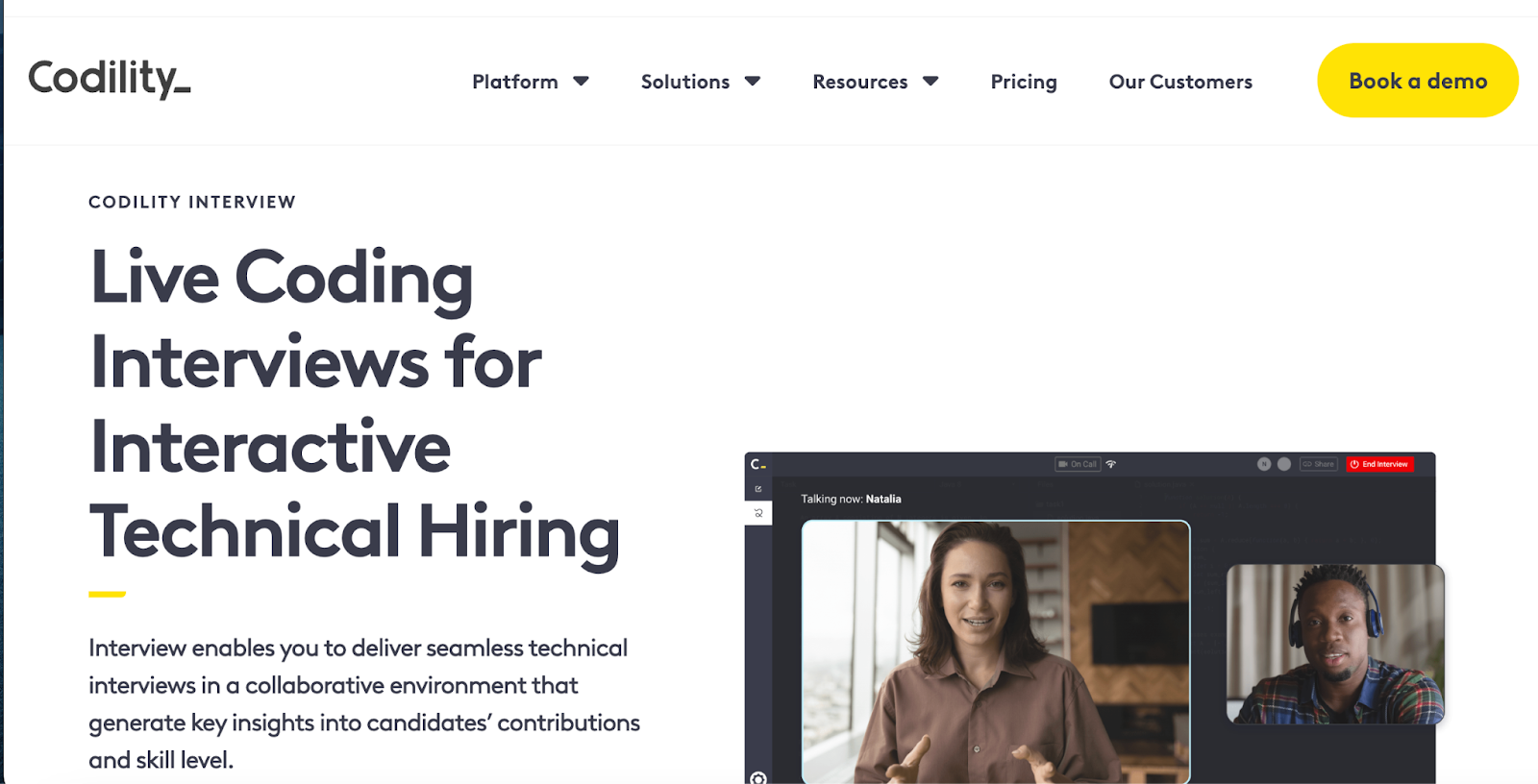
Codility landing page showing live coding interviews for tech hiring
Codility offers screen-and-interview products for enterprise technical hiring

Codility provides a highly mature technical assessment tool that mirrors real engineering challenges, enabling hiring teams to assess how candidates debug, build, and improve production‑style code. The platform’s task library supports real‑life problems, algorithms, bug‑fixing, and domain‑specific assessments, providing a comprehensive view of a developer’s ability. 

It offers a secure browser‑based IDE and detailed analytics that evaluate correctness, performance, and code quality. With automatic scoring and deep test science, Codility helps hiring teams screen and interview efficiently while maintaining high assessment rigor.

Key features

  • Build real‑life engineering tasks using Codility’s task library with realistic scenarios
  • Get support for over 40 programming languages and frameworks, including Python, Go, Java, Rust, and Kotlin
  • Apply strong proctoring with behavior flags, plagiarism detection, and secure code playback

Ideal for

  • Engineering teams hiring developers who need to be assessed on practical coding and realistic work tasks

Pros

  • Evaluate problem‑solving via real project‑style challenges
  • Maintain test integrity using strong proctoring mechanisms
  • Integrate smoothly with ATS for efficient hiring

Cons

  • Requires longer test time, which may discourage some candidates
  • Limited test variety for soft skills or design thinking assessments

Pricing

  • Starter: $1200/year
  • Sale: $600/month
  • Custom: Contact for pricing

4. CodeSignal: Best for scoring reliability & structured evaluations

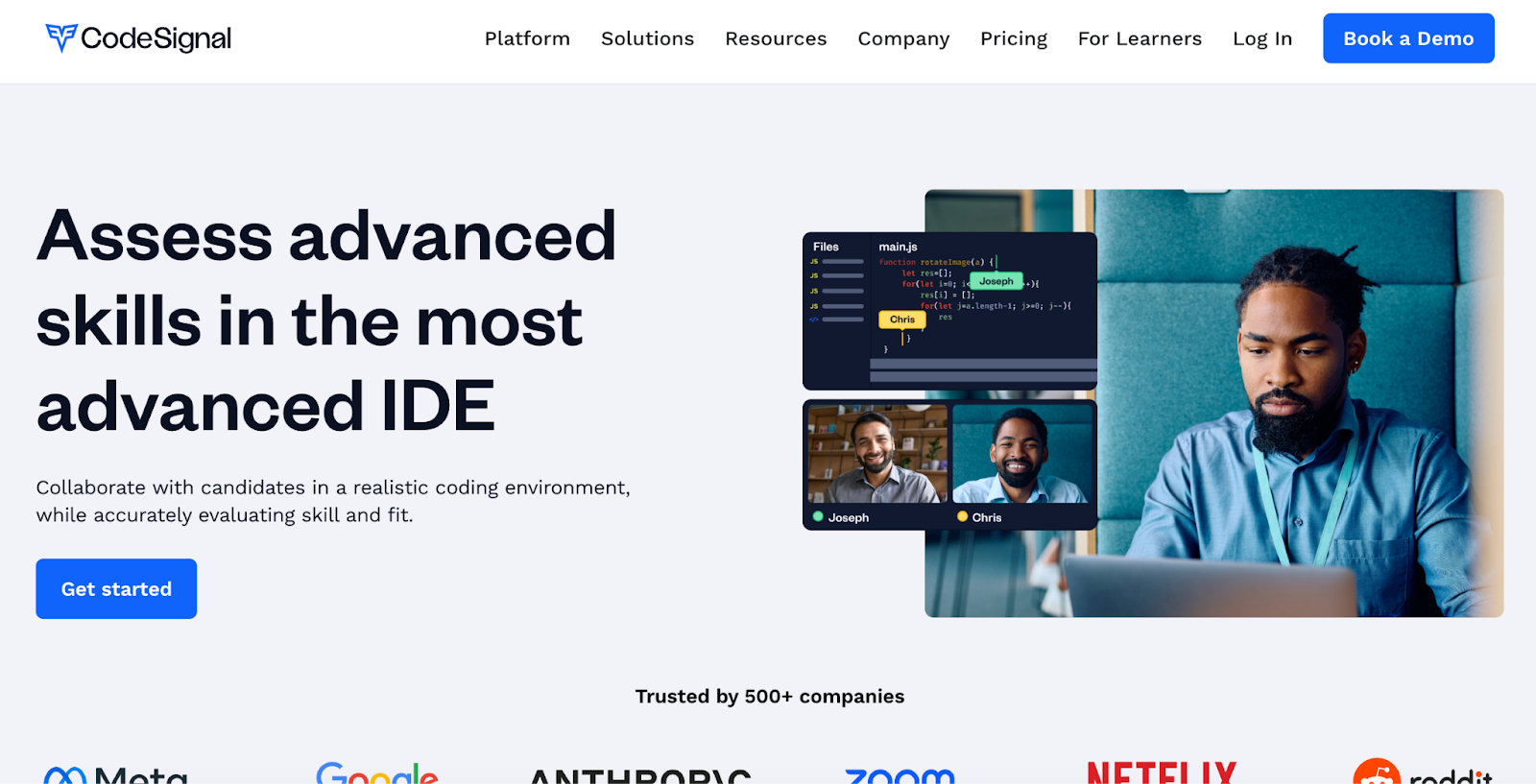
CodeSignal advanced IDE for collaborative technical skills assessment
Assess advanced skills in the most advanced coding IDE

CodeSignal provides a robust technical assessment tool that gives hiring teams consistent, research‑backed scoring and structured evaluation frameworks to fairly assess coding skills. The platform supports certified assessments using Skills Evaluation Frameworks built by experts and validated by industrial‑organizational psychologists for strong role alignment. 

It offers a real‑world IDE-like testing environment, proctoring with identity verification, and analytic insights that let you benchmark candidates on core coding ability. The system also supports over 70 languages.

Key features

  • Use certified assessments with role‑specific frameworks maintained by CodeSignal experts 
  • Replay candidate keystrokes and view their coding process using the built‑in IDE playback
  • Apply remote proctoring with identity verification, camera, and screen share

Ideal for

  • Companies that require highly structured, predictable, and fair scoring for technical screening

Pros

  • Provide consistent, validated “Coding Scores” for fair candidate comparison
  • Reduce bias and cheating via proctoring and large question‑variation frameworks 
  • Scale screening with prebuilt frameworks for early‑career and senior engineers

Cons

  • Requires longer assessments because of detailed, structured question sets
  • Demands technical setup and configuration for highly customized testing workflows

Pricing

  • Custom pricing

5. CoderPad: Best for live coding interviews

CoderPad online coding tests library for 99+ languages/frameworks
Assess dev skills in action with CoderPad

CoderPad provides a browser‑based IDE where interviewers and candidates code together, run and debug code, and communicate via embedded audio/video. The platform supports over 99 languages and frameworks, allowing teams to mirror their actual stack during interviews, and it supports multi‑file environments so candidates can work on realistic, project‑style tasks. 

With built‑in replay, interviewers can review every keystroke after the session, helping them understand candidate thinking and decision‑making.

Key features

  • Use a shared online IDE that supports real‑time collaboration 
  • Set up multi‑file interviews with support for custom files, databases, and frameworks
  • Review full session history with code playback, keystrokes, and interviewer notes

Ideal for

  • Teams that want to mimic real working conditions by assessing developers in a live, code‑together environment

Pros

  • Reveal candidate problem‑solving via real‑time collaborative debugging
  • Capture how people think with keystroke playback and full session replay
  • Support coding conversation and design discussion in an IDE with built‑in video

Cons

  • Requires stable internet and can be stressful under time pressure
  • More effort from both the interviewer and the candidate during setup and execution

Pricing

  • Free
  • Starter: $100/month
  • Team: $375/month
  • Custom: Contact for pricing

📌Related read: How Talent Assessment Tests Improve Hiring Accuracy and Reduce Employee Turnover

6. DevSkiller: Best for role-specific task templates

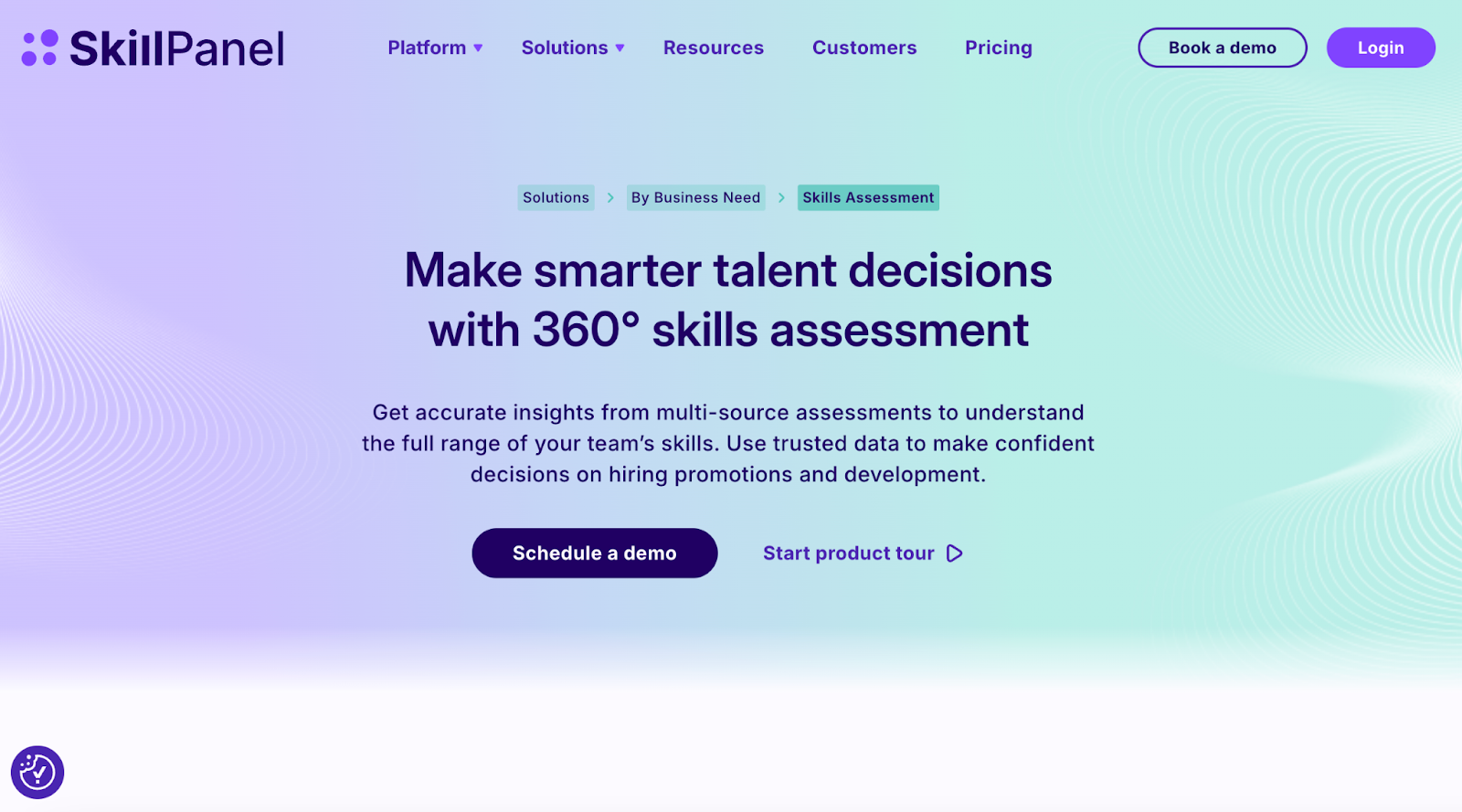
SkillPanel platform for an all-in-one technical assessment and talent decisions
Make smarter talent decisions with an all-in-one technical assessment

DevSkiller offers over 500 pre-built tests across more than 220+ technologies, letting you pick from a rich library of role‑based task templates like front‑end developer, DevOps engineer, or data scientist. Its RealLifeTesting™ methodology replicates the actual work developers will face on the job, giving you a true sense of how they perform in real environments. 

You can build custom assessments using your own codebase, use an in‑browser IDE or Git, and get instant, objective feedback. The platform also supports live code‑pairing interviews with video, and its assessments integrate smoothly with your ATS.

Key features

  • Choose from 500+ prebuilt role‑specific assessments
  • Simulate real developer work with RealLifeTesting™ tasks
  • Build custom tests using your own company codebase

Ideal for

  • Hiring teams that want to test developers using real, job‑relevant templates and tasks

Pros

  • Use real‑world, role‑based templates for accurate evaluation
  • Automate scoring and feedback for faster, objective reviews
  • Maintain test integrity with anti‑plagiarism checks

Cons

  • Requires a stable internet for in‑browser IDE or Git cloning
  • It can get expensive for small hiring teams because of the premium test library

Pricing

  • Custom pricing

7. iMocha: Best for multi-skill testing beyond tech roles

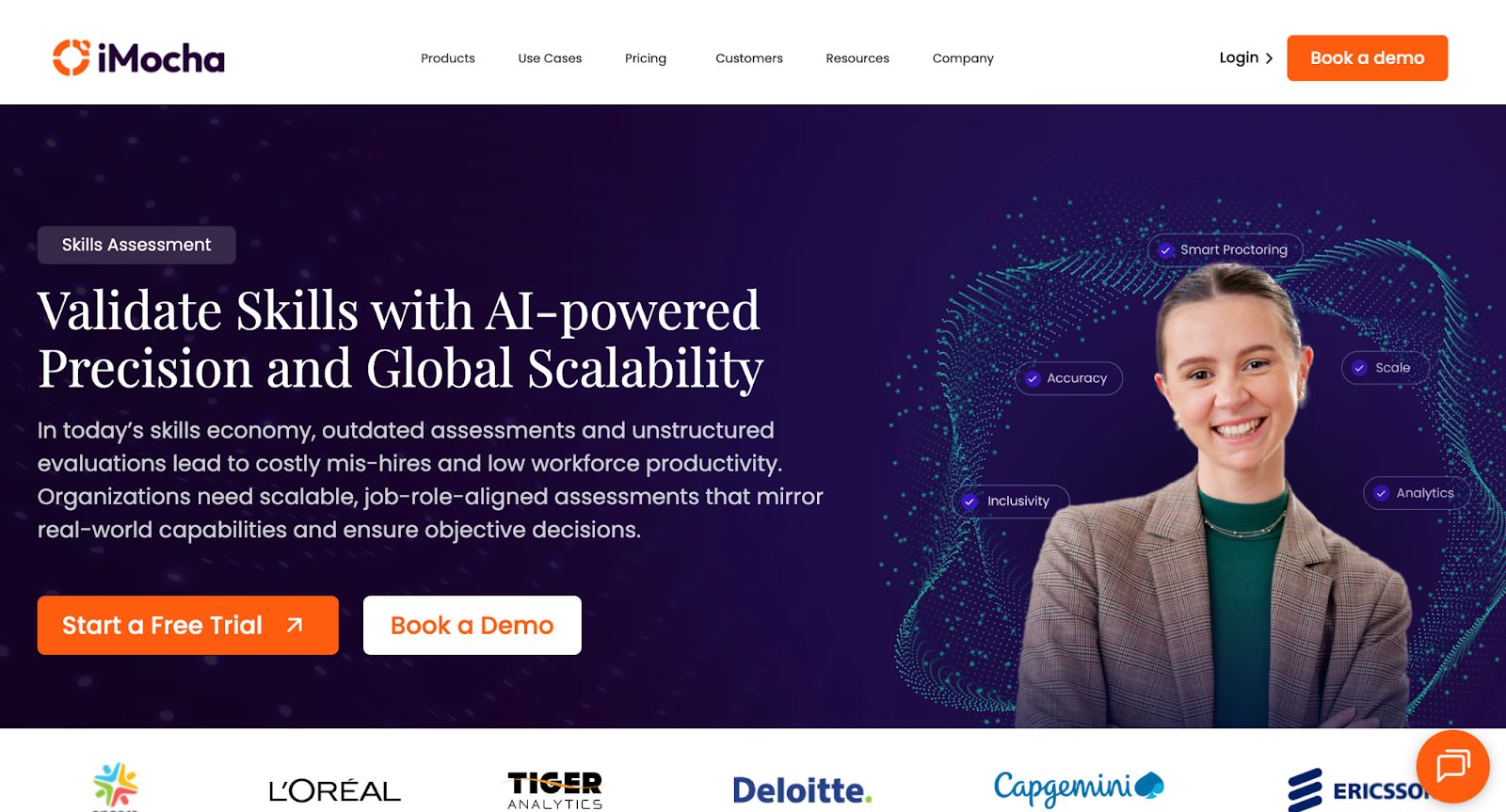
iMocha homepage showcasing an AI tech skills intelligence platform
iMocha offers 10,000+ skill assessments, AI inference, and skills-based hiring solutions

iMocha is a comprehensive, AI-powered technical assessment tool that goes way beyond just coding. It gives companies access to over 10,000 skill tests that cover technical, cognitive, functional, and soft skills. You can tailor assessments by role, combining real‑world coding challenges, MCQs, or project‑based tasks to match exactly what the job demands. 

Its AI-LogicBox feature lets you assess reasoning without requiring code syntax. On top of that, it supports smart proctoring via webcam, behavior tracking, and screen monitoring, so your assessment stays secure and fair.

Key features

  • Create custom assessments using realistic, role‑specific projects
  • Use AI-LogicBox to test logic without needing syntax
  • Enable secure testing with smart proctoring across webcam and screen

Ideal for

  • Hiring managers who want to test candidates on technical, reasoning, and communication skills together

Pros

  • Provide a massive library of over 3,000 validated, job-specific assessments
  • Assess logic, language, and coding in one integrated platform
  • Run secure, AI-driven proctoring to prevent cheating

Cons

  • Demands high bandwidth and stable internet for proctored or live interviews
  • Requires some learning curve to design deeply customized, multi-skilled tests

Pricing

  • 14-day free trial
  • Basic: Contact for pricing
  • Pro: Contact for pricing
  • Enterprise: Contact for pricing

8. TestGorilla: Best for general pre-employment testing

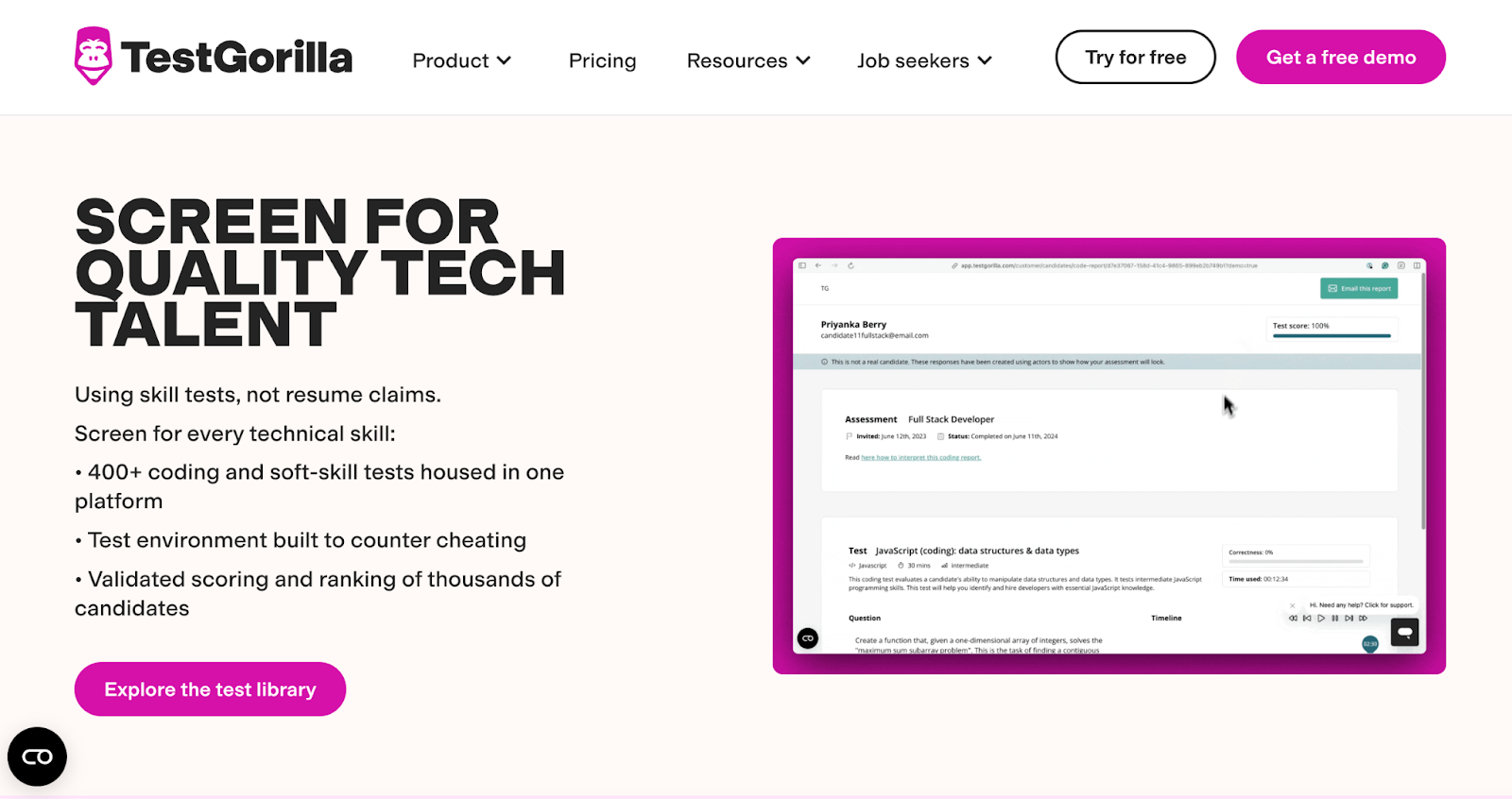
TestGorilla tech hiring homepage featuring AI assessments
Get hundreds of validated tests, AI scoring, and a global talent pool

TestGorilla offers a broad and validated test library that helps you assess technical, cognitive, and behavioral skills on a single platform. It supports over 400 ready-made tests across categories such as programming, personality, situational judgment, and software skills. You can combine up to five tests per assessment and add custom questions (multiple-choice, file upload, video, or essay) for deeper role‑specific screening. 

It applies AI scoring for video interviews and cognitive or programming tasks, speeding up evaluation. It also enforces test integrity through anti-cheating measures such as webcam snapshots, full-screen monitoring, and audio recording. This makes it a reliable choice when you want to filter candidates early without over‑investing in live interviews.

Key features

  • Offer AI‑scored video interviews plus structured skills‑test combinations
  • Enable custom assessments by mixing multiple test types and question formats
  • Monitor test integrity with webcam snapshots, screen tracking, and full‑screen mode

Ideal for

  • Companies that need to quickly screen a large pool of candidates across varied hard and soft skills

Pros

  • Provide a vast library of validated hard‑skill and behavioral tests
  • Reduce review time using automated scoring for video and coding evaluations
  • Support flexible assessment building with both tests and custom questions

Cons

  • Demands a camera and a microphone for proctoring, which some candidates may dislike
  • Causes occasional timezone and connectivity issues during long assessments

Pricing

  • Free
  • Core: $142/month (billed annually)
  • Plus: Contact for pricing

9. WeCP: Best for automated question generation

Dashboard of a tech assessment platform
Assess candidate tech skills with real-time insights

WeCP brings serious AI power to your hiring assessments so you can save tons of time while getting high-quality, relevant questions that actually test what matters. Their AI Copilot can generate role‑specific questions, such as coding problems, MCQs, and even scenario‑based challenges, based on the job role you define. 

It supports more than 2,000+ skills across 70+ programming languages, and you get access to a question library of 200,000+ items to build on. You can mix question types like MCQs, projects, data‑science tasks, DevOps labs, or code gaps, and the test sets get auto‑scored. WeCP also protects your assessments with Sherlock, their AI proctoring engine that tracks video, detects multiple faces, watches for tab switching, and flags suspicious behavior.

Key features

  • Use AI Copilot to generate role‑tailored coding, MCQ, or scenario questions
  • Include diverse question types: project, devops, database, code gap, video response
  • Apply rigorous anti‑cheating with Sherlock’s AI proctoring and session monitoring

Ideal for

  • Teams that want to build high‑quality, role-specific assessments without manual question writing rapidly

Pros

  • Generate large volumes of relevant questions quickly
  • Cover 2,000+ skills and 70+ programming languages
  • Prevent fraud using AI-powered proctoring with high detection accuracy

Cons

  • Requires paid add-ons for full AI question generation features
  • Depends on a strong internet and a camera for proctored assessments

Pricing

  • Premium Plan: $240/month
  • Custom/Enterprise Plan: Contact for pricing

10. HireVue + Coding Simulation: Best for video + assessment workflows

HireVue technical hiring platform featuring skills-first assessments
Streamline tech recruiting with AI

HireVue gives you a unified platform that combines on‑demand video interviewing with technical assessments, so hiring feels smart, modern, and data‑driven. Its coding screening tool supports over 200 on-demand challenges for common languages such as Python, Java, JavaScript, C++, and more. You can create custom coding tasks, auto‑score submissions, and even detect plagiarism using similarity analysis. 

On the video side, HireVue applies AI to analyze candidate responses during recorded interviews, focusing on communication skills, problem-solving, and overall competencies. It also offers structured workflows in which candidates record video answers, play cognitive game-based challenges, and then solve coding problems simultaneously. This combination gives you a richer picture of technical talent while keeping the process efficient and fair for both you and the candidate.

Key features

  • Combine AI‑scored coding challenges and recorded video interviews into a single assessment
  • Rotate or create custom CodeVue challenges, helping reduce cheating risk
  • Track candidate behavior in coding sessions using editor‑playback and similarity scoring

Ideal for

  • Hiring teams that want to evaluate technical skills and communication ability in a single, seamless workflow

Pros

  • Provide a complete picture of the candidate's strengths beyond just code
  • Reduce time‑to‑hire with auto‑scoring and AI‑driven video analysis
  • Support strong anti‑cheating with code similarity checks and session playback

Cons

  • Scheduling issues regarding breaks, rescheduling, and interviewer management
  • Users faced occasional system glitches

Pricing

  • Custom pricing

Side-by-Side Comparison Table: 10 Best Technical Assessment Tools in 2026

Now that you have a fair idea of what each tool covers, check out this side-by-side comparison of the 10 best technical assessment tools in 2026.

Tool Best For Assessment Types Proctoring Tech Stack Support Integrations Pricing Model
HackerEarth High-volume developer screening & hackathon-style hiring Coding tests, project-based assessments, real-world problems AI-powered proctoring with Smart Browser (copy/paste blocking, tab monitoring, webcam, VM detection) 40+ languages, full-stack support, Jupyter Notebooks Major ATS integrations, Slack, Google & Microsoft calendars Starts from $99/month
HackerRank Deep algorithmic screening and technical interviews Coding challenges, database tasks, subjective tests, projects, file uploads Secure Mode, AI Proctor Mode, Desktop App mode 55+ programming languages, multi-file and full-stack projects ATS (Greenhouse, Lever), REST API, calendar & interview tools Starts from $199/month
Codility Large-scale hiring and campus recruitment Algorithmic tasks, coding challenges, event-based assessments Basic proctoring, plagiarism detection, AI assistant (Cody) Multiple languages, realistic code tasks, performance efficiency focus ATS integrations, SSO, Greenhouse, SmartRecruiters Starts from $1,200/year
CodeSignal AI-native assessments and certification-style evaluation Real-world simulations, coding challenges, live interviews, certified tests Integrity tools including plagiarism detection and proctoring Broad language support, job-based simulations, dev workflows ATS integrations, analytics dashboards, benchmarking tools Custom pricing
CoderPad Live, collaborative coding interviews Pair programming, live IDE interviews, take-home challenges Webcam proctoring during live interviews Multiple languages, REPL, multi-file support ATS integrations, API support Starts from $100/month
DevSkiller Real-job simulation for developer roles Real-world coding tasks, project-based assignments, take-home work Varies by assessment type Full development environment simulation Recruiting tools and ATS integrations Custom pricing
iMocha Multi-skill assessments beyond purely technical roles Coding, domain skills, cognitive, soft-skills, scenario-based tests AI and video proctoring, behavior tracking, IP and window violation detection Multiple programming languages, domain-specific assessments ATS and API integrations Custom pricing
TestGorilla Broad pre-employment testing across roles Coding, personality, situational judgment, cognitive, video, essay tests Basic proctoring depending on plan and assessment type 12+ languages, non-technical and technical assessments ATS, API integrations, candidate pool integrations Starts from $142/month
WeCP Automated question generation for coding roles MCQs, coding problems, scenario-based tasks, project labs AI proctoring via Sherlock engine (webcam, behavior monitoring) 70+ programming languages, 2,000+ skills ATS integrations and custom enterprise workflows Starts from $240/month
HireVue + Coding Simulation Combined video interviews with coding assessments On-demand video interviews, coding tests, live coding simulations HireVue video proctoring with secure coding environment Standard development languages via code simulation ATS, calendar tools, interview workflow integrations Custom pricing

Common Mistakes When Choosing Technical Assessment Tools

Often, companies pick their assessment tool based on reputation alone, but that choice can backfire in surprising ways:

  • Choosing based only on brand recognition: Many hiring teams assume that well-known platforms must give better assessments. That mindset ignores fit. If the tests do not match real job requirements, brand alone does not guarantee insight into what candidates will actually do at work.
  • Overusing algorithm‑heavy puzzles: A lot of teams fall into the trap of using too many tricky algorithm questions just because they seem rigorous. Those puzzles often do not mirror day‑to‑day tasks, and they may favor test takers over real problem‑solvers.
  • Ignoring candidate experience and drop‑off rates: When assessments drag on for too long or feel irrelevant, candidates bail out. That hurts your brand and filters out talented people.
  • Not validating anti‑cheating strength: Some companies assume their proctoring or test‑security features are enough without verifying how strong they really are. Without solid monitoring, candidates can cheat using multiple devices or by sharing content, undermining your hiring decisions.

Why HackerEarth Is a Strong Choice in 2026

Technical hiring demands assessments that reflect real-world challenges and accurately measure candidates’ actual skills. HackerEarth allows recruiters to design assessments closely aligned with specific job roles. Our platform supports 40+ programming languages and real-world coding challenges, giving hiring teams the flexibility to tailor tests for different technical positions. 

At the same time, HackerEarth seamlessly integrates remote interview workflows, combining screening, live interviews, and final evaluation within a single system. Recruiters can use its FaceCode tool for live video interviews with a collaborative code editor and real-time evaluation features, which reduces platform switching and keeps the process smooth for both candidates and interviewers. Proctoring is robust, with periodic webcam snapshots, plagiarism checks, and restrictions on copy-paste to protect the integrity of assessments. 

Explore sample assessments to see our features in action.

FAQs

1. What is a technical assessment tool?

A technical assessment tool is software that evaluates a candidate’s coding, problem-solving, and technical reasoning skills. It automates tests, objectively scores solutions, and helps recruiters shortlist qualified developers through standardized, role-specific challenges.

2. How do technical assessment tools prevent cheating during remote tests?

These tools use browser monitoring, AI proctoring, webcam tracking, plagiarism detection, and question randomization to reduce cheating. They also flag suspicious behavior in real time, ensuring remote candidates complete assessments fairly and independently.

3. Are project-based coding tests better than automated coding quizzes?

Project-based tests offer deeper insights into real-world problem-solving and code quality, while automated quizzes quickly measure basic skills. Both are valuable, but project-based tasks provide a more accurate reflection of how candidates work in actual development environments.

4. How long should a technical assessment ideally take?

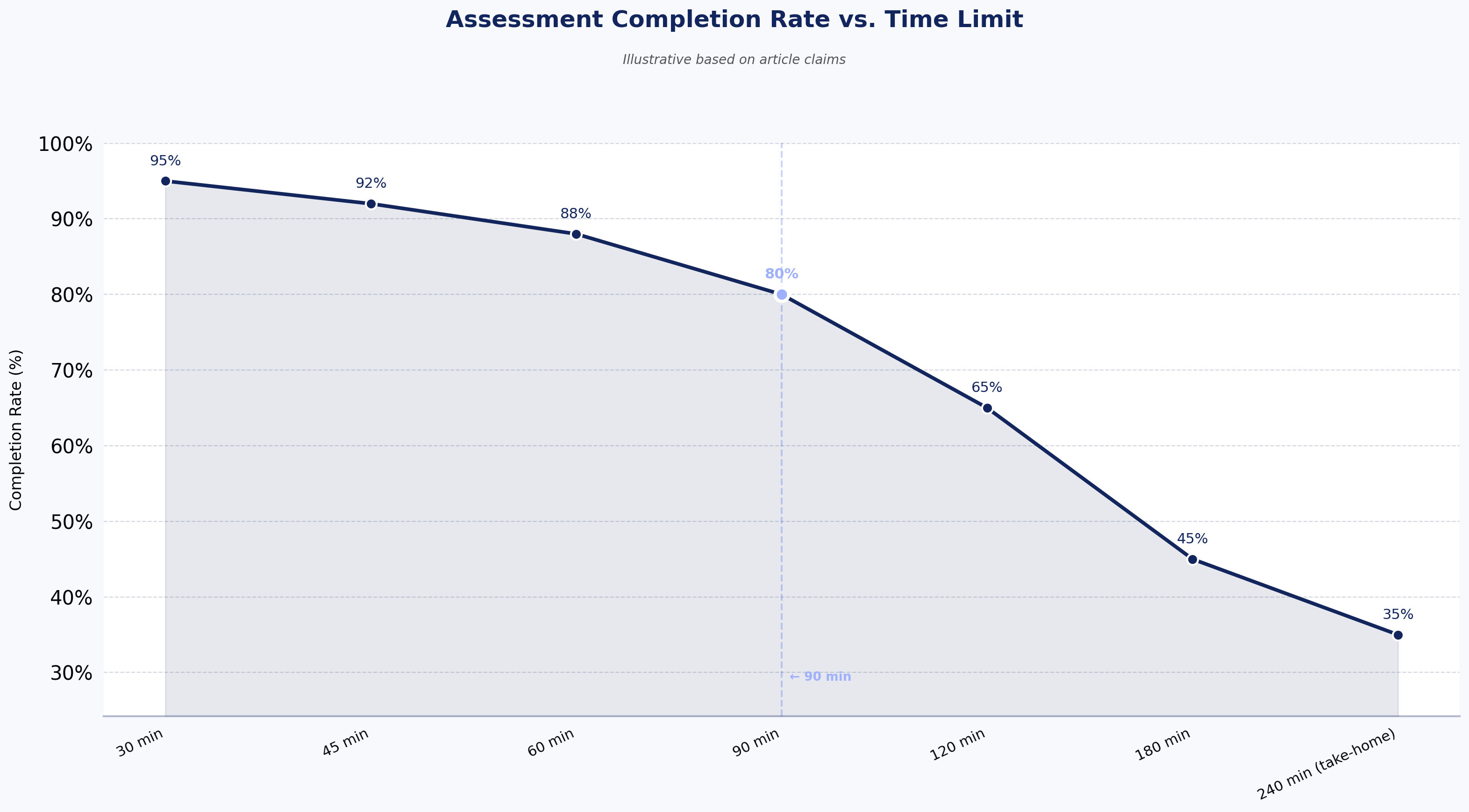
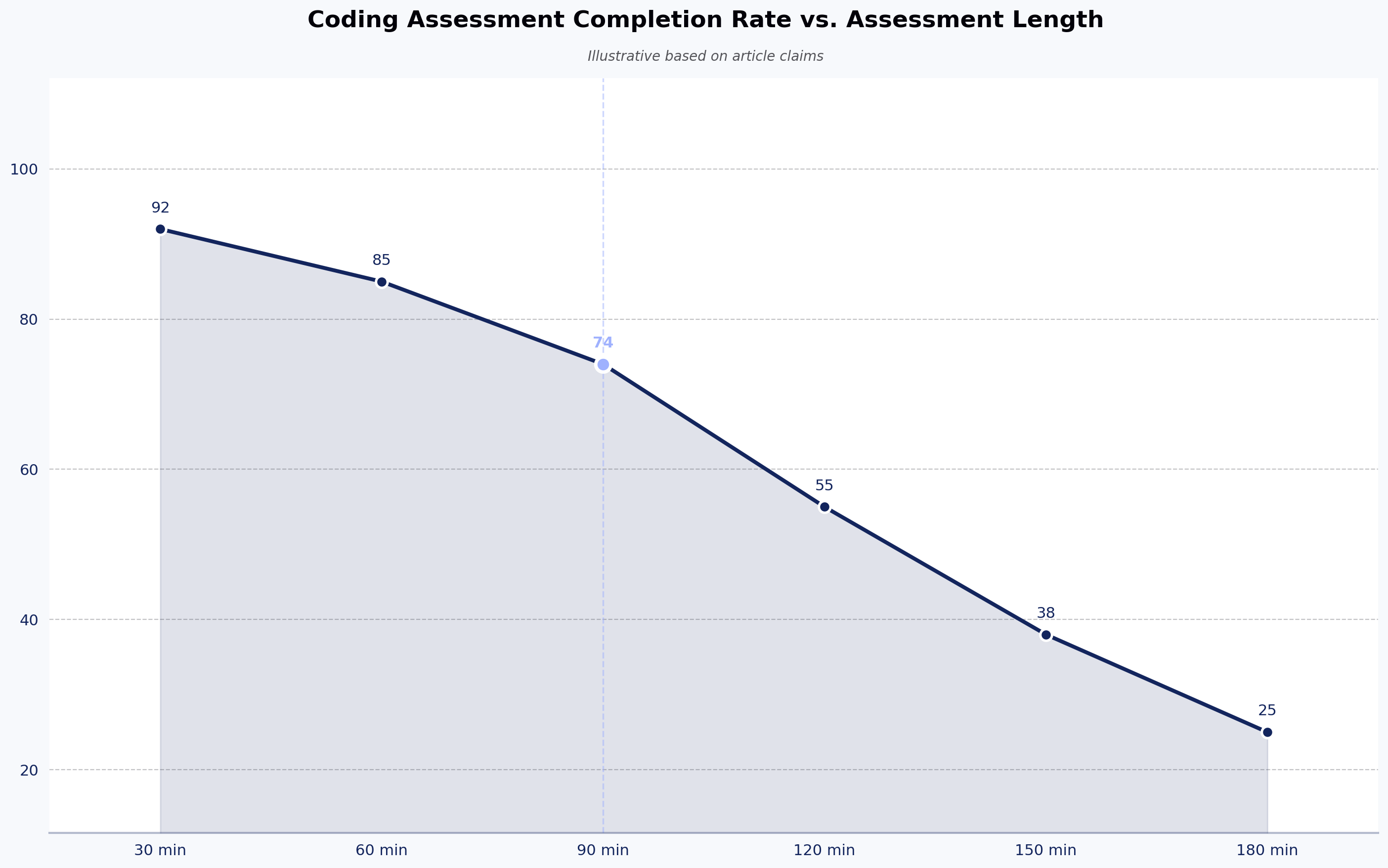
Many experts recommend keeping timed assessments to about 60–70 minutes, as this duration balances depth of skill measurement without overburdening candidates.

5. What is the best tool for assessing full-stack developers?

A strong full-stack assessment tool should test the frontend, backend, databases, APIs, and architecture decisions in a single workflow. HackerEarth supports this by offering full-stack project environments, skill-based tests, and realistic tasks that simulate real engineering work.

Subscribe to The HackerEarth Blog

Get expert tips, hacks, and how-tos from the world of tech recruiting to stay on top of your hiring!

Author
Vineet Khandelwal
Calendar Icon
December 19, 2025
Timer Icon
3 min read
Share

Hire top tech talent with our recruitment platform

Access Free Demo
Related reads

Discover more articles

Gain insights to optimize your developer recruitment process.

Mettl vs HackerEarth: Which Rules Coding Interviews?

When a hiring manager sets out to evaluate software engineers, most teams turn to online technical assessment platforms to run fair and scalable interviews. The need for structured skill evaluation has pushed companies to move beyond manual interviews and whiteboard sessions.

And the shift is accelerating. The percentage of companies using AI in hiring grew from 26% in 2024 to 43% in 2025, according to SHRM. This shows that teams are no longer satisfied with gut instinct or basic coding tests. 

Recruiters want smarter systems that help them identify strong candidates earlier and with more confidence. Additionally, they look for reliable scoring, data-driven insights, and tools that capture top talent early while helping predict on-the-job performance with confidence.

This article offers a comprehensive comparison of two widely used hiring assessment platforms in tech: Mettl and HackerEarth. We’ll explore core features, real-time collaboration, integration ecosystems, analytics, and pricing signals, so you can choose the right tool for your team.

What are Online Assessment Tools?

Online assessment tools are software used by organizations to evaluate skills, knowledge, and abilities through structured digital tests. These tools replace manual methods with scalable, objective evaluations and help hiring teams identify the right candidates efficiently.

Such tools support roles ranging from entry-level to senior developers and help teams screen, interview, and assess talent with minimal bias.

What is Mettl?

Mettl is a talent assessment platform designed to support technical evaluations and broader skill testing for hiring and development. It emphasizes secure online testing and scientific assessment methodologies.

The platform is ideal for companies that need deep, customizable pre-employment tests that measure coding skills, cognitive ability, personality, and job-related competencies. Its coding assessment tools are used across industries to screen developers, quality assurance engineers, data scientists, and engineers working with modern stacks. Mettl also offers 400+ pre-built customized tests in multiple languages, ranging across front-end, back-end, database, DevOps, and data science roles. Recruiters can choose from multiple question formats, including multiple choice, simulation-based coding tests, and case studies that mirror real job scenarios.

One of its best features is its AI-powered remote proctoring system. This system records a candidate’s screen, browser interactions, and video stream to protect assessment integrity. Its secure browser environment tries to prevent cheating and unauthorized navigation during high-stakes evaluations.

Mettl suits both small technical teams and large enterprises that want centralized evaluations across multiple roles and regions. Its analytics give hiring managers insights into performance trends, skill gaps, and role-specific benchmarks. Integration with applicant tracking systems like Workday and Greenhouse also strengthens its role in end-to-end recruitment workflows.

What is HackerEarth?

HackerEarth is an all-in-one coding assessment platform that allows hiring teams to assess candidates’ coding abilities, problem-solving skills, and communication in real time. 

Its Interview FaceCode tool is an online coding interview platform that includes a collaborative code editor, HD video chat, interactive diagram boards for system design, and a built-in library of more than 40,000 questions.  It supports panel interviews with up to five interviewers in a single session, making it easy to assess technical depth and collaboration skills together.

The platform also features an AI-powered Interview Agent that runs structured interviews based on predefined rubrics, adapts to candidate responses, and generates unbiased scores. FaceCode records full interview sessions and transcripts for later review, and it can mask personally identifiable information to support fair evaluations.

FaceCode integrates with leading ATS platforms, including Greenhouse, Lever, Workday, and SAP. It is GDPR-compliant, ISO 27001-certified, and offers 99.99% uptime, making it reliable for both growing teams and large enterprises.

Beyond assessments, HackerEarth connects companies to a global developer community of more than 10 million developers through hackathons and hiring challenges. This gives teams a more interactive way to discover and evaluate talent. Smart Browser Proctoring helps maintain interview integrity by monitoring activity, blocking unauthorized tools such as ChatGPT, and tracking audio, browser tabs, and IP location during assessments.

Feature Comparison: HackerEarth vs Mettl

Before we dive deeper into the features of both tools, let's take a side-by-side look at how HackerEarth and Mettl compare.

Feature Mettl HackerEarth
Assessment Breadth Offers comprehensive pre-employment assessments covering personality, behavioral, cognitive, domain knowledge, coding, and communication skills Focused on developer-centric assessments with 40,000+ coding questions, project-based problems, soft skills, and emerging AI capabilities
Coding Assessment Tools Provides role-based coding simulators, project-based tests, hands-on IDEs, code playback, and automated scoring Offers Coding Assessment Test with 40,000+ questions, real-time code editor, project-based assessments, automated leaderboards, and partial scoring
Live Coding & Collaboration Supports pair programming, interactive whiteboards, role-specific simulators, and secure AI-assisted proctoring FaceCode allows real-time collaborative coding interviews, up to five interviewers, HD video, interactive diagram boards, and AI-generated interview summaries
Evaluation & Scoring Auto-grades objective questions, allows manual scoring of subjective answers, supports custom scoring rules, and detailed analytics Auto-evaluates coding tests, supports partial scoring, leaderboards, and performance dashboards with time, accuracy, and trend metrics
Proctoring & Security Multi-layered AI + human proctoring, three-point authentication, Secure Browser, dual camera, audio monitoring, record & review, ISO-certified AI-driven proctoring with Smart Browser, video snapshots, eyeball tracking, audio monitoring, plagiarism checks, dynamic question shuffling, surprise questions, e-KYC ID verification
Reporting & Analytics Clear, concise reports, interactive graphs, cross-device access, 26+ languages, global-ready dashboards In-depth analytics, Codeplayer records keystrokes, question health scores, candidate funnel insights, completion rates, and score distributions
Integrations & Hiring Workflows Pre-built ATS integrations (Greenhouse, Freshteam, SmartRecruiters, iCIMS, Lever, Workable, Zoho, Keka, others), API & SSO support, webhook updates Pre-built ATS integrations (Greenhouse, LinkedIn Talent Hub, Lever, iCIMS, Workable, JazzHR, Zoho, Eightfold), Recruit API, webhook support, SSO/SAML
Pricing Model Custom quotes based on volume, test type, and enterprise requirements; bundled support/services; high flexibility Transparent tiered pricing for skill assessments, AI interviews, talent engagement, and L&D; options for small teams or enterprise; monthly & yearly billing
Candidate Experience Supports realistic IDEs, hands-on tests, secure proctoring, and project-based assessments Real-time coding interviews, collaborative IDE, Smart Browser, dynamic question sets, plagiarism checks, and surprise questions
Best Use Case Enterprise assessments, large-scale screening, multi-dimensional evaluation (technical, behavioral & cognitive) Developer-focused hiring, live coding interviews, collaborative technical evaluation, scalable coding tests, and AI-driven interview insights

Deep Dive: Assessment & Interview Capabilities

Now that we’ve compared the platforms at a high level, let’s take a closer look at their assessment and interview capabilities to see how they perform in real-world hiring scenarios.

Assessment breadth & depth

To begin with, Mettl offers a comprehensive pre-employment assessment suite that measures both core traits and acquired skills. Some of its core traits include personality, behavioral tendencies, and cognitive abilities, while acquired skills cover domain knowledge, coding, and communication. 

The platform provides customizable assessments, AI-assisted proctoring, and integrations with major ATS platforms. You can evaluate candidates across hundreds of technical and psychometric competencies, including real-world coding simulators and project-based assessments. Mettl emphasizes data-driven insights, predictive on-job behavior evaluation, and security, making it suitable for both large-scale and high-stakes hiring.

As a Mettl alternative, HackerEarth allows teams to assess developers’ technical and soft skills through an extensive library of 40,000+ questions covering 1,000+ skills, including emerging AI capabilities. The platform supports project-based questions, automated leaderboards, and a real-time code editor that works with 40+ programming languages and Jupyter Notebooks. 

The platform provides robust proctoring with SmartBrowser technology, detailed performance reports, and data-driven insights to optimize the hiring funnel. Role-specific assessments, including DSA, psychometric tests, and GenAI tasks, enable recruiters to evaluate both technical problem-solving and critical soft skills efficiently.

🏆Winner: HackerEarth

HackerEarth takes the edge here for developer-focused assessment depth, hands-on coding simulations, and real-time evaluation tools, making it ideal for tech hiring. Mettl is strong in holistic pre-employment testing but doesn’t match HackerEarth’s technical assessment precision.

Live coding & collaboration

When it comes to live coding and collaboration, Mettl provides a robust coding assessment platform with role-based simulators for front-end, back-end, and full-stack development. Candidates can work in realistic IDEs, attempt hands-on coding tests, and even participate in project-based assignments. 

The platform supports seamless pair programming using integrated coding simulators, interactive whiteboards, and a notepad for brainstorming solutions. Auto-graded evaluations, code playback features, and real-time analytics allow hiring teams to quickly review candidate performance and make informed decisions. Mettl also enables secure, AI-assisted proctoring and integration with major ATSs for smooth end-to-end assessment.

Similarly, HackerEarth offers two complementary tools for coding evaluation. The Coding Assessment Test lets recruiters create automated, role-specific coding tests with 40,000+ questions, project-based problems, automated leaderboards, and SmartBrowser proctoring for secure assessments. 

Meanwhile, FaceCode enables real-time, collaborative coding interviews with up to five interviewers, HD video, interactive diagram boards, and support for 40+ programming languages. FaceCode automatically generates AI-powered interview summaries, capturing technical performance, communication, and collaboration insights. Recordings and PII masking helps support fairer, less biased evaluations, and both tools together cover end-to-end coding assessment needs.

🏆Winner: HackerEarth

HackerEarth takes the lead for real-time collaboration and live coding interviews, thanks to FaceCode’s interactive IDE, panel interview support, and AI-driven insights. Mettl does offer simulated coding tests and scalable assessments but lacks the same live collaboration and panel interview sophistication that FaceCode delivers.

Evaluation & scoring

Good scoring can make or break your hiring process. Mettl automatically grades objective questions like multiple-choice items and coding problems, and it also lets evaluators manually score subjective or long-answer responses whenever needed. This combination of automated and human scoring gives hiring teams control over how different question types influence the final result. 

Administrators can design tailored test blueprints, define scoring rules, and create custom evaluation schemes to match the priorities of each role. Additionally, detailed analytics help recruiters benchmark performance across candidates and competencies, ensuring data-driven hiring decisions.

Similarly, HackerEarth focuses on robust automated scoring and actionable analytics. It auto-evaluates coding assessments against predefined test cases and even supports partial scoring, awarding points for solving individual components of a problem. 

The platform generates automated leaderboards and rich analytics on candidate performance, tracking metrics like accuracy, time taken, and problem-solving trends. Its assessment dashboard lets hiring teams compare candidates, spot performance patterns, and refine future tests based on completion rates, score distribution, and other insights.

🏆Winner: Both

Both platforms deliver strong scoring capabilities. HackerEarth edges ahead in automation and partial scoring, while Mettl excels when teams need manual evaluation of subjective responses. The best choice depends on your assessment format.

Proctoring & security

Both Mettl and HackerEarth offer strong solutions, but they approach it slightly differently.

For example, Mettl ensures integrity with a multi-layered proctoring system that combines AI and human oversight. 

  • Before the exam, candidates go through three-point authentication, including email verification, mobile OTP confirmation, and official ID checks. 
  • During the exam, the Secure Browser locks candidates to the test screen and restricts access to unauthorized applications. 
  • AI-powered monitoring flags suspicious behavior, while live human proctors can verify identities in real time. 

Mettl also provides dual-camera monitoring, audio proctoring, and flexible record & review capabilities, allowing administrators to audit exams after they finish. With over 32 million proctored test takers, 2,000+ proctors deployed in a single day, and ISO certifications for data security, Mettl scales proctoring for both small and massive assessments. 

On the other hand, HackerEarth delivers AI-driven proctoring designed for secure, cheat-proof assessments. Their Smart Browser verifies that test scores reflect only a candidate’s ability by blocking unauthorized actions. The platform monitors candidates using video surveillance with AI-powered snapshots and eyeball-tracking, audio monitoring for whispers or external assistance, and dynamic question pooling and shuffling to prevent collaboration. 

Post-test, HackerEarth challenges candidates with surprise follow-up questions to verify understanding and originality. A plagiarism engine scans submissions across the web and past candidate responses, and identity verification leverages government-grade e-KYC systems like DigiLocker. Administrators can further customize proctoring rules, from IP restrictions to copy-paste lockdowns, for airtight security without compromising candidate experience.

🏆Winner: Mettl

Mettl takes this round for its layered combination of AI and human proctoring, three-point authentication, dual-camera monitoring, and proven scale with over 32 million proctored sessions. HackerEarth's AI-driven Smart Browser and plagiarism detection are strong, but Mettl's depth of oversight gives it the edge in high-stakes, compliance-sensitive assessments."

Reporting & analytics

Making sense of candidate data shouldn’t feel like decoding hieroglyphs. With Mettl and HackerEarth, you’ll get actionable insights that help you hire smarter and faster.

Mettl delivers insightful, easy-to-read reports that highlight each candidate’s strengths and weaknesses. Recruiters can navigate quickly through summaries, interactive graphs, and charts, and even customize the report format to match their priorities. Reports support cross-device access and more than 26 international languages across 80+ countries, making them usable globally. 

However, HackerEarth provides in-depth, data-driven analytics that focus on top performers and test effectiveness. The platform uses Codeplayer to record every keystroke and replay coding sessions, giving recruiters insight into logical approach, problem-solving, and programming skills. 

Question-based analytics and a health score for each question help teams pick questions that match desired difficulty and learning outcomes. HackerEarth tracks assessment completion, score distribution, and candidate funnel metrics, helping teams refine future tests. 

🏆Winner: Mettl

While HackerEarth provides robust, in-depth analytics, Mettl wins this round for its combination of clarity, actionable insights, cross-device access, and international readiness, which makes it easier for hiring teams to make fast, confident decisions at scale.

Integrations & Hiring Workflows

In modern hiring, your technical assessment platform needs to fit into your broader ATS, HRIS, SSO, and API workflows, so recruiters and hiring ops can move smoothly through every hiring stage. 

Here’s how Mettl and HackerEarth perform with respect to integrations and hiring workflows:

Mettl

Mercer | Mettl integrates tightly with a wide range of ATS and hiring tools, helping teams manage assessments and candidate data without breaking their existing workflows. It offers pre‑built integrations with major ATS platforms, such as: 

  • Greenhouse
  • Freshteam
  • SmartRecruiters
  • iCIMS
  • Ashby
  • Lever
  • Workable
  • Zoho Recruit
  • Keka
  • Peoplise
  • Superset, and more

This enables teams to trigger assessments from within their ATS, sync candidate test status, and pull back detailed results directly into the recruiting system dashboard.

Mettl’s support for REST APIs lets you map jobs, create assessments, register candidates, and push scores and report URLs back into your HR systems programmatically. It also supports SSO (including SAML‑based sign‑on) and webhook‑style callbacks to deliver real‑time updates when tests start, finish, or get graded. This helps orchestrate workflows like interview scheduling or automated stage progression.

HackerEarth

HackerEarth also fits neatly into existing hiring stacks and helps recruiters automate assessment tasks across systems. It supports direct integrations with popular ATS platforms, including: 

  • Greenhouse
  • LinkedIn Talent Hub
  • Lever
  • iCIMS
  • Workable
  • JazzHR
  • SmartRecruiters
  • Zoho Recruit
  • Recruiterbox
  • Eightfold 

These integrations let teams create tests, invite candidates, and view detailed candidate reports without switching between tools.

On top of pre‑built ATS connectors, HackerEarth provides a Recruit API that developers can use to manage tests, invites, and results from their own systems. This makes it possible to automate candidate invites, collect reports, and embed assessment tasks into broader HRIS‑driven workflows. Detailed API support and webhook‑style event flows help plug assessments and live interviews (including FaceCode) into your hiring operations.

In terms of SSO and security, both platforms support modern authentication standards like SAML and API key‑based access, which helps your teams manage user access consistently across tools and protect candidate data throughout the hiring lifecycle.

🏆Winner: HackerEarth

HackerEarth combines a broader set of ready‑to‑use ATS integrations with flexible APIs and automated invite/report workflows. This makes it easier to connect assessments and live interviews with your hiring pipeline. 

Pricing Signals & Packaging

Pricing transparency influences buying decisions, and the right assessment platform delivers maximum value and clear results for your investment.

Mettl

Mettl does not publish standard pricing online, and instead offers customized plans based on your organization’s size, assessment volume, and feature needs. You’ll have to speak with their sales team or request a demo to get a quote.

Here's what you can generally expect from Mettl's pricing approach:

  • Custom quotes tailored to your business context
  • Plans shaped by assessment volume, test types, and usage rather than rigid tiers
  • Support and customization bundled into pricing, such as bespoke tests, branding, and integration help
  • High‑security and compliance credentials (ISO 9001, ISO 27001, SOC2 Type 2) often reflected in pricing for enterprise customers

Because Mettl doesn’t list prices publicly, smaller teams or startups may find it harder to estimate a budget without engaging sales upfront. However, enterprises with complex assessment needs, especially those requiring custom workflows, integration support, or remote proctoring at scale, can benefit from Mettl's tailored plans.

HackerEarth

HackerEarth publishes clear-tiered pricing for many of its core offerings, making it easier to budget and compare. Their pricing structure breaks into distinct product areas with monthly and yearly billing options (yearly offers roughly 2 months free):

1. Skill Assessments

  • Growth ($99/month): Starter tier with basic assessment credits, coding questions, and plagiarism detection.
  • Scale ($399/month): Larger question library (20K+), advanced analytics, video response support, calendar and ATS integrations.
  • Enterprise (custom pricing): Full library access (25K+), API/SSO, professional services, global benchmarking, and premium support.

2. AI Interviewer

  • Growth ($99/month): AI‑driven interviews, real‑time code evaluation, screening, templates, and analytics.
  • Enterprise (custom pricing): Additional enterprise‑grade SSO, custom roles & permissions, and professional services.

3. Talent Engagement & Hackathons

  • Custom Pricing: Includes hackathons, community challenges, and brand engagement

4. Learning & Development

  • Free developer practice content
  • Business tier (~$15/month per user) for developer upskilling, competency mapping, and insights

HackerEarth’s pricing is among the most transparent in the space, and its tiered plans help teams pick the most relevant level based on hiring volume and sophistication. Smaller teams can start with reasonably priced, self‑service plans, while larger orgs can opt for enterprise capabilities.

To make it easier for you, here’s a side-by-side HackerEarth vs Mettl comparison in terms of pricing:

Aspect Mettl HackerEarth
Price Transparency Low: Custom quotes only High: Published tiers and demos
Best Fit for Small Teams Harder to estimate without sales Clear starter plans available
Enterprise Flexibility Strong, highly customizable Strong with a custom enterprise tier
Bundled Support/Services Often included Available, sometimes premium
Modular Product Pricing Assessment-centric Skill tests, AI interviews, engagement, and learning

Decision Framework: Which Platform Should You Choose?

Finding the right online technical assessment platform can be challenging. You want a solution that fits your hiring needs, supports your workflow, and gives candidates a smooth experience. 

However, each platform has strengths, depending on what your team is looking for. For example, if your main goal is conducting coding interviews, HackerEarth works exceptionally well. Its real-time coding environment allows multiple interviewers to collaborate, supports over 40 programming languages, and automatically generates detailed reports after each session. Recruiters can evaluate candidates quickly, compare results, and make confident decisions without manual intervention.

If you need deep analytics and structured scoring, Mettl is the absolute winner. It allows administrators to create custom scoring rubrics, combine auto-graded and manual evaluations, and produce interactive reports that highlight candidate performance trends. Mettl works well for large enterprises that require detailed insights across multiple roles and skill levels. Its reporting helps you spot skill gaps, benchmark candidates, and make data-driven decisions with confidence.

Integrations and hiring workflows are another key consideration. Both platforms support ATS and HRIS integrations and single sign-on, but HackerEarth provides a slightly more seamless experience for connecting assessments to existing systems. You can schedule interviews, share results, and track candidates across the funnel with minimal manual effort. Mettl offers flexibility and customization for enterprises that want complete control over the assessment and reporting process.

HackerEarth gives candidates a smooth coding experience with instant feedback and a clean interface. Mettl provides a highly secure environment with AI-assisted proctoring, dual-camera monitoring, and browser lockdowns. Candidates feel that the assessment is fair and reliable, which is particularly important for high-stakes tests.

Here’s a simple way to think about your decision:

  • Ask yourself if coding interviews are your top priority. If yes, HackerEarth is a strong choice. 
  • Consider whether deep analytics and structured scoring are essential. If yes, Mettl becomes the clear option. 
  • Determine if ATS integration and workflow automation are critical. If yes, HackerEarth provides a more ready-to-use solution. If no, Mettl still offers flexibility for customization.
  • Think about the candidate experience. If you want a highly secure proctoring setup, Mettl stands out. If you want a fast, interactive coding experience, HackerEarth excels.

The Right Tool Depends on How You Hire

In all your hiring processes, data drives decisions, and a structured tech assessment platform comparison highlights the strengths of each solution.

Many organizations combine both, using HackerEarth as an all-in-one online coding interview tool and Mettl for large-scale, data-driven assessments. Your choice should match your team’s workflow, hiring volume, and the type of insights you want from each assessment.

Choose Mettl if you:

  • Need enterprise-grade depth and compliance control
  • Want structured scoring and detailed analytics across multiple roles and skills
  • Conduct high-volume assessments where standardized evaluations matter most

Choose HackerEarth if you:

  • Focus on real-time coding interviews with a collaborative coding environment
  • Want fast, developer-friendly workflows that scale easily
  • Need actionable insights instantly to make better hiring decisions

Elevate your hiring process from start to finish. Get started with HackerEarth today and discover top candidates with confidence.

FAQs

Is Mettl better than HackerEarth for coding assessments?

Both platforms support coding assessments, but they work differently. Mettl offers a broad range of test types that go beyond pure coding, including personality, behavioral, and cognitive evaluations, as well as programming problems. HackerEarth provides a large library of coding questions (40,000+) and tools focused more on developer skill evaluation and interview workflows, which many teams prefer for technical screening.

Which tool offers better live coding experiences?

If live coding interaction matters most, HackerEarth stands out. Its online coding interview tool integrates a real‑time editor, video chat, diagram boards, and collaborative features that let multiple interviewers work with a candidate in one session. This setup makes it easier to evaluate problem‑solving and communication together.

Which has deeper analytics?

Mettl provides detailed analytics across many dimensions, including performance trends and candidate behavior, and reports that cover both technical and non‑technical skills. HackerEarth also gives valuable analytics, especially focused on coding performance and behavior during tests, but teams that need broad analysis across multiple assessment types often find Mettl’s reporting more comprehensive.

What integrations do these platforms support?

Both platforms integrate with applicant tracking systems and HR tools. HackerEarth integrates with many ATS products, allowing teams to launch tests and view results without leaving their systems. 

Which platform is more scalable?

Both platforms handle large hiring volumes. Mettl’s architecture supports massive assessment loads in a single day and a wide range of assessment types, making it suitable for enterprise screening. HackerEarth scales especially well for technical interviews and ongoing developer hiring at medium to large organizations.

HackerRank vs HackerEarth: Which Rules Coding Interviews?

Technical hiring has changed dramatically over the last few years. Recruiters face more applicants per role, developers expect faster feedback, and teams need tools that do more than just run coding tests. As a result, large companies are rethinking how they assess engineers. 

Modern talent‑acquisition platforms that combine live interviewing, structured scoring, and detailed analytics are helping organizations make better decisions faster. In fact, nearly 60% of HR leaders say AI‑powered tools have improved talent acquisition by reducing bias and accelerating hiring, highlighting how technology is reshaping recruiting workflows and outcomes.

In this article, we'll do a HackerRank vs HackerEarth comparison and see how these online coding interview platforms perform against key criteria like interview workflows, integrations, analytics, and candidate experience to help you make the right choice.

What are Coding Interview Platforms?

A coding interview platform is software that helps companies evaluate candidates' technical skills during the hiring process. These tools provide coding tests, live interview environments, scoring tools, candidate dashboards, and integrations with HR systems. 

Additionally, they help recruiters and engineering managers assess candidates fairly, consistently, and with objective data.

What is HackerRank?

HackerRank delivers a full suite of coding assessments, live interviews, and workflow tools for recruiters and engineering teams. It handles large volumes of technical tests daily and supports 55+ programming languages, making it a reliable option for enterprises facing heavy hiring needs.

The platform extends beyond simple coding tests. It includes advanced proctoring, adaptive AI interview tools, and the ability to simulate real-world tasks that reflect on-the-job coding challenges. Its question library spans thousands of challenges, enabling recruiters to build customized assessments for screening, take-home projects, and live interviews.

Recruiters use HackerRank for:

  • High-volume screening campaigns, such as campus hiring or global rollouts
  • Structured technical assessments that filter candidates before human interviews
  • Supporting engineering managers in live pair-programming interviews

The platform’s scoring features allow weighted grading and custom test creation. It integrates with major ATS systems, enabling automated workflows that seamlessly move candidates from online tests to interview stages.

That said, HackerRank's depth of features can come with a steeper onboarding curve, and some smaller teams have noted that the platform's workflows feel designed more for high-volume hiring than lightweight interview schedules.

What is HackerEarth?

Known as one of the best HackerRank alternatives, HackerEarth is an all-in-one coding interview platform that combines technical assessments with recruiting workflows. It combines coding tests with virtual interviewing via FaceCode, reporting dashboards, and structured analytics. 

It brings screening and interview tools together, allowing hiring teams to move candidates smoothly from initial assessments to live technical interviews and final review stages. HackerEarth also emphasizes ease of use for recruiters and candidates. It has built-in ATS connectors and reporting that help teams track candidate pipelines and recruiter performance across interviews.

Some of its core capabilities include:

  • FaceCode interviews: Browser-based coding challenges with live audio/video
  • ATS integration: Seamless connections with applicant tracking for smoother recruiter workflows
  • Analytics dashboards: Structured insights into test performance and interview outcomes
  • Custom question library: Recruiters can build tests tailored to specific roles and skills

The platform suits small to mid-sized companies and teams that want a balanced mix of screening and interviewing tools with intuitive workflows. It works well for companies that need clear candidate pipelines with structured steps from test invitation to interview completion. That said, HackerEarth is primarily developer-focused and may not be the best fit for teams that need broad psychometric, behavioral, or cognitive assessments alongside technical screening.

Feature Comparison: HackerRank vs HackerEarth

To help you decide which platform fits your hiring needs, we’ll dive into a HackerEarth vs HackerRank coding interview tool comparison. We’ll compare both tools side by side on the basis of workflows, integrations, analytics, and the candidate experience.

Side‑by‑Side Feature Deep Dive: HackerRank vs HackerEarth

Now that we understand what each platform offers, it’s time to dive deeper into a technical interview software comparison to see how they perform in real-world hiring scenarios.

Live coding & collaboration

Ever wondered how a developer really thinks under pressure? Real-time coding reveals problem-solving instincts, collaboration style, and adaptability in ways a resume can’t. 

Here’s how HackerRank and HackerEarth tackle this critical part of technical hiring:

HackerRank

HackerRank lets you run live coding interviews in a shared, real-time environment that mirrors how developers work daily. You can review code, debug issues, or build features alongside candidates. Pair programming gives a clear sense of how well you might collaborate with someone on your team. 

The platform also includes code repository questions, realistic coding challenges, and built-in AI assistants that let you see how candidates interact with modern developer tools. Security features track tab switches, multiple monitors, and outside help, helping maintain trust in the interview results.

HackerEarth

HackerEarth’s FaceCode offers a collaborative real-time editor that supports over 40 programming languages. You can run live-coding interviews with panels of up to 5 interviewers and integrate diagram boards for systems design. Its Coding Assessment Test and library of 40,000+ pre-built questions let you tailor interviews to your job requirements while evaluating candidates objectively. 

FaceCode also uses AI to generate detailed session summaries that cover technical skills, problem-solving approach, and collaboration style. The platform records interviews for later review, masks candidate information to support unbiased evaluations, and securely handles high-volume hiring, all while keeping the candidate experience smooth and professional.

🏆Winner: HackerEarth

While HackerRank provides a realistic coding workflow, HackerEarth gives teams more tools to evaluate, record, and analyze performance across multiple dimensions, making it the stronger choice for structured and scalable hiring.

Structured evaluation & scoring

Live coding is one thing, but structured evaluation turns raw performance into hiring decisions you can trust. 

This section looks at how HackerRank and HackerEarth measure, score, and analyze candidate results:

HackerRank

HackerRank automatically scores coding tests against predefined unit tests and lets you build flexible scorecards with custom criteria you define. You can benchmark candidate results against a global developer pool and see weighted scoring rather than just pass/fail outputs. 

Meanwhile, advanced evaluation features show code quality, efficiency, and AI fluency, giving you a richer view of how a candidate approaches problems from multiple angles. Reports capture detailed analytics and highlight performance across coding, logic, and higher‑order skills.

HackerEarth

HackerEarth auto‑evaluates coding assessments using test cases and supports partial scoring, so candidates earn points for solving components of a problem. The platform generates leaderboards and analytics that show metrics such as accuracy, speed, and problem‑solving trends. 

Its assessment dashboard makes it easy to compare candidates at a glance, spot performance patterns, and refine future tests based on real data. Teams can also tap into AI‑generated summaries and performance trends to help make decisions faster. 

🏆Winner: HackerEarth

HackerEarth’s scoring and analytics feel more complete for structured evaluation because they combine large‑scale automated scoring, partial credit, and ready dashboards that hiring teams actually use to compare and iterate.

Candidate experience

How your candidates feel during and after an interview matters as much as how well they perform in it. 

Research shows that around 77 % of candidates who have a negative experience will share it with their networks, potentially harming your employer brand and future recruiting efforts. In contrast, about 65% of candidates who have a positive experience are likely to engage with that company again, whether as future applicants or even as customers.

Let’s look at how HackerRank and HackerEarth shape the candidate experience:

HackerRank

HackerRank gives candidates a familiar coding environment with a fully featured IDE based on the Monaco Editor, the same editor that powers Visual Studio Code, offering things like autocomplete, real‑time linting, and IntelliSense across many languages. This lets candidates code in a workspace that mirrors professional tools rather than a barebones test box. 

The platform also includes preparation resources and compatibility checks to help candidates familiarize themselves with it before their interview or test. It supports real‑time communication with interviewers during live sessions and collects feedback on performance, helping both sides communicate clearly throughout the process.

HackerEarth

HackerEarth focuses on a smooth and intuitive coding experience with an IDE designed for clarity and usability. Candidates see inline error messages and detailed feedback as they code, can choose from more than 40 programming languages, and access practice tests and assessments that help them get comfortable before the real interview. 

The platform also lets candidates take tests in multiple regional languages and invites them to provide feedback after assessments to help recruiters improve future experiences. These elements work together to reduce friction and make the overall process feel respectful and engaging.

🏆Winner: HackerRank

HackerRank edges ahead here with its Monaco Editor-based IDE, which gives candidates the same autocomplete, linting, and IntelliSense experience they use in professional development environments like VS Code. This familiarity reduces friction and lets candidates focus on problem-solving rather than adjusting to an unfamiliar interface. HackerEarth offers strong candidate-centric features like multi-language support and practice tests, but HackerRank's IDE experience is hard to beat for developer comfort during high-pressure interviews. 

Integrations & hiring workflows

Integrating assessments with applicant tracking systems and workflow tools keeps recruiters focused on hiring rather than hopping between apps.

HackerRank

HackerRank connects directly with a broad ecosystem of ATS, scheduling, and productivity tools. It supports 40+ ATS integrations, including Greenhouse, Ashby, BreezyHR, Darwinbox, Freshteam, and more, allowing recruiters to send coding tests, schedule live interviews, and view results all from within their existing systems. Recruiters can use a REST API to build custom workflows and push assessment invites, test results, and interview links into internal HR systems. 

These integrations also help keep scorecards, interview notes, and candidate records synchronized without manual data entry. HackerRank includes scheduling tool integrations and single sign-on options to help teams manage user access and streamline authentication.

HackerEarth

HackerEarth also fits into your existing hiring stack and helps recruiters automate assessment tasks across systems. It provides direct ATS integrations with popular platforms, including Greenhouse, LinkedIn Talent Hub, Lever, iCIMS, Workable, JazzHR, SmartRecruiters, Zoho Recruit, and Recruiterbox. 

These connections let teams create assessments, invite candidates, and view detailed reports without switching apps. In addition to pre‑built ATS connectors, HackerEarth offers a Recruit API so teams can manage tests, invites, and results from custom internal systems. This API supports webhook‑style event flows that help embed coding assessments and live interviews into your broader HRIS workflows. 

🏆Winner: Tie

Both HackerRank and HackerEarth connect with major ATS platforms, support APIs for custom workflow automation, and offer secure single sign-on. HackerEarth adds extensive webhook support, while HackerRank has a broad ecosystem of integrations, including scheduling tools. Either platform can integrate smoothly into modern hiring stacks, making them equally strong choices for managing recruitment workflows.

Analytics & reporting

Hiring decisions should rest on solid data. Analytics help you understand what worked, what didn’t, and why across your assessments and interviews:

HackerRank

HackerRank offers a range of analytics tools that help you measure candidate performance and hiring funnel metrics. Recruiters can access dashboards showing test usage, interview usage, and question‑level insights, and they can create custom reports combining selected data points from tests, candidate attempts, and invites. These reports give you the flexibility to export and analyze data in formats like Excel to support deeper evaluation and external sharing. 

It also provides structured interview scorecards that map performance to predefined skills, allowing you to compare evaluator feedback consistently across interviews. Recruiters can view detailed candidate reports that include problem‑solving scores, code-quality indicators, session-integrity markers, and more, helping teams make informed decisions based on both quantitative and qualitative signals.

HackerEarth

HackerEarth delivers in‑depth, data‑driven analytics to identify top performers and assess test effectiveness. The platform’s Codeplayer records every keystroke and replays sessions, helping you see how candidates approached a problem, shifting analysis from scores to reasoning patterns. 

Alongside this, HackerEarth offers question‑based analytics and a health score for each question based on difficulty, language choice, and historical data, helping teams build better assessments over time. Test analytics include metrics on score distributions, test completion times, and candidate funnel performance, giving recruiters a clear picture of how assessments perform and where adjustments make the most impact.

🏆Winner: HackerEarth

HackerRank provides robust dashboards and custom reports, but HackerEarth’s combination of detailed session replay, question analytics, and test effectiveness metrics gives hiring teams richer insight into both candidate behavior and assessment quality.

Pricing & Packaging Signals

Hiring teams vary widely in size, technical needs, and hiring volume, so choosing the right plan comes down to which features and flexibility matter most. Pricing transparency and scalability also shape the overall value a platform delivers.

HackerRank

Here’s a quick look at how HackerRank structures its plans for teams of all sizes:

  • Starter: $199/month
    • 1 user
    • 2000+ questions
    • Access to Screen + Interview
    • Advanced plagiarism detection
    • Leaked question protection
    • Multi-file project questions
    • 10 assessment attempts per month ($20/additional attempt)
  • Pro: $449/month
    • Unlimited users
    • 4000+ questions
    • Three-star AI features
    • AI-assisted IDE
    • AI proctoring & identity verification
    • Advanced evaluation & scorecard assist
    • Integrations: ATS (Greenhouse, Lever, Ashby), Calendar (Google & Outlook)
    • 25 assessment attempts per month ($20/additional attempt)
  • Enterprise: Custom Pricing
    • Full library of 7500+ questions
    • 40+ integrations (including Workday, Oracle, Eightfold)
    • Test up to 100k candidates at once
    • Advanced user roles and permissions
    • Designated account manager and professional services
    • SSO/SCIM support and premium support

HackerEarth

HackerEarth offers clear, tiered pricing that scales from small teams to large enterprises:

A] Skill Assessments

  • Growth ($99/month)
    • Basic assessment credits
    • Coding questions
    • Plagiarism detection
  • Scale ($399/month)
  • 20,000+ question library
  • Advanced analytics
  • Video response support
  • Calendar and ATS integrations
  • Enterprise (Custom Pricing)
  • Full access to 40,000+ question library
  • API & SSO support
  • Professional services and global benchmarking
  • Premium support

B] AI Interviewer 

  • Growth ($99/month)
    • AI-driven interviews
    • Real-time code evaluation
    • Screening templates and analytics
  • Enterprise (Custom Pricing)
  • Enterprise-grade SSO
  • Custom roles & permissions
  • Professional services

C] Talent Engagement & Hackathons: Custom Pricing

  • Hackathons, community challenges, and brand engagement

D] Learning & Development: Business Tier (~$15/month per user)

  • Developer upskilling
  • Competency mapping
  • Insights and analytics
  • Free developer practice content available

Here’s a side-by-side summary for quick comparison:

Feature/ Tier HackerRank HackerEarth
Entry Level Starter $199/month, 1 user, 2000+ questions, basic AI & plagiarism tools Growth $99/month, basic assessment credits, coding questions, plagiarism detection
Mid Tier Pro $449/month, unlimited users, 4000+ questions, AI-assisted IDE, ATS & calendar integrations Scale $399/month, 20,000+ questions, advanced analytics, video response, ATS/calendar integrations
Enterprise Custom, 7500+ questions, 40+ integrations, SSO/SCIM, account manager Custom, 40,000+ questions, API & SSO, professional services, global benchmarking, premium support
Annual Discounts 2 months free, pre-purchase attempts ~2 months free, flexible modules for team needs

Which One Should You Choose?

After exploring features, workflows, pricing, and candidate experience, it’s clear that both HackerRank and HackerEarth offer powerful solutions. However, your final decision comes down to your team’s priorities, hiring volume, and workflow needs.

Here's when to choose HackerRank:

  • You want a professional-grade IDE experience that mirrors tools like VS Code, helping candidates perform at their best during live coding sessions.
  • Your team runs high-volume screening campaigns such as campus hiring or global rollouts and needs a platform built to handle scale efficiently.
  • You prefer structured technical assessments with global benchmarking, weighted scoring, and AI-assisted evaluation to compare candidates objectively.
  • You already use an ATS or scheduling tool that HackerRank integrates with, and you want a straightforward plug-and-play setup..

Here's when to choose HackerEarth:

  • You need structured interviews at scale, with access to 40,000+ questions and customizable Coding Assessment Tests tailored to specific roles.
  • Your hiring process requires enterprise-grade workflow automation, API support, and detailed analytics for data-driven decisions.
  • You want candidate-centric experiences that include multi-language assessments, practice tests, and AI-generated session summaries.
  • Your team values modular product offerings that cover AI Interviewer, Talent Engagement, and Learning & Development in addition to assessments.

Ultimately, your choice depends on your team’s priorities, whether you value real-time coding simplicity, structured assessment depth, or enterprise-scale workflows.

HackerEarth is one of the most comprehensive coding interview platforms available, helping teams hire faster, evaluate candidates more thoroughly, and deliver a better candidate experience. Get started with a demo today and see how it fits your hiring needs.

FAQs

Is HackerRank better than HackerEarth?

It depends on your priorities. HackerRank works well for teams that want simple, real-time coding interviews, a strong IDE, and structured assessments. HackerEarth wins for teams that need large-scale structured evaluations, extensive question libraries, modular features, and advanced analytics.

Which has better interview analytics?

HackerEarth provides more detailed, actionable analytics, including Codeplayer session replays, question health scores, and candidate funnel metrics. HackerRank offers dashboards, custom reports, and skill-based benchmarking, but HackerEarth’s approach gives deeper insight into both candidate behavior and assessment quality.

Can HackerEarth replace HackerRank?

For most technical hiring needs, yes. HackerEarth covers coding assessments, live interviews, and candidate analytics with comparable depth. It also adds features like multi-language assessments, AI interview summaries, and modular tools for engagement and upskilling. However, teams that heavily depend on HackerRank's Monaco Editor IDE or its specific global benchmarking data may want to evaluate both before switching.

Which platform is more scalable?

HackerEarth scales better for high-volume hiring, enterprise workflows, and large question libraries (40,000+ questions). HackerRank can also support enterprise needs, but HackerEarth’s modular offerings, APIs, and automation give it a slight edge for large organizations.

Do both support remote hiring?

Yes. Both platforms fully support remote coding interviews with live collaboration, real-time IDEs, AI-assisted evaluation, and proctoring features. HackerEarth emphasizes candidate experience and session recordings, while HackerRank focuses on real-time coding and structured evaluation.

AI‑Driven Remote Proctoring: The Next Frontier in Online Assessments

Around two years ago, an instructional designer at Polk State College named Katie Ragsdale ran an unusual experiment. She posed as a student and hired a contract-cheating service called Exam Rabbit to take her online exam. The plan was simple: to see if the system could catch it.

It didn’t.

After verifying her identity through an AI-powered proctoring platform, she sat in front of the screen while someone thousands of miles away remotely controlled her computer and completed the test for her. She walked away with an A grade and an even more troubling discovery. When a payment delay occurred, the cheating service threatened to blackmail her using recordings from the exam.

Stories like this reveal how sophisticated modern cheating operations have become, and why traditional exam precautions are no longer enough. 

Online testing is expanding rapidly as institutions embrace digital learning and remote assessments. But as exams move online, the stakes remain the same, and sometimes even higher. Universities rely on them to certify knowledge, employers use them in recruitment, and professional bodies depend on them for licensing and credentials.

As assessments move online, it becomes difficult (and more critical than ever) to protect integrity. This is where AI-driven remote proctoring enters the picture. 

In this article, we’ll explore how AI-based remote proctoring works, why it’s becoming essential for modern online assessments, and how AI is reshaping the future of exam integrity.

What is Remote Proctoring? Meaning & Fundamentals

Remote proctoring is the process of supervising an exam when the test‑taker and the examiner are not in the same physical space. It uses webcams, microphones, screen monitoring, and often artificial intelligence (AI) to make sure the person taking the test is really who they say they are and that they aren’t cheating, usually from the moment the exam starts until it ends. 

It can be live, with a real person watching in real time, automated with AI to watch for suspicious behavior, or a mix of both, where software flags moments for later review by humans.

Here’s how it works:

  • Before the exam begins, remote proctoring systems typically verify identity by scanning a photo ID and matching it to the person’s face on camera. 
  • Then, they may ask the candidate to move their webcam around the room, so the system can check for textbooks, phones, or another person nearby. 
  • Once the test starts, the software keeps watching through the webcam and microphone and often the test‑taker’s screen. 
  • It looks for behavior that might indicate cheating, like repeated glances away from the screen, unusual noise, or a second person entering the camera view.

Remote proctoring first gained widespread adoption during the COVID‑19 pandemic, when in-person exams became difficult or impossible. However, real-world experiments, such as Katie Ragsdale’s undercover test at Polk State College, have highlighted the limits of even AI-driven systems. In her case, a hired contract-cheating service bypassed an AI proctoring system and completed an exam remotely. 

Such examples highlight the ongoing need for layered monitoring, careful vendor selection, and pedagogical adjustments to maintain exam integrity.

How Remote Proctoring Works: Software & Tools

Today, remote proctoring is not just a pandemic stopgap. It has become a core part of online education and assessments, with the global online exam proctoring market valued at $836.43 million in 2023. It is projected to reach $1.99 billion by 2029, growing at a CAGR of approximately 16% from 2024 to 2029. 

Some of its key drivers include the rising adoption of online education and certification programs, internationalization of learning, the need for cost‑effective and scalable assessment security, and advances in AI and machine learning that enhance detection capabilities.

How does it work

Because AI handles most of the work, we need to train machine learning models to look for things that we would generally consider to be a potential flag. These signals are very specific! 

Here are some examples:

  • Two faces appearing on the screen simultaneously
  • No face detected in front of the camera
  • Voices detected in the background
  • Small rectangles (~2–3 in × 5 in), indicating a phone or other device
  • Face looking away or down, suggesting the test-taker may be consulting notes
  • Large rectangles (~8 in × 11 in), suggesting a notebook or extra paper is present

These cues are continuously monitored, sometimes twice per second, and machine learning models analyze each video frame, often using support vector machines or similar algorithms. Each flag is assigned a probability, and the system calculates an overall "cheating score" to flag suspicious behavior for further review.

If you have seen the show Silicon Valley, you might remember the “hot dog vs not hot dog” app, a simple AI model trained to classify images into a very narrow set of categories. The first version only solved one small problem. It either said "hot dog" or "not hot dog". 

Remote proctoring works in the same way. It breaks a complex problem into very specific pieces. Then, it watches for each piece, scores it, and flags anything unusual in real time.

Live proctoring vs AI proctoring

Now, how do you decide which type of remote proctoring is right for your exam?

To begin with, live proctoring is a process that uses human supervisors who watch candidates through webcams in real time. A single proctor can watch several exam sessions simultaneously. If suspicious behavior happens, the proctor can intervene immediately. At a broad level, this method is generally recommended for high-stakes exams (e.g., medical or professional certification tests). 

However, large-scale testing requires a different approach.

In AI-remote proctoring, artificial intelligence and other related technologies analyze exam sessions automatically. The system detects unusual patterns such as repeated head movement, multiple faces in the frame, or attempts to access restricted materials. 

In fact, it is suitable for medium-stakes assessments (e.g., pre-employment skill screenings). 

But even within AI-based platforms, functionality can vary widely. Institutions should carefully evaluate features, accuracy, and integration capabilities to select a solution that meets their specific requirements.

Security & anti‑cheating mechanisms

Exam security stands at the heart of online remote proctoring software. Developers design these platforms to detect several forms of misconduct.

Modern proctoring platforms look for many different kinds of misconduct. For example, they use:

  • Face recognition, to make sure the candidate stays present throughout the exam
  • Object detection, to spot phones or books that should not be in view
  • Eye tracking, to notice when someone keeps looking away from the screen for too long
  • Audio monitoring, to pick up whispered conversations or other unusual sounds 

They even scan the room so no hidden help is waiting just out of sight.

At the same time, organizations keep detailed logs of exam sessions. If there is ever a concern, reviewers can go back and study every second of video, audio, and activity data.

📌Also read: 10 Best AI Interview Assistants for Smarter Hiring in 2026

Types of Remote Proctoring Software

There are several types of software that institutions use to keep online exams fair and secure. Each type has its own way of watching over a test and stopping cheating.

Type of Proctoring How It Works Key Benefits Best For
Live Online Proctoring A real person watches candidates in real time using video and audio. The proctor can intervene immediately if something seems off. Feels most like a traditional exam hall. Immediate action possible. High-stakes exams like medical certifications or professional licensing
Recorded Proctoring The system records video, audio, and screen activity. Nobody watches live. Review happens after the exam, either by a person or AI. Flexible scheduling. Reviewers can focus only on flagged moments. Medium-stakes exams or remote assessments where live monitoring isn’t practical
Automated Proctoring AI monitors the session in real time, flagging unusual behavior such as movement, extra faces, or noises. Reviewers check flagged events later. Highly scalable. Can monitor thousands of sessions at once. Medium-stakes exams or large-scale assessments

Some platforms also mix these approaches. They might use AI monitoring along with human review only when needed, often referred to as hybrid proctoring. This gives you the speed of automation and the judgment of a person when a flagged moment needs context.

AI in Remote Proctoring: Today and Tomorrow

Remote proctoring has changed a lot in just a few years. 

What started as simple webcam monitoring has grown into AI‑powered systems that watch for cheating with over 90% accuracy using facial recognition, eye‑tracking, and behavior analysis. These tools now catch suspicious activity that human proctors would easily miss and help institutions maintain fairness in online exams.

Today’s AI proctoring combines biometric checks, screen monitoring, and real‑time behavior analytics to flag irregularities like unusual gaze patterns or secondary device use. Together, these give educators and employers confidence that the person taking the test is really who they say they are.

HackerEarth’s AI Proctoring Suite takes this even further. Our Smart Browser ensures every candidate’s score reflects their own ability by locking down the test environment. Video proctoring uses AI snapshots and eye-tracking to catch candidates glancing off-screen, talking to someone, or hiding materials. Audio proctoring listens for whispers, keyboard-sharing sounds, or other cues of cheating.

The system also adds layers of intelligence after the exam. For example:

  • Candidates may get a surprise follow-up question to explain their logic, which helps confirm genuine understanding. 
  • Plagiarism checks compare submissions to other candidates’ work and online repositories, verifying originality. 
  • Question pooling and shuffling deliver unique exam paths to each test-taker, making collaboration or pattern recognition nearly impossible. Yes, you read that right!
  • Finally, ID verification through DigiLocker or other e-KYC providers confirms the person on screen is the registered candidate. 

Additional controls, like disabling copy-paste, restricting IP addresses, and enforcing time limits, close all remaining loopholes.

Looking ahead, AI in proctoring will continue to get smarter. Systems will use deeper behavioral analytics, richer biometric signals, and adaptive learning to distinguish between legitimate and suspicious behavior. They will also integrate more seamlessly with learning and certification platforms so assessments stay secure without slowing users down. 

📌Interesting read: Top 7 Online Coding Interview Platforms in 2026

Benefits of Remote Proctoring

When remote proctoring was first adopted widely during the pandemic, many thought it was just a temporary fix. 

Now, it has become a core tool for secure online assessments. In fact, recent data shows that the majority of institutions that integrate online proctoring report nearly 60% fewer cheating incidents compared with exams without proctoring. 

This real impact shows why remote proctoring continues to grow in both education and professional testing environments.

Enhanced security and integrity

As we mentioned earlier, remote proctoring uses modern tools, like AI behavior monitoring, facial recognition, and secure browsers, to keep exams fair and honest. These systems watch the testing session continuously and flag anything unusual for review. 

Because remote exams use these technologies, institutions can trust that the person taking the test is really the candidate registered for it. This level of integrity helps preserve the value of degrees, certificates, and credentials earned online.

Flexible scheduling and greater access

Remote proctoring frees candidates from the constraints of physical test centers. Instead of having to travel or book a specific exam slot, they can take tests at a time that fits their schedule and from a location of their choice. 

This flexibility makes assessments more inclusive, especially for students in remote areas or those managing work, family, and study. 

It also effectively opens up opportunities for people who would otherwise struggle with strict in‑person schedules.

Cost and resource savings

Traditional, in‑person exams come with real price tags that most people never see at first glance. For example, test centre rental alone can run roughly £500–£3,000 per day (about $600–$3,600 USD) before staffing, equipment, and other overheads are included. 

When you add invigilators, admin support, security personnel, marking, printing, and logistics, annual costs can easily climb into the six figures for organisations running frequent exams. 

In comparison, remote proctoring cuts these costs dramatically. By removing the need for physical spaces, travel reimbursements, printed materials, and large onsite teams, institutions can reduce operational costs by 40–60% or more when they switch to online proctoring platforms. 

Candidates save too, as they do not incur travel or accommodation expenses. These savings make frequent testing, continuous learning programs, and global certification initiatives more affordable and sustainable.

Scalability and consistency

Compared to traditional exams that require more rooms and more invigilators as numbers grow, proctoring software can monitor hundreds or thousands of candidates simultaneously. 

This consistency means every test session follows the same monitoring standards, giving institutions confidence that large‑scale assessments remain fair and well‑managed. 

Challenges & Ethical Concerns

Remote proctoring brings real benefits, but it also comes with challenges that matter for students and institutions alike. 

Below are the key issues and ethical concerns to consider.

Privacy concerns

Video, audio, and screen activity is what is essentially a candidate’s private space, and AI monitoring can make that feel even more intrusive. Test‑takers can feel like they are being watched in their homes, and that discomfort can affect their experience and trust in the process. 

Organizations also have to navigate strict data protection rules like GDPR or other privacy laws to make sure personal information isn’t misused or stored longer than needed.

Fairness and bias

It’s also important to be realistic about bias in exams. Traditional in‑person testing can itself introduce unfairness when resources differ by location or demographic group. 

While remote proctoring offers a way to standardize the testing environment, it is not completely immune to bias. Studies have shown that some AI systems can unfairly flag certain students, particularly when the algorithms are trained on non‑representative data. 

Many platforms claim very low false-positive rates. For example, Turnitin reports less than 1%. However, independent research by The Washington Post found much higher rates in a smaller sample, with false positives reaching 50%. False positives in an academic setting often result in accusations of academic misconduct, which can have serious consequences for a student's academic record.

Researchers and institutions are addressing this by training algorithms on more diverse datasets and combining AI review with human oversight. These measures reduce the likelihood of unfair flags and strengthen trust and fairness in online assessments, making remote proctoring a valuable tool for standardized evaluation when implemented carefully.

Detecting AI-generated work

Remote proctoring and AI monitoring now face the added challenge of distinguishing human-written work from AI-generated text. For example, a 2024 study from Brock University found that human participants could identify AI-generated responses only about 24% of the time. 

Since AI detection tools are often unreliable as well, this raises a critical question. 

Should educators focus on developing better detection strategies or redesign assessments to be more resistant to AI-generated work?

Racial disparities in AI detection

In general, technology often reflects existing social biases, including racism and sexism. These same biases are appearing in test proctoring software, which can unfairly impact students from marginalized groups.

According to a 2024 Education Week report, while 10% of teens overall said their work was falsely flagged as AI-generated, 20% of Black teens were misidentified, compared with 7% of white and 10% of Latino teens. 

This highlights a serious equity concern and strengthens the need for careful oversight, inclusive algorithm design, and human review alongside automated checks.

The Future of Online Remote Proctoring

The future of online remote proctoring is shaped by rapid technological advances and expanding use cases. We’re also looking at hybrid proctoring models becoming more common. These combine automated AI monitoring with human oversight, so machines can flag potential issues and trained professionals can review them with context.

Integration with core learning platforms is another strong trend. Remote proctoring tools now work more smoothly with major learning management systems (LMS), which means fewer technical challenges for students and simpler workflows for institutions.

At the same time, vendors are innovating around privacy and user experience, using techniques that collect only what is necessary and improve comfort for test‑takers. These developments point to a future where remote proctoring is secure, as well as more respectful of the people it serves.

Remote Proctoring Will Shape the Next Era of Digital Assessments

Given all the challenges we’ve seen, can remote proctoring really lead the way? 

Short answer: YES.

Physical exam halls no longer define assessment environments. Technology now enables secure testing from almost anywhere in the world. Modern platforms combine webcam monitoring, identity verification, and intelligent analytics to detect suspicious activity during exams. AI adds another layer of capability.

HackerEarth’s AI Proctoring tools secure exams with features like Smart Browser lockdown, AI-powered video and audio monitoring, ID verification, and shuffled question paths. It also verifies understanding with follow-up questions, checks for plagiarism, and uses time limits and copy-paste restrictions to close any remaining loopholes.

This careful balance between technology and oversight is what will define the future of digital assessments. While implementing these tools, organizations and educational institutions must stay mindful of fairness, accessibility, and transparency.

Book a demo today and see how remote proctoring can safeguard your assessments.

FAQs

What is remote proctoring, and how does it ensure integrity?

Remote proctoring means supervising an exam from a distance using technology like webcam monitoring, screen tracking, and identity checks to make sure the right person takes the test and follows the rules. It combines real‑time observation with automated behavior analysis to flag suspicious activity and keep assessments fair and secure. Modern systems use biometric verification and advanced analytics to maintain trust in online exams.

Is AI‑based remote proctoring effective?

Yes, AI‑based remote proctoring has become highly effective at detecting cheating, with many platforms reporting accuracy rates above 90%. These systems help institutions uphold exam integrity at scale, though human review often complements AI to reduce false alarms.

Can remote proctoring invade privacy?

Remote proctoring can feel invasive because it may record video, audio, and screen activity in a private space, and up to 40% of students report discomfort with continuous monitoring. Privacy regulations such as GDPR and CCPA require clear consent and data-handling practices to protect users.

What industries use remote proctoring?

Remote proctoring is widely used in higher education for online exams, in corporate training for skill certification, and in professional licensing and recruitment testing to verify candidate competence and prevent fraud.

Is remote proctoring software replacing human proctors?

Remote proctoring software is not fully replacing human proctors. However, it is automating many monitoring tasks and working alongside humans for review and decision‑making. AI tools flag potential issues for people to assess, making the combination more reliable than either alone.

Top Products

Explore HackerEarth’s top products for Hiring & Innovation

Discover powerful tools designed to streamline hiring, assess talent efficiently, and run seamless hackathons. Explore HackerEarth’s top products that help businesses innovate and grow.
Frame
Hackathons
Engage global developers through innovation
Arrow
Frame 2
Assessments
AI-driven advanced coding assessments
Arrow
Frame 3
FaceCode
Real-time code editor for effective coding interviews
Arrow
Frame 4
L & D
Tailored learning paths for continuous assessments
Arrow
Get A Free Demo