6 best practices to design JavaScript coding challenges with APIs
Estimated read time: 5 minutes
API-based coding challenges are one of the more reliable signals for applied engineering skill — when the API surface, sandbox data, and unit tests are designed together with the challenge. When they aren't, the format breaks: candidates spend most of the time debugging infrastructure rather than demonstrating skill, and hiring teams lose the signal they were trying to capture. If you're a recruiter or engineering manager running a technical screening, the difference between a working API challenge and a broken one usually comes down to a handful of design decisions made before the event begins.
This guide draws on HackerEarth's experience running API-based hackathons and hiring challenges to outline six practices that hiring teams, engineering managers, and challenge designers can apply. The practices apply whether you're building JavaScript coding challenges for candidate screening, developer awareness, or product feedback.

1. Define the objective of your JavaScript coding challenge
The objective of a coding challenge determines every subsequent design decision, from API surface to grading logic. When the goal is clear, the challenge design follows from it. Common objectives include:
- Hiring: many companies use coding assessments as part of the recruitment process to evaluate the technical skills of potential candidates. HackerEarth's Hiring Challenges tap into a developer community of over 10 million to produce ranked, rubric-evaluated candidate pools for hiring teams.
- Awareness: companies build coding challenges to bring awareness to the developer community about their product, often through hackathons and developer engagement events.
- Product feedback: API integration tests give developers a hands-on way to exercise your product, which can surface valuable feedback and future roadmap ideas.
2. Choose the programming language deliberately
The programming language you require shapes both participation and evaluation. A few factors typically inform the choice:
- Widely used languages: choosing widely adopted languages such as Python or JavaScript tends to attract a larger participant pool. Both languages consistently rank at the top of developer usage surveys such as the Stack Overflow Developer Survey, which makes them a safer default when participation volume matters. For example, an event targeting front-end candidates will draw more applicants when JavaScript is on the language list than a niche language like Elixir would attract, even if the underlying skill being tested is similar.
- Company-used languages: if the goal is hiring, evaluating candidates in your own stack tends to be more predictive of on-the-job performance. A team hiring Node.js backend engineers gains little from a Python-only challenge — the mismatch adds noise to the evaluation and forces a second-round validation of the candidate's actual stack.
- Familiarity of the design team: designers who know the language well typically write clearer prompts and evaluate submissions more accurately. If the team writing the challenge has never shipped production code in the target language, expect ambiguous prompts and edge cases missed in the test suite.
In a past HackerEarth-run API hackathon, the design team offered both Python and Node.js tracks — languages the team used daily and the top-used languages for the sponsoring product's SDKs. Participants could pick one.
For a broader view of language adoption, see HackerEarth's guide to the top programming languages.
3. Specify the challenge with precision (technical screening depends on it)
Precise specification is where most coding challenges succeed or fail. If candidates spend the first 20 minutes decoding what's being asked, your candidate evaluation signal degrades. A few points to consider:
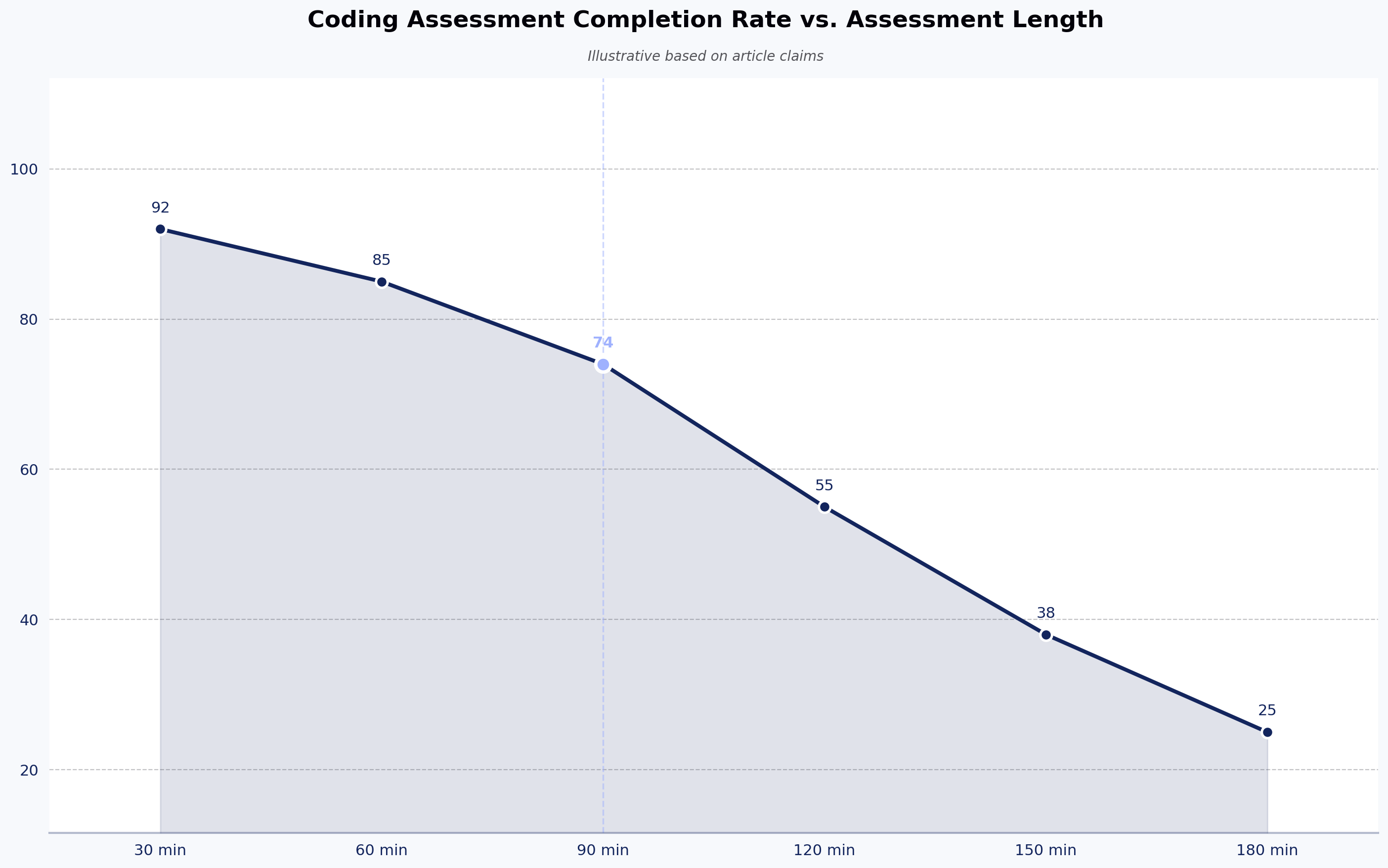
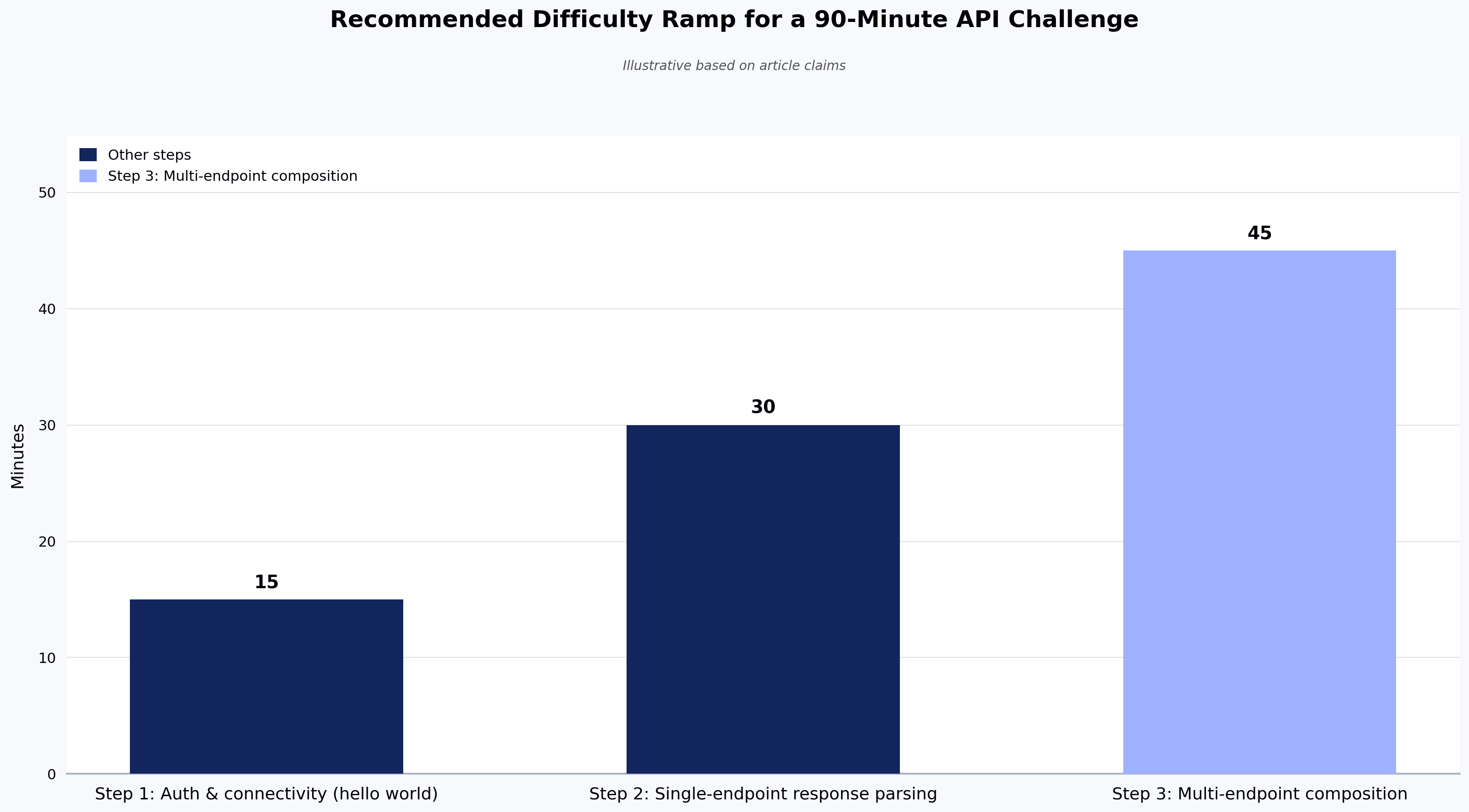
- Difficulty level: giving participants warm-up tasks before harder ones typically helps them ramp on unfamiliar APIs. A common pattern is a three-step ramp: (1) a "hello world" call that verifies auth and connectivity, (2) a single-endpoint problem that exercises response parsing, (3) a multi-endpoint problem that requires composing results. To calibrate difficulty, ask a colleague to solve the challenge first and note how long it takes; if a strong internal engineer takes 45 minutes on a problem meant for candidates in a 90-minute window, cut the scope.
- Static sandbox data: in HackerEarth's experience running API-based challenges, static sandbox data is often as important as difficulty calibration. If the API returns different data across runs, unit-test-based grading breaks down. For example, a challenge that asks candidates to "return the top three flight results by price" cannot be graded deterministically if the underlying inventory refreshes mid-event. Where possible, build a sandbox with pinned data and coordinate with the API team so refreshes are paused during the event. For guidance on stable API design patterns, see the MDN Web Docs on Web APIs.
4. Pre-configure SDKs so candidates focus on the challenge, not the setup
SDK setup is a hidden tax on challenge time. Minutes spent on configuration are minutes not spent demonstrating skill on the coding assessment. If your API ships with SDKs, participants should spend their time on the problem, not the setup. Common approaches:
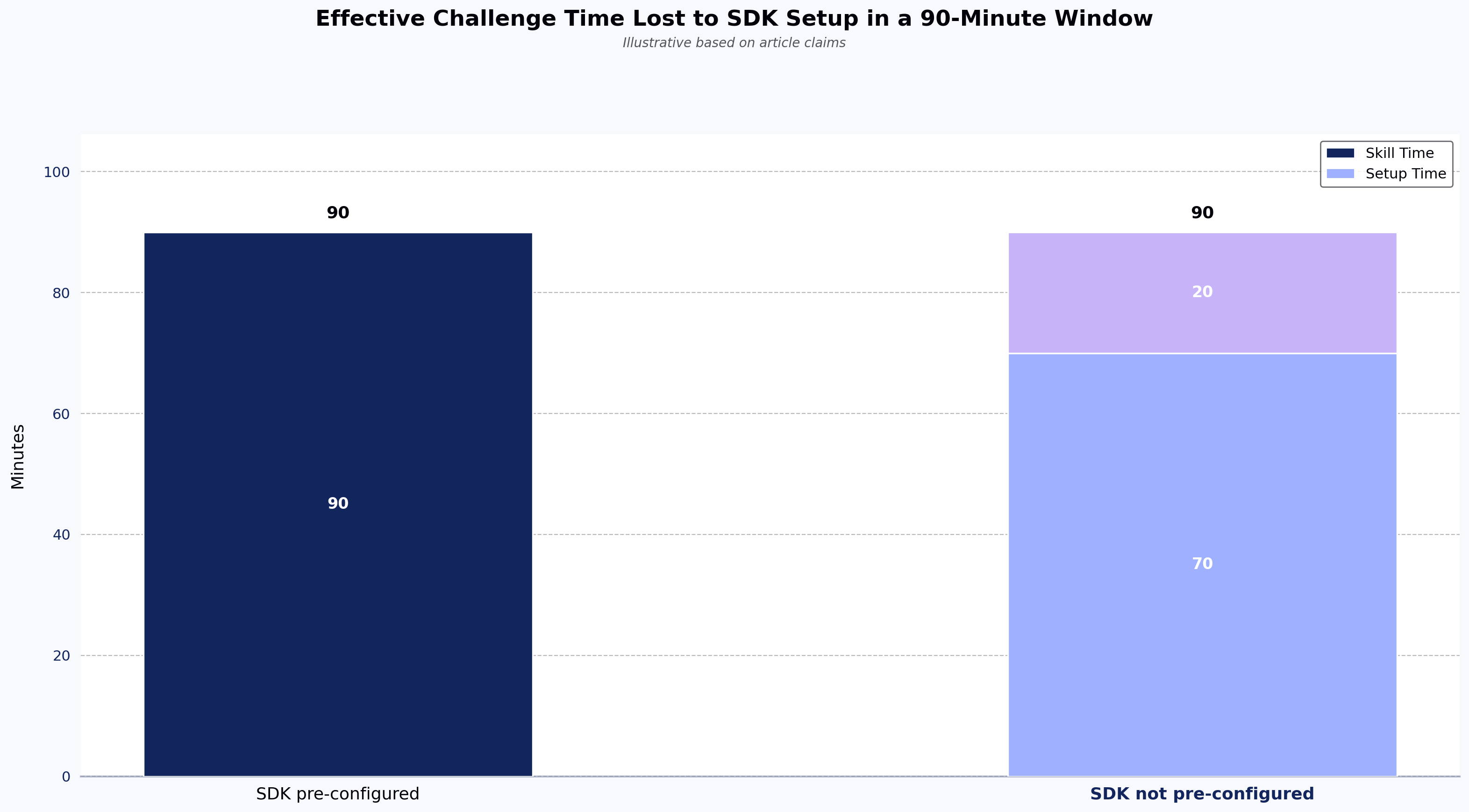
- Pre-install the SDKs in the challenge environment so participants don't burn time on configuration. In a 90-minute window, a candidate who spends 20 minutes resolving
npm installerrors is effectively evaluated on a 70-minute challenge — the comparison across the candidate pool is no longer clean. - Surface docs in-context so first API calls are quick to make. Link the two or three endpoints the challenge actually uses; do not dump the full API reference on the candidate. An edge case worth handling: if the SDK has a known regression on a specific Node.js version, pin the runtime and note it in the prompt.
5. Ensure API stability
API stability directly affects whether participants can complete the challenge — an unstable API means your technical screening signal is contaminated by infrastructure noise rather than candidate ability. A few things worth checking:
- Backend refresh windows: if there are known instabilities (e.g., scheduled refreshes), avoid scheduling the event during those windows. If unavoidable, communicate them to participants in advance. For a weekend hackathon, this often means coordinating with the API team a week ahead to freeze deploys.
- Rate limits: design the challenge with API rate limits in mind. Some teams document expected thresholds and provide helper functions so participants aren't debugging throttling behavior instead of solving the problem. As a hypothetical illustration (not a HackerEarth-sourced benchmark), an event might document a soft cap of 60 requests per minute per participant and ship a rate-limited client wrapper so candidates don't hit 429s while iterating. For general guidance on rate-limiting patterns, see the MDN reference on HTTP 429 responses.
If instability still affects some solutions, review the algorithm and any inline comments — a correct approach that hit a transient API failure is not the same as an incorrect submission.
6. Conduct unit tests for your coding assessment
Unit tests are what let you evaluate submissions consistently and identify winners. Without deterministic tests, coding challenges devolve into subjective review. A few practices worth applying:
- Validate API usage: write tests that confirm the participant actually called your API (e.g., by checking for API key usage). Pre-define variables in the submission file where the API key and secret are expected. An edge case: candidates sometimes hard-code sample responses to pass output checks. Log-based validation of the actual API call catches this.
- Hide the test files: participants shouldn't be able to read the expected outputs. Note that logs can leak test content, so encrypt logs if that's a risk in your environment.
A minimal test pattern for validating API usage might combine three checks — call verification, response status, and output correctness — because a submission can fail any one of them independently. In production you would typically split these into separate named tests so failures are easier to diagnose; combined here purely for illustration:
// pseudocode — not executable; combined for illustration only.
// In production, split into three separate tests: one per assertion.
test("submission calls the target API with a valid key", () => {
  const logs = runSubmission(submissionFile);
  expect(logs).toContain("Authorization: Bearer"); // confirms API was actually called
  expect(response.status).toBe(200);               // confirms the call succeeded
  expect(parsedOutput).toEqual(expectedOutput);    // confirms the result is correct
});
When these practices don't apply
The practices above assume a structured, auto-graded, sandboxed API challenge — the format most hiring teams and developer marketing teams run. They apply less cleanly in a few scenarios:
- Open-ended hackathons where judging is outcome-based and rubric-driven around creativity, business value, and demo quality. Unit-test-based grading and static sandbox data matter less; scoring rubrics and demo criteria matter more.
- Public production APIs where you cannot pin data or pause refreshes. In these cases, design challenges around invariants (schema, endpoint behavior) rather than specific response values.
- Take-home format where wall-clock stability and rate limits matter less than test coverage and code review signals. For that format, see HackerEarth's guide on take-home coding tests.
FAQ
Should you require candidates to write their own rate-limit handling, or ship it for them? It depends on what you're measuring. If the role you're hiring for regularly deals with third-party API throttling, leaving rate-limit handling to the candidate is a legitimate signal. If you're screening for general API integration skill, ship a rate-limited client — otherwise you'll rank candidates on who happened to guess your throttling threshold, not on core competency.
What unit tests should I use for API coding challenges? At minimum, tests that (a) validate the participant actually called your API (e.g., checking for API key usage), (b) verify the response was parsed correctly, and (c) confirm the final output matches expected values. Keep test files hidden and encrypt logs to prevent leakage.
How do I handle API instability during a coding challenge? Where possible, use a sandbox with static data and pause refreshes during the event. If instability still occurs, review submissions manually — a correct algorithm hit by a transient API failure is not the same as a wrong answer.
Should I provide SDKs or require raw HTTP calls? If your product ships with SDKs, pre-install them so participants focus on solving the problem rather than configuring HTTP clients. If SDK proficiency is what you want to measure, make that explicit in the prompt.
What's the difference between a hiring challenge and a developer awareness hackathon? Hiring challenges typically use auto-graded, structured problems to compare candidates on the same rubric. Awareness hackathons are usually outcome-driven and delivery-focused, optimized for participation and demo quality rather than test-pass rates.
How many participants and problems should a challenge include? In HackerEarth's experience, hiring challenges commonly use 3–5 problems over a 60–90 minute window with a targeted candidate pool sized to the role, though these are conventions rather than fixed rules. Awareness events tend to run wider — more participants, longer windows, and a smaller number of open-ended problems. Size your problem set to what your unit-test infrastructure and review team can evaluate within the event window.
Next steps
Designing an API-based coding challenge comes down to a few load-bearing decisions: API stability, sandbox data, unit tests that validate API usage, and a difficulty curve that lets participants ramp before they're evaluated. Get those right and the format works; get them wrong and even strong candidates look weak.
If you're planning a hiring challenge or a developer-facing hackathon that requires API integration, HackerEarth's Hiring Challenges platform supports the practices covered above — sandboxed environments, hidden unit-test grading with API-usage validation, and a ranked, rubric-evaluated candidate pool drawn from a 10M+ developer community. For product awareness or community-facing events, HackerEarth's Hackathons platform handles the same infrastructure at wider scale.
See HackerEarth in action
Request a product walkthrough to explore how HackerEarth's Hiring Challenges and Hackathons platforms support sandbox pinning, unit-test-based grading, and API-usage validation for JavaScript API challenges.