How candidates cheat online assessments in 2026
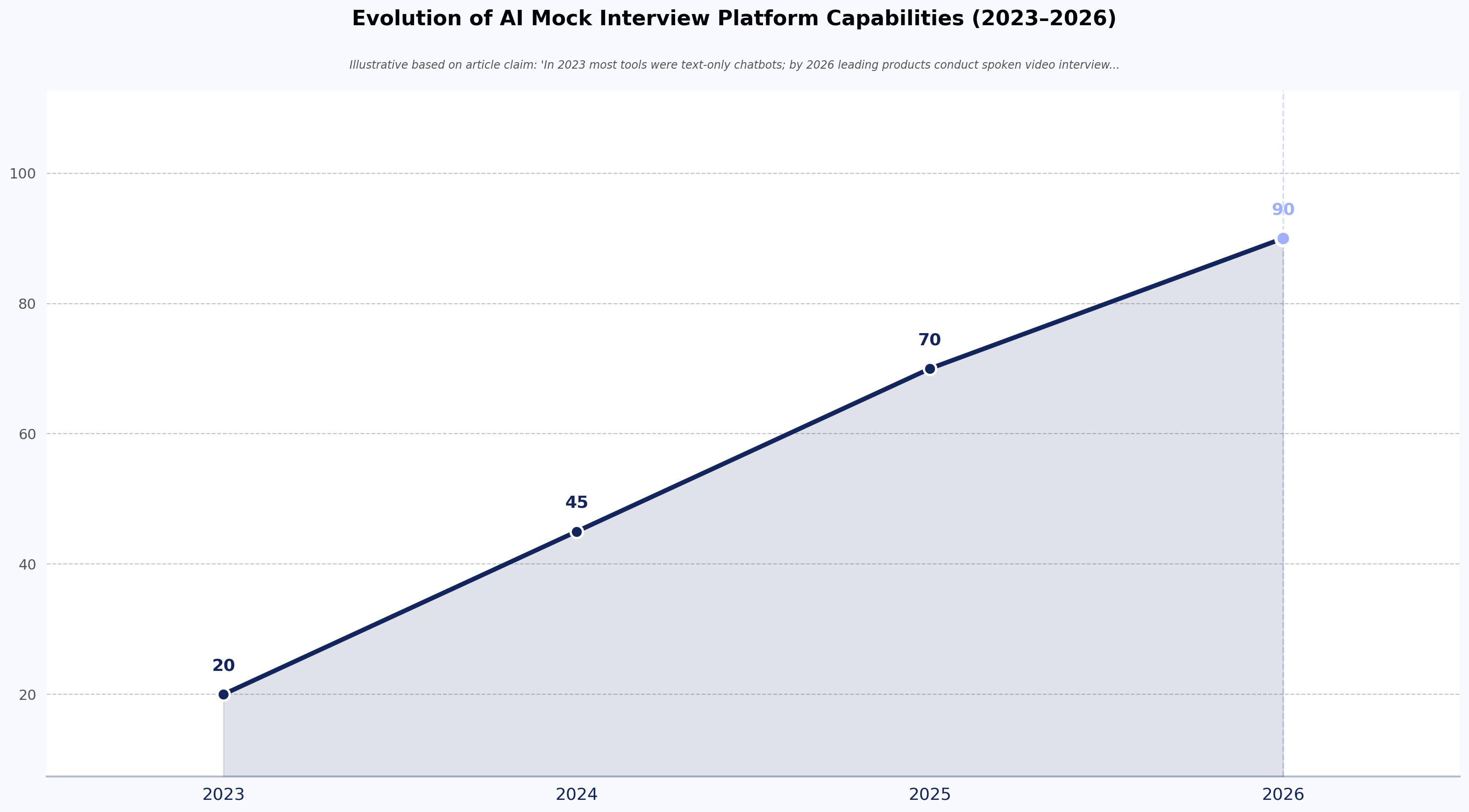
How candidates cheat online assessments has expanded from tab-switching to AI copilots in under six years, and detection methods have had to expand with it. In March 2025, CNBC reported on how Google was responding to AI-assisted cheating in its coding interviews (CNBC, March 2025). Around the same time, threads on r/cscareerquestions suggested — anecdotally, based on community discussion rather than a measured study — that many candidates now use LLMs on top-of-funnel coding tests. A study reported by interviewing.io also indicated that candidates were using ChatGPT during LeetCode-style interviews and getting away with it.
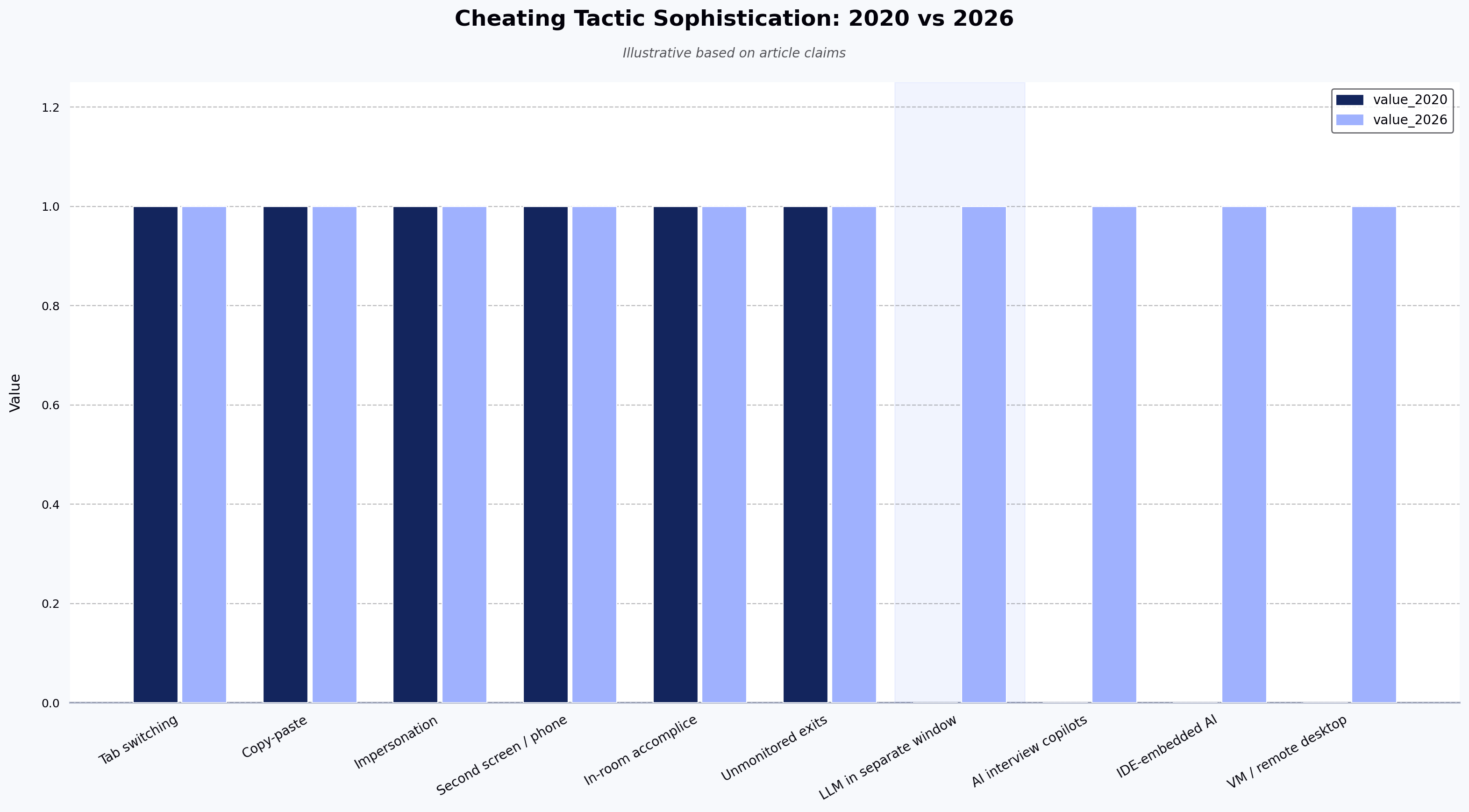
The cheating threat in 2020 was narrower — primarily tab-switching and copy-paste. Today, the threat is a candidate running ChatGPT in a second window, using a stealth browser extension that feeds AI-generated answers through an invisible overlay, or paying a proxy service to complete the entire assessment. Online proctoring software is no longer a nice-to-have feature for technical assessments — it is often the difference between hiring a capable developer and hiring someone skilled at prompting an LLM.
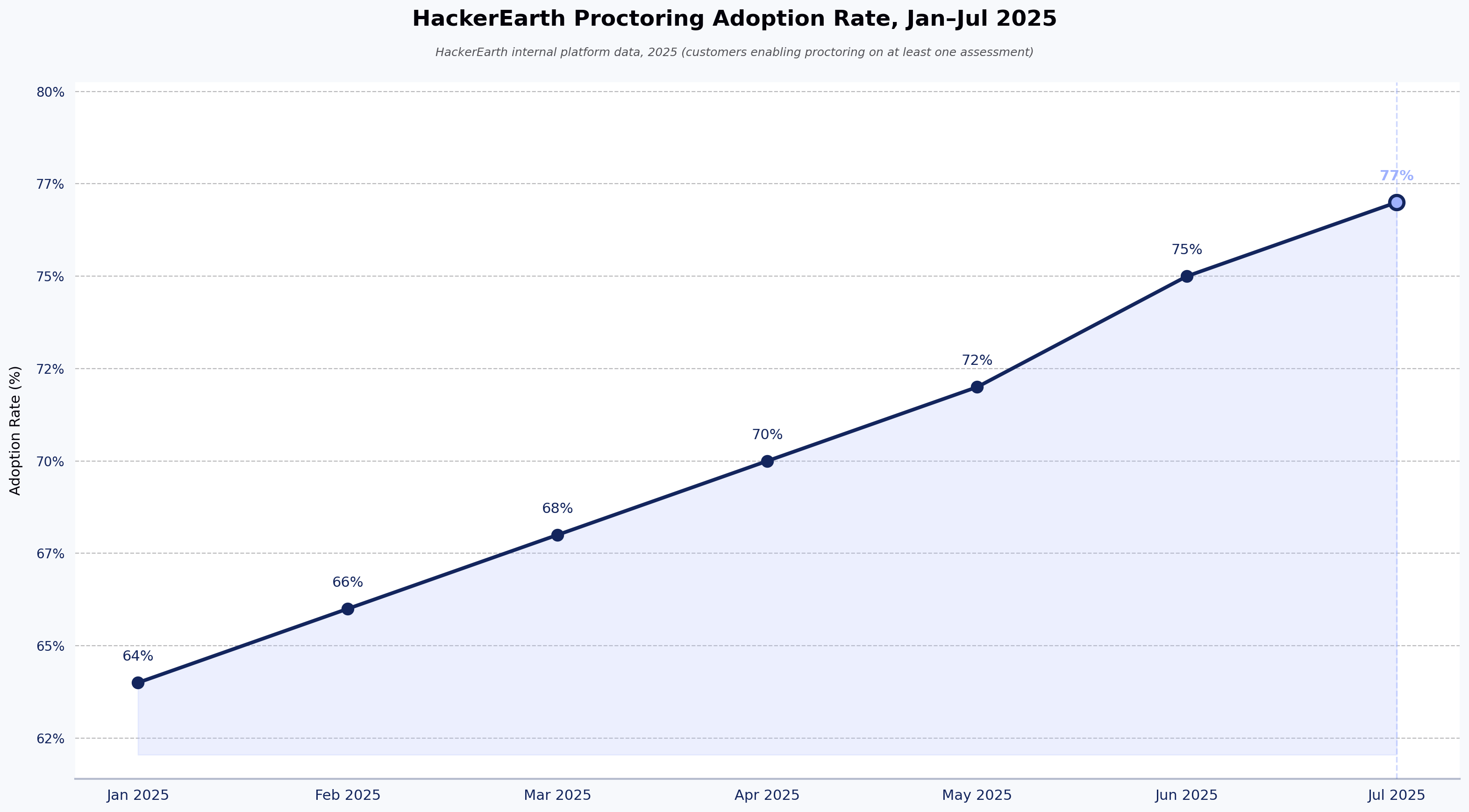
Based on internal HackerEarth platform data among customers using proctoring in 2025, proctoring usage across the platform rose from 64% in January to 77% by July, with roughly two-thirds of all assessment events proctored by year-end (scope: HackerEarth Assessments customers who enabled proctoring on at least one assessment; methodology available on request). Employers are catching on, but the tactics keep evolving.
This article was originally published in 2020 covering six classic cheating methods. This 2026 update expands the list to ten tactics on how candidates cheat online assessments, adds four AI-era cheating methods that did not exist when this piece was first written, and maps each tactic to the specific HackerEarth proctoring feature overview that stops it. By the end, you will know how every modern cheating tactic works, which proctoring control catches it, and what HackerEarth's Smart Browser does that standard lockdown browsers cannot.
Why cheating on online assessments got harder to detect in 2026
Online assessment cheating became harder to detect in 2026 because purpose-built SaaS tools moved the threat from browser-tab tricks to desktop-level AI overlays that standard proctoring cannot see. Several paid SaaS applications are now built specifically to help candidates beat technical interviews. They are not crude hacks — they are polished subscription services with onboarding flows, support documentation, and "undetectable" marketing claims. (Naming these commercial cheating products is intentional here for reader awareness, not endorsement.)
The scale of the problem shows up across multiple signals. Recurring discussions on r/cscareerquestions and r/ExperiencedDevs — anecdotal community reports rather than measured studies — suggest a large share of candidates now use LLMs during top-of-funnel code screens. A February 2026 Built In article asked "Is Using AI in a Job Interview Cheating?" and concluded the answer depends on context, reflecting how quickly candidate-side norms have shifted. See also HackerEarth's guidance on designing technical interviews that hold up under AI pressure for framing.
The ten tactics below are ordered from the oldest and most basic to the newest and most sophisticated. The first six are updated versions of the classic methods from the original 2020 article. The last four are AI-era tactics that were not part of the conversation when this piece was first published.
10 ways candidates cheat online assessments (and how to stop them)
1. Switching tabs to look up answers
The classic. A candidate opens a new browser tab, searches for the answer, and switches back. It is the oldest trick in online assessments and, ironically, the easiest one to catch in 2026. Most candidates still try it because they assume the assessment platform only records their answers, not their browser behavior.
Why it still happens: Candidates underestimate how much metadata the platform captures. A quick tab switch feels invisible.
How to stop it: Full-screen mode enforcement prevents the candidate from navigating away without triggering an alert. Automatic tab-switch detection logs every instance and can trigger automatic logout after a set number of violations. Custom timers on MCQs add time pressure that makes switching impractical. HackerEarth's proctoring system flags every tab switch and surfaces it in the recruiter's review dashboard.
2. Copy-pasting code from another source
Still the most common technical assessment cheating method. The 2026 variation: candidates copy from ChatGPT directly into the code editor rather than from Stack Overflow. The source has changed, but the mechanic is the same.
Why it is harder to catch than it looks: Modern clipboard managers on Windows and macOS let candidates store multiple copied snippets and insert them with a single keystroke. The paste itself takes less than a second.
How to stop it: Copy-paste lock in the code editor blocks the action entirely. A plagiarism checker compares every submission against the full corpus of candidate answers for the same test. Code playback records every keystroke as a video. A copy-paste event appears as a single large insertion rather than iterative typing, making it immediately visible during review.
3. Getting someone else to take the test (impersonation)
The friend-takes-the-test scenario has evolved into a cottage industry. Proxy test-taking services now advertise "managed assessment completion" as a paid offering, complete with professional developers who specialize in clearing top-of-funnel code screens.
Why it is harder to catch than it looks: Unlike tab-switching or copy-pasting, impersonation leaves no in-test behavioral fingerprint unless you verify identity throughout the session.
How to stop it: Randomized webcam snapshots capture the candidate's face at unpredictable intervals during the session. IP address lock restricts the session to a single network. Webcam-based candidate verification at session start compares the candidate against their registered identity. For high-stakes assessments, government-ID verification at session start adds another layer. See HackerEarth's guide on remote proctoring for online assessments for configuration details.
4. Looking at a second screen, phone, or notes
A secondary device hidden just out of the webcam's view. The 2026 angle: candidates now prop a tablet beneath the desk running ChatGPT, glancing down periodically to read AI-generated answers.
Why it is harder to catch than it looks: If the device is positioned below the webcam frame, it is physically invisible to a standard webcam capture.
How to stop it: Randomized webcam snapshots can catch candidates mid-glance, and reviewers can spot sustained off-screen focus by scanning through the captured frames. Full-screen enforcement and tab-switch monitoring flag any attempt to consult on-device notes.
5. Having someone in the room help
A friend whispering answers, a partner reading prompts off-camera, or a study group collaborating in the same room. The helpful accomplice has always been a risk with remote proctored assessments, and it remains difficult to catch without additional monitoring.
Why it is harder to catch than it looks: If the second person stays out of the webcam frame and speaks quietly, visual proctoring alone will not catch them.
How to stop it: Randomized webcam snapshots occasionally capture a second person moving through the frame. A plagiarism checker catches identical or near-identical submissions from candidates who received the same whispered answers. For high-stakes sessions, a live follow-up interview verifies the candidate can defend the submitted work in real time.
6. Restroom breaks and other unmonitored exits
The classic disappearing act. The candidate leaves the frame, consults notes or a phone, and returns. Especially common on longer assessments where a mid-test break feels natural.
Why it is harder to catch than it looks: A candidate who pauses for two minutes looks identical to someone who genuinely needed a break.
How to stop it: Custom timers per question keep the clock running and make extended absences costly. Automatic logout can be configured to trigger when the candidate leaves the webcam frame for longer than the configured threshold. Full-screen lockdown ensures that leaving the test screen flags the session.
7. Using ChatGPT, Claude, or other LLMs in a separate window (NEW for 2026)
This is the dominant cheating tactic in 2026. A candidate runs an LLM in a second browser window or a dedicated desktop app, types the question in, receives a solution, then retypes or paraphrases the AI output into the assessment editor. Tab-switch detection catches the obvious version. The harder version: the candidate uses an entirely separate device, making browser-level detection useless.
Why it is harder to catch than it looks: On r/jobs, threads ask "Is using ChatGPT during an online assessment cheating?" with many candidates arguing it is not (anecdotal community reports rather than measured studies). The normalization of AI tools means candidates are less likely to feel they are doing anything wrong. And second-device usage bypasses all browser-level monitoring entirely.
How to stop it: HackerEarth's Smart Browser is a desktop application that restricts the candidate's system for the duration of the assessment. Unlike a generic lockdown browser that only restricts the browser tab, Smart Browser is designed to prevent candidates from switching to a ChatGPT window, a desktop AI app, or other applications while the test is active (see the Smart Browser feature page for the current capability list). Code playback analysis can reveal patterns consistent with AI-generated code: long blocks inserted at once versus iterative, exploratory coding with corrections. Plagiarism detection compares the current submission against the candidate's other work to flag inconsistencies.
8. Real-time interview copilots (NEW for 2026)
Stealth browser extensions and overlay applications that listen to interview audio, transcribe questions in real time, send them to an LLM, and feed answers back to the candidate through an on-screen overlay invisible on screen share. These tools are explicitly marketed as "undetectable."
Why they are dangerous: The candidate appears fully engaged. They look at the screen, type, and respond at a natural pace, but they are reading AI-generated answers from an overlay that standard screen-sharing software does not capture. On r/recruiting, employers anecdotally share frustration about candidates who perform brilliantly in live interviews but struggle with basic tasks on day one (community reports rather than measured studies). These copilot tools are a likely explanation.
How to stop them: Smart Browser is designed to block the installation and execution of overlay applications during the assessment session — desktop-level restriction is a HackerEarth-specific capability that generic lockdown browsers do not offer (see the Smart Browser feature page). Code playback can expose the giveaway pattern: no exploration, no errors, no iteration, just clean code appearing in complete blocks. Live FaceCode interviews with system-design diagram questions force on-the-fly thinking that these copilot tools cannot easily replicate.
9. AI-based code generation tools embedded in IDEs (NEW for 2026)
IDE-embedded AI auto-completion tools run locally on a candidate's machine. If the assessment allows candidates to use their own IDE (common with take-home tests), AI auto-completion operates invisibly. The candidate types a comment describing what they need, and the IDE generates the implementation.
Why it is harder to catch than it looks: The code appears to be typed normally. There is no copy-paste event, no tab switch, no external application. The AI is embedded inside the development tool itself.
How to stop it: HackerEarth Assessments uses its own browser-based IDE, which reduces exposure to IDE-embedded AI tools — a distinct control that generic lockdown browsers running against a candidate's local IDE cannot provide. Smart Browser is designed to restrict the desktop environment, discouraging candidates from opening a local IDE alongside the test. Code playback analysis can help reviewers spot inhuman typing patterns, such as perfectly structured code produced faster than typical human output.
10. Virtual machines and screen-sharing tools (NEW for 2026)
A candidate runs the assessment inside a virtual machine, then has an accomplice remotely access the host machine and complete the test. Alternatively, they use remote-desktop or screen-sharing applications to let a friend control the keyboard in real time. This has been reported anecdotally in recruiter communities as a growing concern for remote take-home tests.
Why it is harder to catch than it looks: From the assessment platform's perspective, everything looks normal. The correct candidate appears to be taking the test in a standard browser. The remote access happens at the operating system level, below what a browser-based tool can see.
How to stop it: Smart Browser is designed to detect virtual machine environments and flag them before the assessment begins — VM detection at the desktop-application layer is a capability generic browser-tab lockdowns cannot match (see the Smart Browser feature page for current detection scope). IP-based session monitoring flags unexpected network changes. Plagiarism detection and code playback add a post-submission signal when the on-screen behavior looks clean but the underlying work does not match the candidate's other output.
How HackerEarth's proctoring stack addresses online assessment cheating
The tactics above range from basic (tab switching) to sophisticated (stealth interview copilots). No single proctoring feature catches all of them. That is why HackerEarth's proctoring stack works in four layers, each designed to address a different category of cheating. The layered controls below map to HackerEarth product capabilities; teams evaluating specific capabilities should confirm current scope on the linked feature page.
Layer 1: Identity and environment verification. Before the assessment begins, this layer confirms who is taking the test and where they are taking it. Controls include webcam-based candidate verification at session start, randomized webcam snapshots throughout the session, and IP address lock restricting the test to a single network. Together they establish a verified baseline before the candidate touches the first question.
Layer 2: Browser and device restriction (Smart Browser). This is the layer that separates modern proctoring software from legacy tools. HackerEarth's Smart Browser is a desktop application, not a browser-tab restriction. Because it runs as a desktop application rather than a browser extension, it can address AI-era tactics that browser-tab lockdowns cannot — restricting other applications during the assessment, flagging virtual machine environments, discouraging screen-sharing tools, and locking copy-paste. A traditional lockdown browser only controls the browser tab, leaving the rest of the desktop unprotected. That distinction matters because the most dangerous cheating tools in 2026 operate at the application layer, not the browser layer.
Layer 3: In-test behavior monitoring. During the assessment, continuous monitoring flags suspicious behavior for reviewer follow-up rather than making autonomous decisions. This includes tab-switch alerts with configurable thresholds, full-screen mode enforcement, custom MCQ timers that add time pressure, and automatic logout when the candidate leaves the webcam frame.
Layer 4: Post-submission analysis. After the test, automated analysis catches cheating that was not flagged during the live session. A plagiarism checker compares every submission against the full corpus of candidate answers for the same test. Code playback offers full keystroke replay showing exactly how the code was written, which reveals code that appears in large complete blocks rather than iterative development.
These four layers work together. A candidate who bypasses one layer (for example, by using a second device to dodge browser-level controls) can still be caught by another (webcam snapshots capturing off-screen focus, code playback revealing patterns consistent with AI-generated code).
About HackerEarth Assessments: HackerEarth's assessment platform is used by enterprises worldwide for technical hiring, with a question library spanning skills across programming languages and frameworks. See the HackerEarth Assessments product page for current customer and scale figures.
Online proctoring software: trade-offs and what tends to work
No remote proctoring software catches every case, and the goal is not perfect prevention. It is raising the cost and difficulty of cheating high enough that the return does not justify the effort. Each additional proctoring layer increases the resources a cheater must invest, and at some point the investment exceeds the payoff.
A common approach is tiered proctoring. For low-stakes screening assessments, full-screen enforcement, plagiarism detection, and tab-switch monitoring provide adequate coverage without adding friction for honest candidates. For high-stakes final-round assessments, Smart Browser combined with webcam snapshots and code playback offers stronger coverage. For live interviews, FaceCode pair-programming sessions — where the candidate writes code, explains their reasoning, and responds to follow-up questions in real time — remain the strongest verification because no async cheating tool works there.
A few practical points apply regardless of the tier. Communicate proctoring rules to candidates before the assessment begins; transparency reduces the intent to cheat and improves the overall candidate experience. Use behavioral flags rather than punitive automated decisions — flag suspicious activity for human review instead of auto-rejecting candidates. And layer multiple controls instead of relying on any single feature; the strongest proctoring is the combination, not any individual tool.
Where the stack has gaps: Smart Browser and webcam proctoring can be defeated by a determined candidate using an entirely separate physical machine on a different internet connection, positioned outside the webcam's frame. Browser and desktop-level controls cannot see that second machine. The mitigation for this gap is a combination of randomized webcam snapshots and — for final-round decisions — a live FaceCode interview where the candidate has to write and explain code in real time. Live interviews remain the strongest verification of real skill and serve as the final-round ground truth for what async assessments surface. For deeper guidance, see HackerEarth's remote proctoring guide.
Conclusion
The cheating playbook has changed. Tab-switching and copy-pasting were the threats in 2020. In 2026, the threats are ChatGPT, stealth interview copilots, IDE-embedded AI, and professional proxy services. Your approach to how candidates cheat online assessments needs to account for all of them.
A workable operating principle: assume every candidate has AI assistance available and design your proctoring controls around that assumption. Four layers of defense (identity verification, desktop restriction, in-test monitoring, and post-submission analysis) create coverage that no single feature can deliver alone.
Book a demo of HackerEarth's full proctoring stack →
Frequently asked questions
How do candidates cheat on online assessments?
Beyond the ten tactics covered above, one pattern worth flagging is the hybrid session: a candidate who cheats only on the hardest one or two questions and answers the rest legitimately, making their overall behavioral profile look normal. This is why single-signal proctoring (for example, tab-switch alerts alone) tends to under-flag: the give-away moments are surrounded by authentic work. Reviewing code playback question-by-question, rather than at the session level, surfaces these hybrid cases that summary-level dashboards miss.
Can online proctoring software detect ChatGPT?
Proctoring can detect many forms of ChatGPT use, though not all. ChatGPT used in another browser tab is typically detected via tab-switch monitoring. ChatGPT used on a second device is harder to catch directly, but randomized webcam snapshots and Smart Browser's desktop restriction (which discourages local AI applications from running) raise the difficulty. AI-generated code can be flagged through plagiarism checking and code playback pattern analysis, which reveals code that appears in large complete blocks rather than through iterative development. No single control is guaranteed to catch every instance; the layered stack is what makes detection reliable in aggregate.
How does AI proctoring work?
AI proctoring uses computer vision to analyze webcam feeds, audio analysis to detect background voices, and plagiarism detection to compare submissions. The underlying models are trained on webcam frames and prior submissions; they output confidence scores rather than verdicts, and their accuracy degrades in low light, with unusual camera angles, or with non-standard input devices. It operates as a flag-then-verify model: the system flags suspicious behavior, and a human reviewer makes the final determination. It is not an autonomous decision system.
Can proctoring software detect a second monitor?
Detection of secondary monitors varies by tool. Desktop-level proctoring applications like Smart Browser are designed to identify multi-monitor setups and flag them at session start, whereas browser-tab lockdowns generally cannot see attached displays because they operate above the operating system. For high-stakes assessments, teams often pair monitor detection with randomized webcam snapshots so a reviewer can also spot a candidate glancing at an off-frame screen. Check the Smart Browser feature page for current detection scope.
Is using AI during a coding assessment cheating?
It depends on what the assessment instructions say. If the employer has explicitly prohibited AI assistance for the assessment and the candidate uses ChatGPT, Copilot, or a stealth interview copilot anyway, that is cheating in the same sense that any rule violation is. If the assessment permits AI tools (some take-home tests now do), then use is allowed within the stated scope. The practical guidance for employers is to state the rule clear