Pritika is a former product marketer with a love for growth loops and developer communities. Now, they decode hiring challenges with the same curiosity they brought to GTM plans.
author’s Articles
Insights & Stories by Pritika
Pritika's content is built for talent leaders who want results—fast. Actionable, relevant, and packed with real-world learnings from the frontlines of growth.
Thank you! Your submission has been received!
Oops! Something went wrong while submitting the form.
HackerEarth has added JazzHR ATS to its growing list of ATS integrations. JazzHR is a popular and user friendly ATS software that enables organizations to find and hire talent faster.
HackerEarth and JazzHR: Benefits of the integration
The integration between HackerEarth and JazzHR allows recruiters to streamline the technical recruitment workflow. Using this integration, you can post about job openings on JazzHR, setup HackerEarth assessments, invite candidates, and generate and share detailed candidate reports with your team. All this can be done directly from JazzHR’s interface.
Setting up the recruitment workflow
To set up the integration with JazzHR , you'll need an account with HackerEarth. In case you’re new to HackerEarth, please sign up to create an account.
Retrieve the API key from your HackerEarth account
Once you’ve logged in to HackerEarth,
Click on Settings and navigate to Integrations
ChooseJazzHR from the list and click on Generate API Key
Copy the API key
2. Sign in to JazzHR to complete the integration
Navigate to Settings and click on Integrations
Choose HackerEarth from the list. Click on Connect
Paste the API key into the field
3. Send assessments to candidates
View the job roles that are open and check the workflow status of candidates who have been sourced for the role. Click on candidates’ name and view their profile
In a candidate’s profile, click on Send HackerEarth under the Assessments tab
Select the most appropriate test amongst the list
Next, customize the email template and choose the date and time to send the invite
4. Analyze and share insights on candidate performance
Once a candidate has completed an assessment, you will receive an email with the test score. Visit the candidate profile and view the test score and test completion date. Click on View details to view the results externally on the HackerEarth Assessment platform. This link can be shared via public access.
Try the JazzHR integration with HackerEarth and let us know how it works for you. If you need any help using this feature, write to us at support@hackerearth.com. If you’re new to HackerEarth and want to create accurate skill-based developer assessments, sign up for a 14-day free trial.
Amidst a plethora of solutions crowding the developer assessment space, how do you choose the best one? It boils down to one crucial factor: The quality of the screening process itself. Proctoring or anti-cheating mechanisms cement the foundation of an excellent screening process. A proctored assessment ensures that candidates taking a test do not cheat. And why is that so critical? It affects the output of deserving candidates who are fit to be shortlisted.
The gaping hole in your screening process
According to a study by The Center for Academic Integrity, almost 80% of college students admit to cheating at least once during their educational career.
Unlike an offline test, an online test allows candidates to take a test remotely from a different location. On top of that, if you have no one supervising the candidates, you’ve just declared an open season for cheating!
What’s worse– You end up with a skewed pool of candidates who are not qualified enough to be shortlisted, but who still end up making the cut.
The fix: Proctoring and anti-cheating mechanisms
HackerEarth’s coding assessment platform is backed by powerful proctoring settings that make your tests completely cheat-proof. Here’s how you can increase the quality of your screening process using these tips:
Stop plagiarism– No more ‘copy and paste’
Encourage candidates to come up with answers based on their own logical and programming skills. Leave no room for them to rely on unethical shortcuts to find a solution to their problem.
HackerEarth assessments have a feature to disable candidates from copying code from the Web or another local computer and pasting it on the code editor. In addition, the platform also disallows candidates from copying problem statements from the question library and sharing it on the web.
Pro feature: The platform has the ability to compare code written by two candidates and check if the lines have been plagiarised. We also have a strict anti-plagiarism policy. You can read it here.
Using a webcam, the HackerEarth platform takes regular snapshots of the candidate during a test. A thumbnail preview of the webcam is displayed on the bottom right of the screen to indicate that candidates are being monitored. It can also be used to monitor the candidate and their movements during a test.
Keep a ‘tab’ on your candidate– Disable tab switching
Establish a controlled test environment for candidates to remain focused on the test and answer honestly. Do away with a candidate’s temptation to switch to another window or tab to browse answers. HackerEarth’s platform issues a warning each time a candidate tries to leave the test environment. This is measured by the number of tab switches made by the candidate. And if a candidate makes more than 5 tab switches, they are automatically logged out of the test environment.
Remove distractions– Enable full screen mode
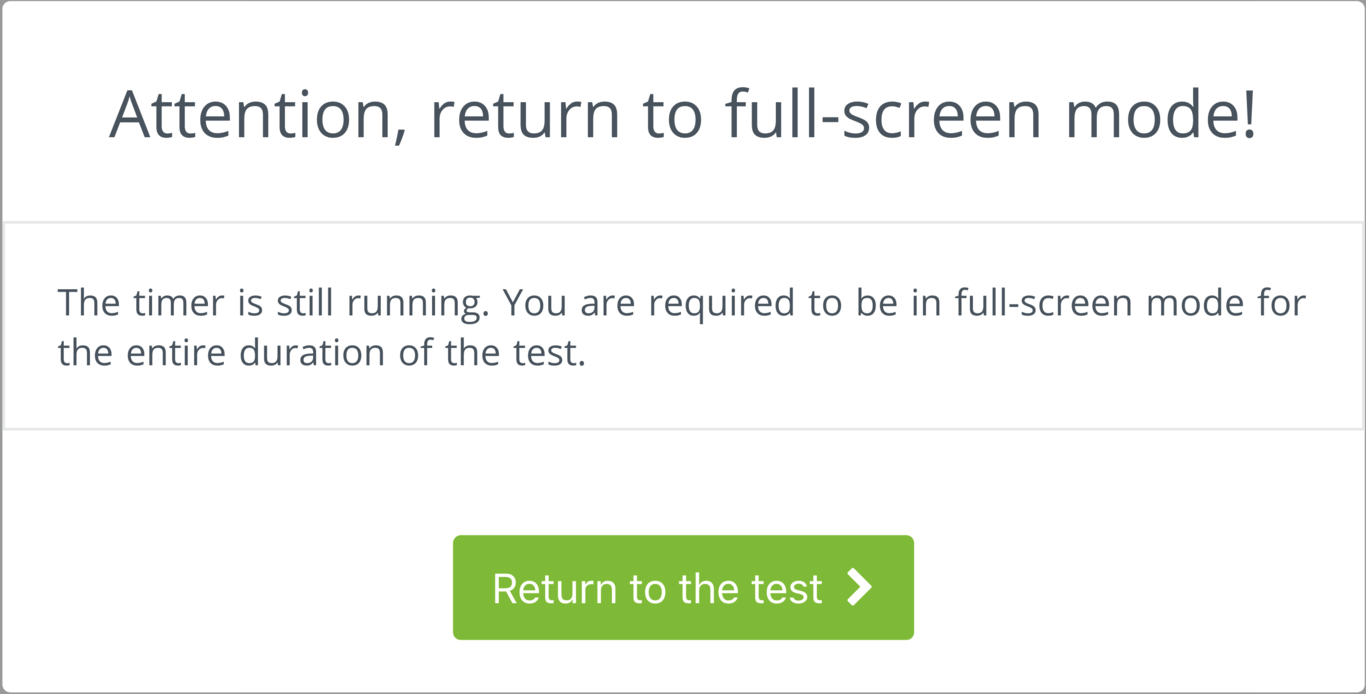
Provide an environment devoid of distractions. Using the HackerEarth platform, you can enable the full screen mode for candidates taking a test. The platform issues a warning to candidates if they exit the full screen mode.
Know where your candidate is– Restrict IP addresses
Sometimes it’s better to know if the candidates are taking the test from the right location, especially if there’s a recruitment drive or if you’ve invited a candidate to take the test from a specified place. HackerEarth also has a feature to restrict IP addresses to contain the test-takers in a single location. With this feature, a warning is displayed if the candidate tries to login from an IP that is outside the restricted range.
The need for effective proctoring mechanism for tech assessments
In the evolving landscape of talent acquisition, particularly in technical fields, proctoring mechanisms have become crucial. They are not just tools for ensuring integrity during assessments but also play a significant role in shaping the overall quality and reliability of the hiring process.
Ensuring assessment integrity: In an era where remote assessments are common, proctoring mechanisms help maintain the integrity of the evaluation process. They prevent dishonest practices like cheating or impersonation, ensuring that the skills and knowledge assessed are genuinely those of the candidate. This integrity is vital for businesses aiming to hire the best talent based on merit.
Quality of hire: Proctoring mechanisms contribute to the quality of hire. By ensuring that only candidates who have legitimately cleared the assessments are considered, businesses can be confident in their hiring decisions. This is especially important in technical fields where specific skills and competencies are critical for job performance.
Brand reputation: Fair and transparent assessment processes, backed by robust proctoring, enhance a company’s reputation among potential candidates. In a competitive job market, a reputation for ethical and rigorous evaluation processes can attract high-caliber applicants.
Legal and compliance aspects: In certain industries and regions, there are legal and regulatory requirements regarding the hiring process. Proctoring mechanisms help in complying with these standards, avoiding potential legal issues related to biased or unfair hiring practices.
Data-driven insights: Modern proctoring tools often come with analytics capabilities. These tools provide valuable insights into candidates’ behavior during assessments, helping businesses refine their hiring process and criteria.
Global talent reach: Proctoring mechanisms allow businesses to conduct assessments globally without compromising on quality or integrity. This expands the talent pool, enabling companies to access the best talent irrespective of geographical boundaries.
The HackerEarth Smart Browser is an AI-powered online exam proctoring application designed to prevent cheating through the use of LMS like ChatGPT in online tests. It offers robust invigilation capabilities by restricting actions like screen sharing, running parallel applications, resizing the test window, copy-pasting code, using malicious keystrokes, accessing OS notifications, using a virtual machine, and accessing browser developer tools. The browser creates a sealed-off testing environment and employs eagle-eyed monitoring, including recording the test window and taking snapshots via webcam. It ensures reliable assessments suitable for any organization size, adhering to industry-leading compliance, security, and scalability standards.
So, there you have it. A few useful tips to ensure that your assessment platform is cheat-proof.
If you want to know more about how you can conduct quality developer assessments using these tips, sign up for our 14-day free trial.
Subscribe to theHackerEarth blog and enrich your monthly reading with our free e-newsletter – Fresh, insightful and awesome articles straight into your inbox from around the tech recruiting world!
Filter
Thank you! Your submission has been received!
Oops! Something went wrong while submitting the form.