Home
/
Blog
/
Candidate Experience
/
Candidate Relationship Management—Streamline the Recruiting Process

Candidate Relationship Management—Streamline the Recruiting Process

Author
Nidhi Kala
Calendar Icon
January 30, 2023
Timer Icon
3 min read
Share

Explore this post with:

You are likely to fall back on your recruitment process if you don’t use candidate relationship management software.

When you have the software integrated into your recruitment process, you can:

  • send them company updates and messages to keep them engaged
  • follow up with them when a hiring opportunity comes up, using tools like an Auto Dialer to automate timely call reminders and outreach.

In this article, we’ll share how candidate relationship management software can help you improve in these areas and strengthen your recruitment processes.

Let’s read.

What is candidate relationship management?

Candidate relationship management is the structured process of maintaining a healthy, positive relationship with active, passive, and former candidates that may not have worked out in the past but can be a suitable match in the future.

Criteria's candidate experience report 2022

By keeping these candidates engaged, you can:

  • educate them about your company
  • get them interested in working with you

Let’s say, a candidate has been interviewed for the role of a web developer. The recruiter ensures to keep them updated. But, they fail to do so. The candidate is likely to assume they have been ghosted. Errr.

In such a scenario, send the candidate an apology/rejection message and feedback on why they were not hired. This helps them understand the key areas they need improvement in and creates a positive candidate experience.

For example, Airbnb rejects candidates via email and invites them to a feedback call. Candidates who pass certain stages before being rejected even get coupons to acknowledge their effort.

Importance of candidate relationship management

Candidate relationship management software fills jobs faster by connecting with current and future candidates through email marketing campaigns, recruiting event functionality, and job recommendation portals. Here are 3 ways why candidate relationship management is important:

Keeps the candidates engaged

When you have shortlisted the candidates to move to the next stage of the selection process, keep the candidates engaged with continuous communication.

Create a wider talent pool

With the recruitment CRM, you can collect the candidate’s information—their name, email address, CV, and other information. You can reach out to these candidates later when a new job role in the company opens up.

Track your talent pipeline

Do you have high-quality talent in your pipeline?As the talent market evolves, the need for skills evolves too. That’s when you need to keep track of your talent pipeline. With candidate relationship management software in place, you can check whether you have candidates in your talent pipeline or have exhausted the best talent.

4 ways candidate relationship management software can solidify recruitment process

Let’s understand how candidate relationship management software helps in improving talent sourcing in 5 different ways:

#1—Keep talent engaged throughout the recruitment lifecycle

A disengaged candidate experience leads to uninterested candidates.Candidates want to know whether their application is progressing or not. Here are some best practices to ensure timely candidate updates:

Respond faster

It is common for candidates to not receive replies to their messages, which triggers their actions. If you don’t respond to candidates’ messages or follow-up emails, they are likely to assume the job application isn’t progressing. Result? They’ll move on to apply to other companies.

The solution? Reply to their messages and emails within 48 hours.

Send updates

Let candidates know the status of their application.

  • Is the application reviewed?
  • Is it rejected?
  • Is it moving forward?

Whatever the status of the application is, create a system that lets the candidates know about it.

For example,

Workello, a candidate relationship management tool, sent an automated email to the candidate telling them about the application’s status.

send automated email updates to candidates

The email is short, and concise and directs the candidate to take the next steps. When the candidate applies for a job at Workello, the recruiter receives the notifications. On reviewing the application, the recruiter can either reject or approve the application.

Based on whether the recruiter approved or rejected the application, the candidate will receive an email (on behalf of the organization for which they applied).

Upon approval, they will receive an email with instructions for the next steps-for example, an invitation for a video interview or assessment.

Give specific instructions

When candidates get specific instructions from the candidate, they have better clarity on how to move forward with the application.

For example, when you post a job ad on job portals, don’t ask the candidate to attach their resume and cover letter. Ask them specific questions they can answer in their cover letter.

Several companies ask candidates to submit a video resume highlighting the specific questions the candidate needs to answer.

Also read: How to Keep Your Application Process Mobile Friendly?

Give them a hiring timeline

Candidates become disengaged during the recruitment process because of the time-consuming hiring process. By adding a hiring timeline, candidates have clear expectations of how long they need to wait before applying for another job role.

To create a hiring timeline:

  • Determine an end date—Review the time taken to onboard past hires. Based on this, decide the timeline.
  • Decide when to stop searching—Set a limit on how long you’ll accept new candidates.
  • Schedule interviews—Set an ideal date range depending on how many candidates you want to interview.

Also read: How Your Tech Stack Can Help You Hire Top Talent

#2—Focus on active and passive candidates

A recruiting CRM stores information about active and passive candidates—their names, email addresses, the social channels they are active on, and notes of conversations you have had with them in the past.

By leveraging this information, you can reconnect with candidates and keep them engaged.

Active candidates

To maintain candidate relationship management with active candidates:

  • Answer their queries. Clarify if they have any doubts about the job role or recruitment process, or while filling out the job application.
  • Make it easily accessible for the candidates to reach out to you—via text messaging, calls, emails, or social platforms.
  • Update them about their application’s progress at each step.
  • Give them feedback after the interview is over. Either send it over email or invite the candidate for personalized video feedback.
  • Stay in touch with them via email and social media, and let them know about new job opportunities.

Also read: Improving Candidate Experience During Remote Tech Hiring Interviews with FaceCode

Passive candidates

To keep passive candidates engaged:

  • Connect with them on their social channels like LinkedIn and Twitter and interact with them. Engage with their content and start a conversation in the DMs.
  • Encourage passive candidates to follow the company’s social channels—to get them to stay updated about the company’s events and know about the work the company is doing.
  • Invite them to online webinars—to humanize your interaction with them and provide them with learning resources.

Doing this you can familiarize the candidate with your organization. Once done, communicate with them via email.

When a job role opens up in your organization, send them personalized emails:

  • to let the candidate know about it
  • to see if they are a good fit for the job

Here’s how Manan Shah, Co-founder of Recruiterflow reached out to a passive candidate with a personalized email sharing about the content writing role in their organization.

send personalized emails to candidates

What worked: In the email, words like content writer and marketer, LinkedIn, and Contensify help the passive candidate understand the extensive research the person has done before reaching out to them.

They introduced their company and gave reasons why the candidate should work with them—an opportunity to learn and grow quickly. They closed the email with a question to make sure the candidate responded to the email.

How to implement: Before writing a personalized email to a passive candidate, do extensive research on the candidate and their expertise. Go to social channels they are active on, and read the work they do and have done in the past. Take notes and use these pointers while crafting your email.

Highlight:

  • What does your company do?
  • Why should the candidate accept your offer?
  • Why should they work with your organization?

Weave in at least one factor into your email and end the email with a question.

To improve your relationship with passive candidates, stay in touch with them even if you haven’t hired them.

#3—Set up drip campaigns

The recruitment CRM helps you streamline the communication with the candidates with a series of automated recruitment emails.

A drip campaign is a series of touch-point emails delivered automatically to highly targeted prospects at predefined intervals. When you send these email campaigns to ideal candidates to keep them engaged with your organization, it is termed a recruitment drip campaign.

How Drip campaigns help the recruiters engage candidates

Here’s a recruitment drip campaign template provided by Dmytro Kondratiev, CEO and Legal Advisor at LLC Services.

Email 1: Introduction and Interest Check

Subject: Opportunities at Acme Corp

Hi [Candidate],

I hope this email finds you well. I came across your profile on LinkedIn. I’m impressed by your experience and skills in the [industry] field. I’m reaching out to see if you would be interested in exploring career opportunities at Acme Corp.

At Acme Corp, we are a leading [industry] company that is constantly innovating and looking for top talent to join our team. We offer a dynamic work environment, competitive salaries, and opportunities for growth and development.

Would you be open to discussing potential job opportunities at Acme Corp? I would love to learn more about your career goals and see if there might be a fit for you at our company.

Best regards, [Your Name]

Email 2: Follow-Up and Value Proposition

Subject: Acme Corp – A Great Place to Work

Hi [Candidate],

I wanted to follow up on the email I sent last week regarding potential job opportunities at Acme Corp. I hope you had a chance to review some of the information I shared about our company.

At Acme Corp, we pride ourselves on creating a positive and supportive work culture where our employees can thrive. In addition to competitive salaries and benefits, we offer a range of perks and benefits, including:

  • Flexible work schedules
  • Professional development opportunities
  • Employee wellness programs
  • Social and team-building events

We believe that our people are our most valuable asset, and we are committed to creating an environment where they can grow and succeed.

If you are still interested in exploring opportunities at Acme Corp, I would be happy to schedule a call to discuss this further. Let me know if this works for you, and we can set a date and time that is convenient for you.

Best regards, [Your Name]

Email 3: Final Follow-Up and Next Steps

Subject: Acme Corp – Let’s Talk

Hi [Candidate],

I’m reaching out one final time to see if you might be interested in discussing career opportunities at Acme Corp. We are always on the lookout for talented professionals like yourself, and I believe you would be a great fit for our team.

If you are still interested in learning more, I would be happy to schedule a call to discuss potential job openings and how your skills and experience might align with our company.

Please let me know if you are available to chat, and we can set a date and time that works for you. I look forward to connecting with you and discussing how Acme Corp can support your career goals.

#4—Integrate with social media

Your candidate relationship management software should integrate with multiple social media channels. When a potential candidate provides their email address, the CRM should be able to find social accounts created using the same email address. By looking at the candidate’s social media profile, recruiters can learn more about the candidate’s background, personality, and additional details making the hiring process simpler.

Take a look at this LinkedIn About section. When the recruiter scanned the candidate’s LinkedIn profile and read the About section, they found out about candidate’s career transition they made.

LinkedIn about section of Ruehie Jaiya Karre

The profile highlights:

  • industry—B2B SaaS
  • work experience—writing social media copy, newsletters, e-books, and how-to guides

By studying these highlights, the recruiter understands whether the candidate is the right fit for the role or not.

Also download: The Social Recruiting Cheatsheet

The connecting dots

To make sure you yield the best results for your recruitment needs:

  • Send drip campaigns to candidates.
  • Integrate the candidate’s social media profile for social screening.
  • Update the candidate on each stage of the recruitment process.
  • Save additional conversation notes along with each candidate’s details to refer back to later.

Are you ready to streamline your recruitment process with candidate relationship management software? The time is now!
Subscribe to The HackerEarth Blog

Get expert tips, hacks, and how-tos from the world of tech recruiting to stay on top of your hiring!

Author
Nidhi Kala
Calendar Icon
January 30, 2023
Timer Icon
3 min read
Share

Hire top tech talent with our recruitment platform

Access Free Demo
Related reads

Discover more articles

Gain insights to optimize your developer recruitment process.

AI Interview Tools: Keep Humans Where They Matter

How to use AI interview tools without losing human judgment

Automate the parts of screening that humans do badly anyway — consistency, scheduling, identity verification, and rubric application — and protect the parts humans still do better: context, judgment, and read-the-room calls. That is the practical division behind every AI hiring rollout worth running.

If you're a recruiter or hiring manager evaluating AI interview tools — software that conducts, scores, or supports structured candidate interviews using machine learning — the question is rarely whether to adopt them. It's where to draw the line. The mistake we see most often is binary thinking. Teams either bolt an AI interviewer onto the top of their funnel and call it done, or they refuse to use AI-assisted screening at all because "hiring is human." Both positions miss the point.

This guide explains where AI interview tools create value, where human involvement remains essential, and how hiring teams can implement automated interviewing without sacrificing hiring quality.

What are AI interview tools?

AI interview tools are platforms that automate specific parts of the hiring process. Depending on the use case, they can:

  • Conduct structured interviews
  • Ask standardized questions
  • Score responses against predefined rubrics
  • Verify candidate identity
  • Detect suspicious assessment behavior
  • Schedule interviews automatically

Note: some vendors in the broader market also offer note-taking, transcription, and post-interview summary features under the label "AI interview assistants." These are general market capabilities and are not part of every platform, including HackerEarth's. Buyers should verify which features any specific product supports.

What these tools share is the ability to introduce consistency into hiring processes that are often highly variable.

Types of AI interview tools and where each fits

Organizations typically use AI interview tools in several ways. AI screening interviews are used for early-stage candidate evaluation and high-volume hiring — for example, screening 500+ applicants for entry-level software engineering or customer support roles before committing recruiter time. AI technical interviews evaluate technical skills using structured coding exercises and predefined scoring criteria, common for mid-level engineering hiring at companies like Atlassian, Stripe, or similar volume technical employers. AI proctoring tools focus on fraud prevention and identity verification during remote assessments — increasingly important as remote-first hiring becomes standard. AI candidate evaluation platforms help recruiters compare, rank, and shortlist candidates based on structured frameworks, typically integrated into an ATS like Greenhouse or Workday.

Most hiring teams use a combination of these rather than relying on a single solution. HackerEarth's technical assessments and OnScreen interview platform cover screening, technical evaluation, and proctoring in one workflow.

Why AI hiring tools matter for recruiters today

The biggest challenge in hiring is not attracting applicants. It is generating reliable hiring signals.

Human interviewers are naturally inconsistent. Different interviewers ask different questions, evaluate candidates differently, and often rely on intuition rather than structured evidence. For a recruiter managing 40+ open requisitions, that variability means two equally qualified candidates can receive opposite recommendations depending on who interviewed them.

A working paper from the National Bureau of Economic Research by Bo Cowgill (Columbia Business School, 2018), "Bias and Productivity in Humans and Algorithms," analyzed over 300,000 hiring decisions and found that managers who overrode algorithmic resume-screening recommendations frequently produced worse downstream hires than the algorithms themselves. The relevance to a recruiter's daily workflow: when hiring managers reject candidates that structured screening surfaces, the override is often the source of the noise — not the algorithm.

Similarly, research in Noise: A Flaw in Human Judgment by Daniel Kahneman, Olivier Sibony, and Cass Sunstein (Little, Brown Spark, 2021) documents that unstructured interviews produce inconsistent candidate evaluations across interviewers evaluating the same candidate (see Chapter 24, "Structure in Hiring"). AI interview tools address this by enforcing structure on the parts of screening where structure works.

Step 1: Identify which hiring activities benefit from automation

Not every hiring activity should be automated. The first step is identifying which parts of hiring are operational and which require judgment.

Activities that work well with AI

AI interview tools perform best when evaluation criteria are structured and repeatable. These include initial technical screening, structured behavioral interviews, identity verification, coding assessment proctoring, interview scheduling, first-pass rubric scoring, and candidate ranking against predefined criteria.

The value comes from consistency. Every candidate receives the same experience and is evaluated using the same standards.

Activities that should remain human-led

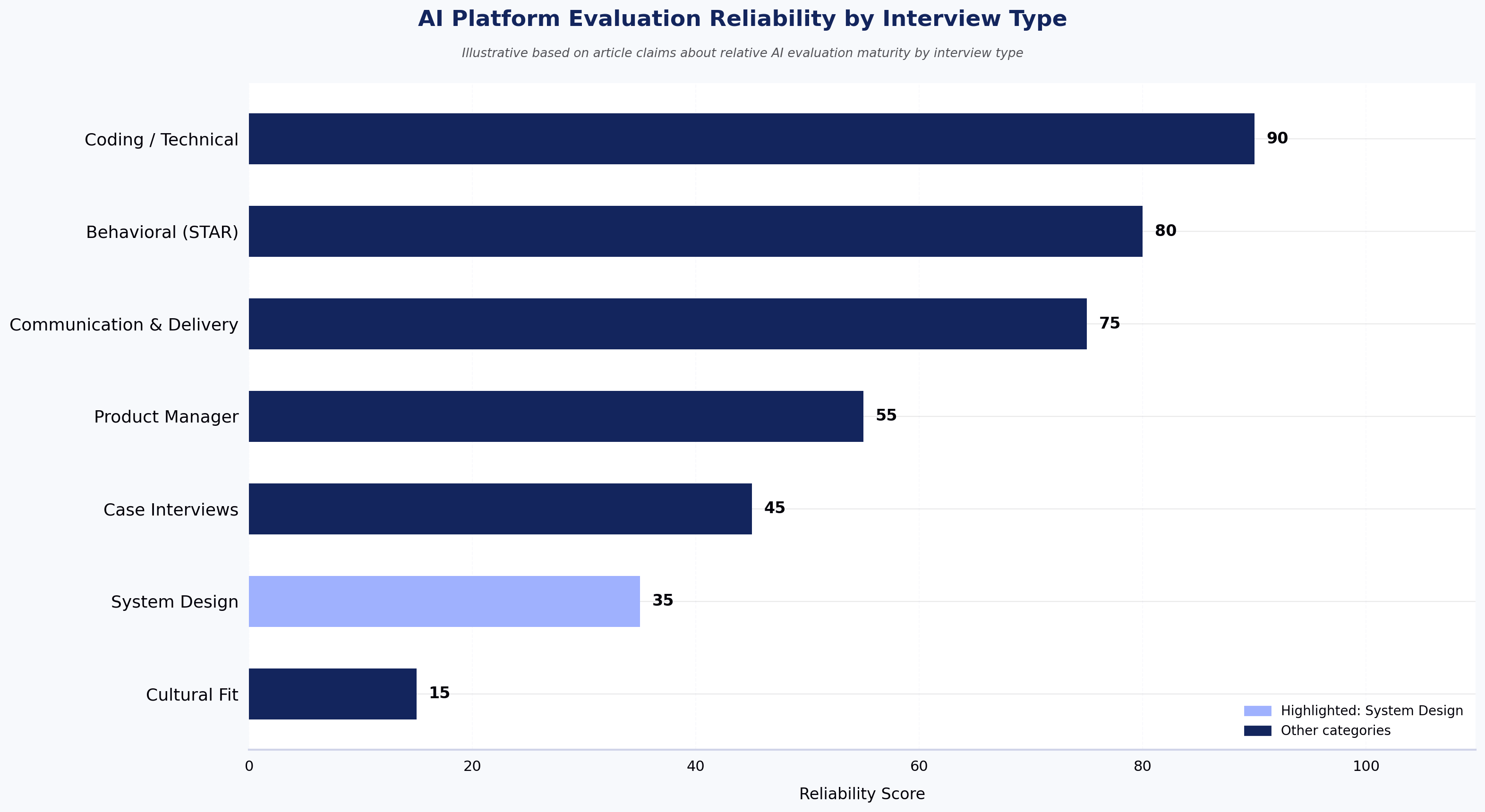
Some hiring decisions depend heavily on context. These include team-fit conversations, senior leadership hiring, system design discussions, judgment-based evaluations, borderline candidate reviews, offer negotiations, and final hiring decisions.

These areas require interpretation, nuance, and organizational understanding that AI systems cannot reliably replicate.

Step 2: Understand where AI interview tools fail

The biggest risks emerge when organizations automate decisions that should remain human.

Cultural and team-fit assessment

Successful collaboration depends on interpersonal dynamics. An AI system cannot determine whether a candidate will thrive within a particular team environment or work effectively alongside future colleagues.

Senior and staff-level evaluation

At senior levels, the most important signals involve judgment under ambiguity. Organizations hire staff engineers and leaders for decisions that do not fit predefined rubrics. AI interview tools are optimized for structure, while senior hiring often depends on evaluating how candidates operate without it.

Edge-case context

Strong candidates do not always provide conventional answers. Experienced interviewers can recognize when a candidate has approached a problem differently but correctly. AI systems often struggle to distinguish between incorrect answers and unconventional thinking.

Legally consequential decisions

Hiring regulations increasingly require transparency and oversight for AI-assisted hiring. Examples include:

  • New York City Local Law 144 — requires employers using automated employment decision tools to conduct an annual independent bias audit, publish a summary of results, and notify candidates at least 10 business days before use.
  • The EU AI Act — classifies AI systems used for recruitment and candidate screening as "high-risk," requiring providers and deployers to meet obligations including risk management, data governance, transparency to candidates, human oversight, and conformity assessment before deployment.
  • Emerging AI governance frameworks in Illinois (AI Video Interview Act), Maryland, and Colorado.

Any AI-assisted hiring process should include documented human oversight and auditability. Read more in our hiring compliance overview.

Step 3: Create a practical division of labor

Step 1 covered the what — which activities suit AI versus humans. This step covers the how — building that split into a workflow your team can run on Monday morning.

Set explicit thresholds. For example: candidates scoring above the 70th percentile on a structured technical assessment advance to a human technical interview; candidates between the 50th and 70th percentile receive recruiter review before any rejection; candidates below the 50th percentile are auto-rejected only after a bias audit confirms the rubric is not screening out protected groups disproportionately. Sample rubric weights for a mid-level backend role might look like: code correctness 40%, code quality 25%, problem decomposition 20%, communication 15%.

Track completion rate as a leading indicator. Industry benchmarks for asynchronous AI interviews typically fall between 60–75% completion; if yours drops below 60%, candidate experience or instructions need work before you scale.

Guiding principle: AI should expand and standardize the funnel. Humans should make the decisions that close it.

An AI tool that lets a marginal candidate (say, a 65th-percentile score) reach a human interview costs a small amount of interviewer time. An AI tool that rejects a strong candidate creates a missed hire that may never be recovered.

Step 4: Calibrate AI against historical hiring data

Many organizations deploy AI interview tools without validating whether the system would have identified successful employees from the past.

Before implementation:

  • Run historical candidates through the AI evaluation process.
  • Compare AI recommendations against actual hiring outcomes.
  • Analyze discrepancies.
  • Refine scoring rubrics before launch.

If the AI system would have rejected several successful hires, the problem is usually the rubric, not the candidates.

Step 5: Keep humans in the loop

The best AI hiring programs maintain human oversight throughout the process.

Review borderline rejections

Candidates within 5–10 percentile points of the cutoff should receive human review. A short recruiter review can prevent high-potential candidates from being filtered out unnecessarily.

Monitor rubric drift

Hiring requirements evolve over time. Human oversight helps identify when AI evaluation systems begin drifting away from actual indicators of hiring success — for example, if 12-month retention among AI-recommended hires drops below the retention rate of human-screened hires, the rubric needs recalibration.

Maintain escalation paths

Candidates should always have a path to human interaction when needed. Transparency improves candidate experience and strengthens trust in the hiring process.

Step 6: Measure outcomes instead of activity

Many organizations focus on operational metrics such as interviews completed, candidates screened, and time saved. These metrics do not measure hiring quality.

Measure what matters

  • 12-month retention — tracks whether employees remain with the company and succeed over time.
  • Performance reviews — measures whether hires deliver expected business impact.
  • Hiring manager satisfaction — provides direct feedback on candidate quality.
  • Time-to-hire — measures hiring efficiency without sacrificing quality.
  • Candidate completion rates — help identify friction points and candidate experience issues.

Track these against pre-AI baselines so you can identify whether AI-assisted screening is contributing to better hires or just faster ones.

Step 7: Manage candidate experience carefully

Candidate reactions to AI interviews vary significantly.

What candidates often like

  • Flexible scheduling
  • Faster response times
  • On-demand interview completion
  • Reduced scheduling friction

Common concerns

  • Lack of human interaction
  • Difficulty building rapport
  • Concerns about fairness
  • Uncertainty about how responses are evaluated

Organizations should clearly communicate how AI is being used, what is being evaluated, how decisions are made, and when humans are involved. Transparency is increasingly both an operational norm and a regulatory expectation.

Common mistakes when implementing AI interview tools

Most implementation failures follow predictable patterns:

  • Replacing humans too early in the hiring process
  • Using AI as the sole basis for rejection decisions
  • Failing to validate scoring rubrics
  • Measuring efficiency instead of hiring quality
  • Ignoring candidate experience metrics
  • Neglecting bias audits and compliance reviews

Organizations that avoid these mistakes typically achieve stronger hiring outcomes and higher candidate trust.

Where HackerEarth OnScreen fits

The compliance, calibration, and human-in-the-loop requirements above raise an operational question: which platform actually combines structured AI screening with the proctoring and identity verification that bias audits and remote hiring require? HackerEarth OnScreen combines in-depth interviewing, integrated proctoring, and KYC-grade identity verification — a combination no single product has previously offered in this category. The AI handles the structured-screening layer (rubric-based scoring against role-specific criteria your team defines, identity verification, and proctoring signal) so human interviewers focus their time on the later-stage judgment calls Step 1 identified as off-limits to automation.

Frequently asked questions

Are AI interview tools more biased than human interviewers?

AI interview tools apply evaluation criteria more consistently than human interviewers, but they can encode bias if trained on biased historical data. Annual bias audits, as required by NYC Local Law 144, and ongoing human review of borderline rejections are how organizations keep that risk in check.

When should organizations avoid AI interviews?

Organizations should avoid AI interviews for executive search, C-suite hiring, highly specialized roles where the rubric cannot be defined in advance, and any interview stage where judgment under ambiguity is the primary signal being measured.

How can organizations determine whether an AI interview tool is successful?

The clearest measure of success is whether AI-screened hires retain and perform at least as well as human-screened hires over 12 months. Pair that with hiring manager satisfaction surveys and completion-rate benchmarks to get a full picture.

Do candidates dislike AI interviews?

Candidate reaction depends on transparency and optionality. Some candidates appreciate flexibility and convenience, while others prefer human interaction; offering an opt-in human touchpoint and clearly explaining how the AI evaluation works closes most of the experience gap.

What compliance considerations apply to AI interview tools?

Organizations using AI interview tools must maintain bias audit documentation, candidate disclosures, audit trails, and documented human oversight to meet regulations including NYC Local Law 144, the EU AI Act, and Illinois's AI Video Interview Act.

Key takeaways

  • The Cowgill (NBER, 2018) finding — that human overrides of algorithmic screening produced worse hires across 300,000 decisions — is the single strongest argument for keeping AI in the early funnel and humans in the late funnel.
  • NYC Local Law 144 requires an annual independent bias audit and 10-business-day candidate notification; the EU AI Act classifies hiring AI as high-risk and requires human oversight by law.
  • Calibrate AI tools by running 12–24 months of historical hires through the system before launch; if it would have rejected your top performers, fix the rubric.
  • Set percentile-based escalation thresholds (e.g., review every candidate within 5–10 points of the cutoff) so borderline cases always reach human eyes.
  • Measure 12-month retention and hiring manager satisfaction against pre-AI baselines — not interviews completed.
Human Overrides vs. Algorithm: Hire Quality Outcomes
Source: Cowgill, NBER Working Paper No. 21709, 2018 (downstream hire quality index, illustrative scale based on article claims)

See it in action

Schedule a demo of HackerEarth OnScreen to map which stages of your current hiring workflow can move to AI screening, which must stay human-led, and how to set percentile thresholds and bias audits aligned with NYC Local Law 144 and the EU AI Act before you scale.

When AI Interviews Work and When They Don't: An Honest Breakdown by Role Type and Seniority

When AI Interviews Work and When They Don't: An Honest Breakdown by Role Type and Seniority

AI interviews work well for structured, rubric-driven screening of high-volume and mid-skill technical roles. They fail predictably when evaluation depends on judgment, context, collaboration, or organizational fit.

The honest answer to "when AI interviews work and when they don't" is simple: AI follows the rubric. If the rubric captures what matters for the role, AI interviews generate useful signal. If the role depends on context, judgment, or nuanced decision-making, AI interviews miss what matters most.

This guide is for recruiters, hiring managers, and talent acquisition leaders evaluating where AI interviews belong in the hiring process. It covers what AI interviews are, where they work best, where they fall short, how effectiveness changes by seniority level, and how to integrate them into a modern hiring workflow.

What Is an AI Interview?

An AI interview is a structured screening process conducted through software that asks standardized questions, evaluates responses against predefined criteria, and produces a consistent candidate assessment.

Most AI interview platforms include:

  • Automated questioning
  • Structured scoring rubrics
  • Video or voice interactions
  • Identity verification
  • Proctoring and integrity checks
  • Candidate ranking and reporting

The defining characteristic of AI interviews is consistency.

Unlike human interviewers, who may evaluate candidates differently depending on experience, fatigue, or bias, AI applies the same evaluation framework to every candidate.

The trade-off is straightforward:

  • Greater consistency
  • Less contextual judgment

AI interviews are not bias-free. Like any evaluation system, outcomes depend on training data, scoring logic, and rubric design. The goal is not eliminating bias entirely but reducing variability and improving consistency.

When AI Interviews Work

High-Volume Technical Screening

This is the strongest use case for AI interviews.

When organizations need to evaluate hundreds or thousands of candidates, consistency becomes more important than depth.

AI interviews can apply identical evaluation criteria across large applicant pools while significantly reducing recruiter workload.

Organizations conducting large-scale engineering recruitment often use AI interviews to maintain calibration across thousands of applications.

Campus and Early-Career Hiring

Campus hiring creates ideal conditions for AI screening:

  • Large candidate volumes
  • Clearly defined skill requirements
  • Standardized evaluation criteria
  • Structured hiring workflows

For organizations hiring hundreds or thousands of graduates annually, human-only screening is often impractical.

Mid-Level Individual Contributor Roles

AI interviews perform well for roles where expectations are well understood and measurable.

Examples include:

  • Backend Engineers
  • Frontend Developers
  • Data Analysts
  • QA Engineers
  • DevOps Engineers

For these positions, structured evaluation often produces reliable screening outcomes before human interviews begin.

Hiring Pipelines Impacted by Scheduling Delays

Interview scheduling remains one of the biggest causes of candidate drop-off.

AI interviews allow candidates to complete screening immediately rather than waiting days for recruiter availability.

For global hiring teams operating across multiple time zones, reduced scheduling friction can significantly improve candidate experience and pipeline speed.

When AI Interviews Don't Work

Senior and Staff-Level Engineering Roles

At senior levels, technical competence is only part of the evaluation.

Organizations need to assess:

  • Decision-making under uncertainty
  • System design trade-offs
  • Stakeholder management
  • Technical leadership
  • Long-term architectural thinking

These capabilities are difficult to evaluate through a fixed rubric.

AI interviews can validate technical fundamentals but should not replace senior-level technical discussions.

Leadership and Executive Hiring

Leadership hiring depends heavily on:

  • Strategic thinking
  • Organizational fit
  • Vision
  • Influence
  • Team-building ability

These qualities are highly contextual and difficult to standardize.

AI interviews should generally not serve as a primary evaluation mechanism for director, VP, or executive roles.

Culture-Driven Hiring

Some hiring decisions are fundamentally conversational.

Examples include:

  • Founding engineers
  • Startup leadership hires
  • Early-stage team members
  • Strategic partnership roles

In these situations, relationship-building and mutual assessment matter more than standardized scoring.

Live Collaboration Assessments

If collaboration is central to the role, collaboration should be part of the interview process.

Examples include:

  • Pair programming
  • Design reviews
  • Team problem-solving sessions
  • Cross-functional workshops

AI interviews can assess baseline competency, but live interaction remains essential.

Highly Contextual Non-Technical Roles

AI interviews struggle when success depends on:

  • Relationship management
  • Negotiation
  • Executive presence
  • Network-building
  • Client judgment

Roles such as enterprise sales, partnerships, executive recruiting, and senior customer success generally benefit more from human-led evaluation.

AI Interview Effectiveness by Seniority Level

The pattern across technical hiring is remarkably consistent.

Entry-Level and Fresher Hiring

AI interviews work extremely well.

Characteristics:

  • High applicant volume
  • Stable evaluation criteria
  • Structured skill requirements

Recommended approach:

AI Interview → Human Validation → Offer

Mid-Level Individual Contributors (L3–L4)

AI interviews work effectively as a first-round screen.

Recommended approach:

Assessment → AI Interview → Human Technical Interview

Senior Individual Contributors (L5)

AI interviews provide useful signal but should not determine hiring outcomes.

Recommended approach:

Assessment → AI Interview → Senior Panel Interview

Staff and Principal Engineers (L6+)

AI interviews offer limited value.

Evaluation should focus on:

  • Architecture
  • Decision-making
  • Leadership
  • Influence

Recommended approach:

Structured Human Panel Interviews

Managers and Directors

Behavioral interviews, leadership evaluations, and reference checks provide stronger signal than AI screening.

VP and Executive Roles

AI interviews are generally not recommended.

What This Means for the Hiring Process

The most common mistake organizations make is treating AI interviews as an all-or-nothing decision.

AI interviews are most effective when positioned as a stage within the hiring funnel rather than a replacement for human evaluation.

For many technical hiring programs, the ideal sequence is:

Skills Assessment → AI Interview → Human Technical Interview → Final Panel

In this model:

  • Assessments validate technical skills
  • AI interviews provide structured screening
  • Human interviews evaluate judgment and collaboration
  • Final panels determine overall fit

This approach combines scalability with human decision-making.

Frequently Asked Questions

Are AI Interviews Fair?

AI interviews generally provide more consistent evaluations than human screeners because every candidate receives the same questions and scoring criteria.

However, fairness depends heavily on:

  • Question design
  • Rubric quality
  • Calibration processes

How Do AI Interviews Handle Candidates Using AI Tools?

Modern platforms combine:

  • Identity verification
  • Proctoring
  • Screen monitoring
  • Dynamic follow-up questions

While no system is perfect, these measures significantly increase assessment integrity.

Can AI Interviews Replace Human Interviewers?

No.

AI interviews can replace or augment first-round screening for many technical roles.

They cannot replace human judgment for senior, leadership, or highly collaborative positions.

What Is the Biggest Risk?

False negatives.

Candidates with unconventional backgrounds or problem-solving approaches may not fit expected scoring patterns despite having strong potential.

Organizations should periodically audit rejected candidates to ensure the screening process remains effective.

How Long Should an AI Interview Be?

For technical screening, 30–45 minutes is typically optimal.

Interviews longer than 60 minutes often increase candidate drop-off without improving signal quality.

When Should Organizations Avoid AI Interviews Entirely?

Avoid AI interviews for:

  • Staff and Principal Engineers
  • Leadership Roles
  • Executive Hiring
  • Culture-Critical Positions
  • Low-volume hiring where personalized evaluation is feasible

Key Takeaways

  • AI interviews perform best for high-volume, structured technical hiring.
  • Campus hiring and mid-level technical roles are ideal use cases.
  • Senior, leadership, and culture-driven roles require human judgment.
  • The practical transition point is typically around the L5 level.
  • AI interviews should complement human decision-making, not replace it.
  • The primary value comes from consistent screening and reduced recruiter workload.

Next Steps

If you're evaluating where AI interviews fit within your hiring process, start by identifying which roles depend primarily on measurable skills and which depend on judgment, collaboration, and leadership.

The strongest hiring funnels combine assessments, AI screening, and human interviews in a sequence that matches the role being hired.

Pre-Employment Coding Tests: Recruiter's Guide 2026

Pre-Employment Coding Tests: Recruiter's Guide 2026

The U.S. Department of Labor estimates a bad hire costs at least 30% of the employee's first-year salary. For a $130,000 senior engineer, that is $39,000 before you account for lost productivity, team disruption, and the weeks spent restarting the search. Most of that risk traces back to a broken screening process: resumes that inflate skills, unstructured interviews that measure confidence over competence, and hiring decisions made on instinct.

Pre-employment coding tests solve this directly. A well-designed pre-employment coding test gives every candidate the same objective problem, evaluates the result against consistent criteria, and produces a defensible, data-backed signal before anyone has spent an hour of interview time.

This guide is for recruiters, hiring managers, and engineering leads building or refining a technical hiring process. It covers what coding tests are, how to choose the right format, how to design assessments that actually predict job performance, how to protect integrity, how to evaluate results fairly, and how to avoid the mistakes that turn a good testing program into a candidate drop-off machine. Note: this is a practical implementation guide focused on screening workflow; it does not exhaustively cover EEOC legal review, accessibility accommodations under the ADA, or multi-region data privacy compliance (GDPR, India DPDP, etc.). Consult qualified counsel for those areas.

What is a pre-employment coding test?

A pre-employment coding test is a standardized assessment given to job candidates before the live interview stage to objectively measure programming skills, problem-solving ability, and code quality. Candidates receive coding challenges on an assessment platform, write code in a real or simulated IDE, and results are scored automatically or reviewed by engineers against consistent criteria.

What every format shares is that it creates a concrete, reproducible record of what a candidate can actually do, rather than what they claim on a resume.

Types of coding tests used in hiring

The five main formats each serve different evaluation goals. Algorithmic coding challenges test data structure and problem-solving fluency under timed conditions. Project-based take-home assignments evaluate real-world code quality, architecture thinking, and documentation. Multiple-choice tests screen foundational language knowledge at high volume. Live coding interviews let interviewers observe how a candidate thinks in real time. Pair programming assessments evaluate collaboration alongside technical ability. Each format is covered in full in Step 2.

When pre-employment coding tests are not the right tool

Pre-employment coding tests are powerful for high-volume technical screening, but they are not universally appropriate. For highly specialized research roles (e.g., applied ML researchers, compiler engineers, cryptography specialists), a standardized challenge rarely captures the depth of the work, and a portfolio review plus deep technical conversation is typically a stronger signal. Internal transfers with documented performance histories generally should not be re-screened with the same assessment used for external candidates. Niche language experts or open-source maintainers with verifiable public portfolios may also be better evaluated on the artifacts they have already shipped. Scoping when not to test is part of designing a defensible hiring process.

Why pre-employment coding tests are critical for technical hiring

The problem is not a shortage of applicants: it is a shortage of reliable signal. Engineering roles take an average of 62 days to fill globally, according to Workable's 2024 benchmarking data, and roughly 70% of tech recruiters say they consistently receive unqualified applicants for every technical role they post, according to industry reporting from DevSkiller. Without a structured pre-hire coding challenge, teams discover skills gaps during live interviews, which is the most expensive point in the funnel to find out a candidate cannot do the job.

The research supports this directly. Schmidt and Hunter's 1998 meta-analysis, and the updated analysis by Schmidt, Oh, and Shaffer (2016), found that work sample tests have a validity coefficient of .33 to .54 for predicting on-the-job performance, substantially higher than education (.10) or years of experience (.18). A coding aptitude test is, by design, a work sample test. According to TestGorilla's 2025 State of Skills-Based Hiring report, roughly 85% of employers now use some form of skills-based hiring, up from 73% in 2023. The question is not whether to use coding tests. It is how to use them effectively.

Predictive Validity of Hiring Selection Methods
Source: Schmidt, Oh & Shaffer (2016); Schmidt & Hunter (1998)

Step 1: Define the role requirements and testable skills

The most common reason a pre-employment coding test fails to predict job performance is that it tests the wrong things, and that is entirely preventable if you start with a job analysis rather than a question library.

Work backward from what the engineer will do in their first 90 days. Identify must-have skills, where a gap disqualifies the candidate regardless of everything else, and distinguish them from nice-to-have skills that can be learned on the job. Map skills to test formats based on what each format can actually measure: algorithm design for backend roles, DOM manipulation for frontend engineers, API integration scenarios for full-stack developers. System design belongs in the live interview, not a pre-employment skills testing stage.

A skills matrix structures this before you build anything:

SkillPriorityTest FormatDifficulty LevelPython data structuresMust-haveAlgorithmic coding challengeMidREST API designMust-haveProject-based taskMid-seniorSQL query optimizationMust-haveCoding challengeMidGit workflowNice-to-haveMCQFoundationalSystem architectureNice-to-haveLive interviewSenior

The matrix forces alignment between engineering and recruiting before the test is built. It is also your first line of legal defense: tests traceable to specific job tasks are far easier to defend under EEOC scrutiny than tests assembled from a generic question bank.

Step 2: How to choose the right type of coding assessment

A pre-employment coding test that works well for junior backend hiring will actively mislead you when evaluating a senior full-stack candidate, and this is one of the most common and preventable process mistakes in technical hiring.

Multiple-choice questions (MCQs)

MCQs are useful as a first-pass filter for high-volume junior pipelines, but answering a multiple-choice question about recursion is not the same as writing a recursive function. Use them to screen out candidates who lack basic fluency before they invest time on a coding problem. Never use them as a standalone technical skills evaluation.

Algorithmic coding challenges

Algorithm tests are the most common format for backend and infrastructure roles, and the most misused. The well-documented limitation is that LeetCode-style challenges favor candidates who have practiced competitive programming, and senior engineers with real-world experience frequently underperform relative to their actual capability. Use algorithmic tests as one signal, not the deciding one.

Project-based and take-home assignments

Take-home assignments produce the richest signal of any pre-hire coding challenge format because reviewers can see how a candidate structures a solution, handles edge cases, and documents their thinking. The tradeoff is that candidates with competing offers will not complete an assignment that feels open-ended or excessive. Keep scope tight, share the evaluation criteria upfront, and cap the expected time at two to four hours.

Live coding interviews

Live coding is best reserved for final-round evaluation, where observing thought process and debugging behavior in real time is worth the scheduling cost. Some strong engineers simply perform poorly when watched, so use this as a late-stage filter, not an early screen.

Pair programming assessments

Pair programming works well for collaboration-heavy teams and senior roles where working style matters as much as raw output. Scheduling complexity limits scalability, which makes it practical mainly for final-round or specialized role evaluation.

Assessment type comparison

Assessment TypeScalabilityRealismCandidate ExperienceEvaluation EffortBest ForMCQHighLowLow frictionLowHigh-volume, foundational screeningAlgorithmic ChallengeHighMediumMixedLow (automated)Backend, infrastructure, junior-to-mid rolesProject / Take-HomeLow-mediumHighHigh frictionMedium-highMid-to-senior, code quality focusLive CodingLowHighVariableHighFinal-round, process observationPair ProgrammingLowVery HighPositiveHighSenior, team-fit evaluation

Step 3: Select a coding assessment platform

Platform selection has downstream consequences for every hire you make, and a weak choice here creates friction at exactly the points where hiring speed matters most.

When evaluating coding assessment platforms, focus on criteria that are independent of any specific vendor: does the question library cover the languages and frameworks you actually hire for, or will your team spend weeks authoring custom content? Does the platform integrate natively with your ATS (Greenhouse, Lever, Workday, iCIMS), or will recruiters re-key candidate data? What signals does the proctoring system surface, and can you interpret them quickly when reviewing flagged sessions? Can you customize scoring rubrics for proprietary questions, or are you locked into the vendor's defaults? Does the reporting let hiring managers compare candidates against a cohort, or only against a static score? Capterra's 2024 candidate research, summarized in their job seeker survey coverage, found that around 58% of candidates used AI tools to complete assessments — making proctoring signal quality a load-bearing criterion, not a checkbox.

Different platforms make different tradeoffs here. Codility is widely cited for clean candidate-facing UX and a strong focus on engineering-team workflows. HackerRank has one of the deepest public question libraries and a large developer community footprint, which helps with content variety. TestGorilla's strength is breadth: multi-skill assessments that extend beyond pure coding into cognitive, personality, and role-fit testing, which suits generalist hiring.

HackerEarth, positioned as a skills intelligence platform, takes a different approach on integrity signal: rather than surfacing raw proctoring logs and asking recruiters to interpret them, the platform consolidates plagiarism, environment, and behavioral signals into a single per-candidate integrity output that recruiters can act on without forensic review — a tradeoff competitor platforms often leave to the reviewer. HackerEarth covers 40+ programming languages, supports 1,000+ skills across role types, and offers role-specific templates for frontend, backend, data science, and DevOps so hiring managers do not start from a blank slate. ATS integrations with Greenhouse, Lever, iCIMS, and Workday route results into the candidate record automatically. It is used by 500+ global enterprises including Google, Microsoft, Elastic, Flipkart, and Brillio.

Step 4: Design a fair, effective, and job-relevant pre-employment coding test

Platform selection is the infrastructure decision. Test design is the content decision, and most well-resourced technical hiring programs still underperform here.

Set the right duration

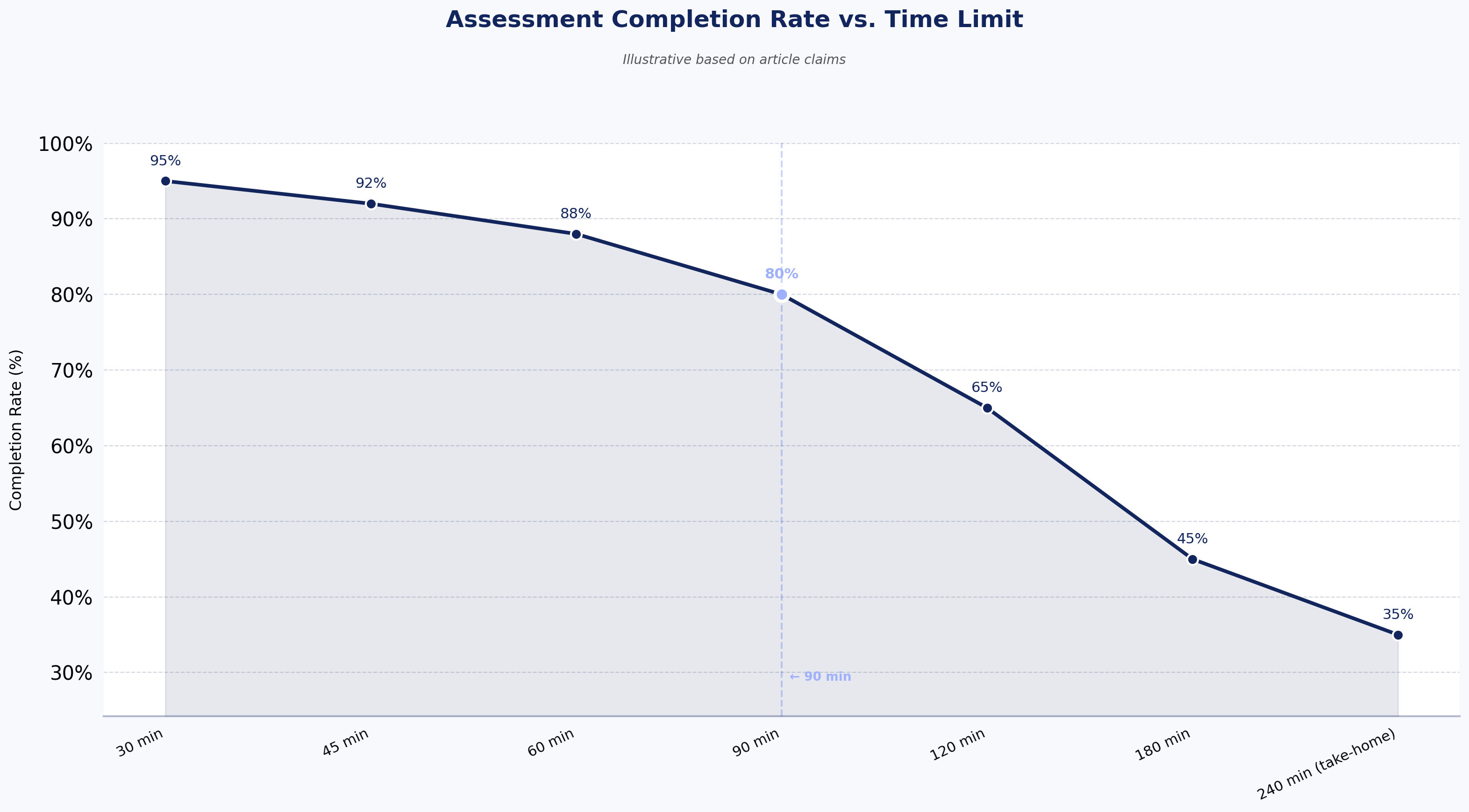
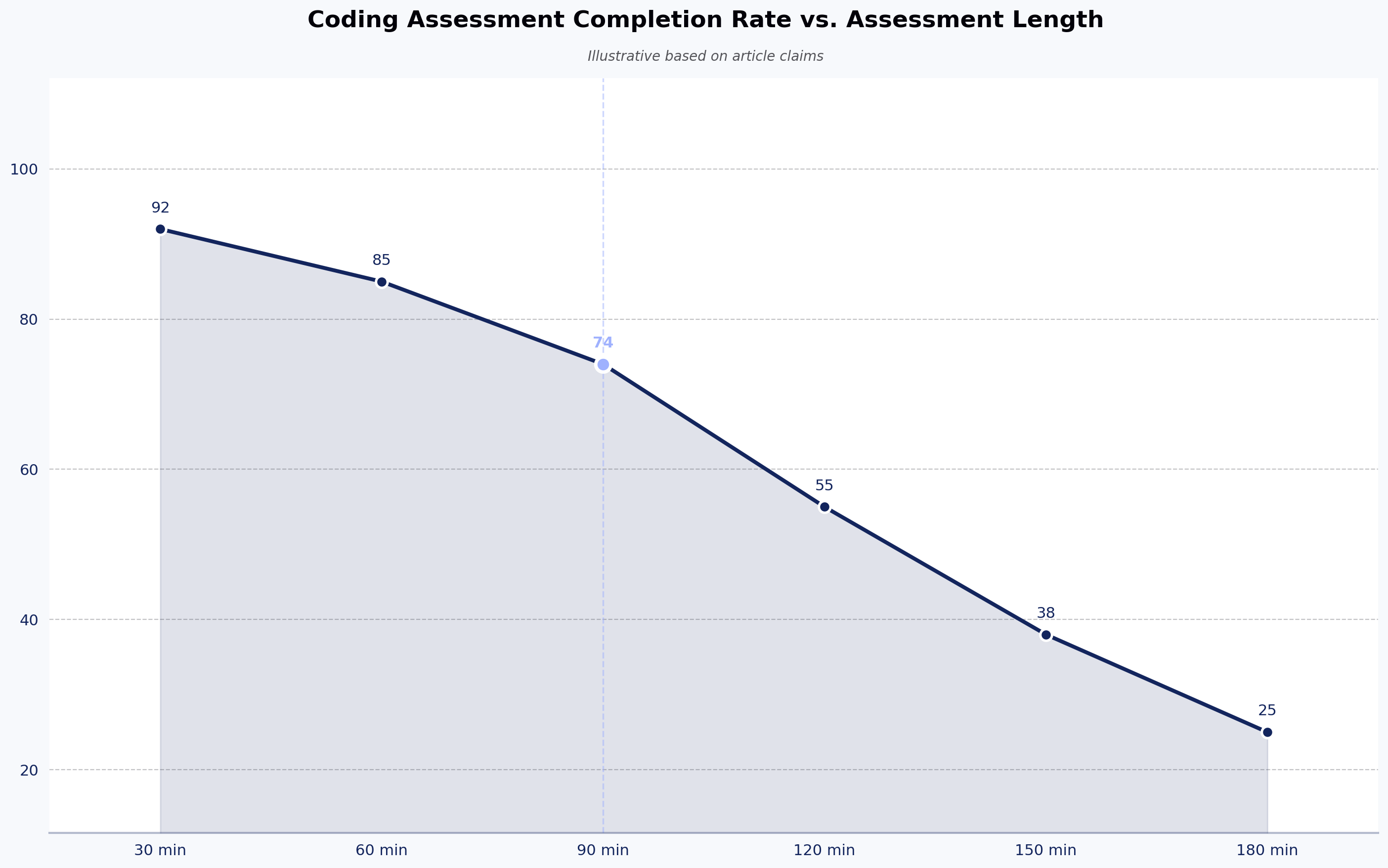
Forty-five to 90 minutes is the optimal range for a timed online pre-employment coding test. Below 45 minutes, complex challenges cannot be evaluated meaningfully. Beyond 90 minutes, completion rates drop sharply among senior candidates with competing offers. Take-home projects are the exception: two to four hours is acceptable when scope is explicitly defined and candidates know what "done" looks like.

Calibrate difficulty to the role

Testing a senior engineer on problems they solved in year one is the equivalent of asking a seasoned chef to boil water to prove they can cook. Define difficulty bands before building the test: Junior (0-2 years) needs language fundamentals and basic data structures; Mid-level (3-5 years) needs applied problem-solving and API integration; Senior (6+ years) needs system design judgment, code review, and performance optimization.

Mix question types strategically

One to two MCQs combined with one to two coding challenges produces a more accurate signal than either format alone. MCQs identify candidates who lack basic fluency before they invest time on a harder problem; coding challenges surface gaps that MCQ performance does not predict.

Reduce bias in test design

This is the area where most competitor guides stop short, and it is the most consequential one for both fairness and legal compliance. Avoid questions that require knowledge of specific cultural contexts, idioms, or domains that favor particular educational backgrounds. The test should measure coding ability, not cultural familiarity.

The EEOC's May 2023 technical guidance makes explicit that adverse impact and job-relatedness requirements under Title VII apply to algorithmic and AI-assisted selection tools. Any test producing a disproportionate pass or fail rate for a protected group must be demonstrably job-related and consistent with business necessity, or it creates legal liability.

Practical steps: document the link between each question and a specific job task before publishing the test; apply the four-fifths rule (if a protected group's pass rate falls below 80% of the highest-performing group's pass rate, investigate); and do not use LeetCode performance as a proxy for software engineering ability. Research, including work summarized in the ACM's review of technical interview practices, suggests the correlation between competitive-programming performance and real-world engineering effectiveness is weaker than commonly assumed. These tests can also systematically disadvantage candidates from non-traditional backgrounds who are strong practical engineers.

Step 5: Implement anti-cheating and proctoring measures

Skipping proctoring is not a neutral decision heading into 2026: it is a decision to accept that a meaningful portion of your results cannot be trusted. Capterra's 2024 candidate research reported that around 58% of candidates used AI tools to complete assessments, and the Identity Theft Resource Center's 2024 trends report documented that application fraud rose more than 118% between 2023 and 2024.

Effective remote proctoring for online assessments layers multiple signals: plagiarism detection that compares submissions against known published solutions and other candidates in the cohort, browser lockdown to block access to AI tools and search engines, webcam monitoring using computer vision rather than manual review, randomized question pools so candidates cannot share answers, and IP tracking to flag submissions from the same device.

The balance with candidate trust is real. Communicate proctoring measures in the assessment invitation, explain why they exist, and calibrate oversight to the role's sensitivity. Senior engineers view intrusive monitoring as a signal about organizational culture, and the employer brand damage from that reaction is harder to undo than the integrity risk you were trying to prevent.

Step 6: Evaluate results and make data-driven hiring decisions

A test score is not a hiring decision, and teams that treat it as one will make the same mistakes as teams that never ran the test at all.

Automated scoring vs. manual review

Automated scoring removes the variance that comes from different engineers reviewing the same submission with different standards. Rubric-applied evaluation is more consistent across candidates than human-led screens and does not vary by interviewer mood or fatigue, where variable naming style and code structure conventions can unconsciously influence how a reviewer rates competence. For mid-to-senior roles, combine automated scoring for correctness and efficiency with targeted manual review of code architecture and readability.

Build a scoring rubric

Every candidate should be evaluated against the same weighted criteria. A sample rubric:

CriterionWeightWhat to EvaluateCorrectness40%Does the code produce the right output across all test cases, including edge cases?Efficiency25%Is the time and space complexity appropriate? Are obvious optimizations made?Code Quality20%Is the code readable? Are naming conventions consistent? Is the logic well-structured?Edge Case Handling15%Does the candidate account for null inputs, boundary conditions, and unexpected states?

Set benchmarks and pass thresholds

An arbitrary cutoff like "everyone above 70% passes" is not a benchmark, it is a guess. Use percentile-based cutoffs calibrated to your actual candidate pool: the top 30% of submissions for a role type is a more defensible threshold than a static score. HackerEarth's reporting supports cohort-level comparisons so pass thresholds can reflect real performance distributions rather than guesses.

Avoid common evaluation pitfalls

Speed is not skill. A candidate who solves a problem in 30 minutes is not necessarily better than one who takes 60; penalize only when completion time indicates the candidate could not arrive at a solution, not because they were slower than average. A valid but unconventional solution is also not a failure: if the code is correct, efficient, and readable, the approach the candidate used tells you something positive about how they think.

Step 7: Communicate clearly with candidates before, during, and after

The developers you most want to hire have options, and a confusing or silent assessment process is enough to lose them to a competitor who treats communication as part of the job.

Provide timely, constructive feedback

Talent Board's CandE Benchmark Research consistently shows that candidates who receive feedback (even a rejection) rate the employer more favorably than those who receive nothing. In a market where roughly 61% of job seekers report being ghosted after an interview, per Greenhouse's 2024 candidate experience research, any communication at all is a differentiator. A note indicating the general area where a candidate did not meet the bar protects the employer brand and keeps the door open for future applications.

Set clear expectations for the interview stage

Tell shortlisted candidates what the live interview will cover before they arrive. The assessment invitation itself should include the expected duration, what to have ready, a description of what skills are being tested, the proctoring measures in use, the submission deadline, and a contact for technical issues.

Step 8: Integrate pre-employment coding tests into your hiring workflow

A pre-employment coding test produces its full value only when it sits in the right place in the funnel, and that place is stage two, after the resume screen and before any engineer's time is committed.

A typical technical hiring funnel with coding tests placed correctly:

ATS integration makes this practical at scale. Platforms that connect natively with Greenhouse, Lever, and Workday trigger assessment invitations automatically, route results back into the candidate record, and apply pass/fail logic without manual recruiter intervention. The long-term refinement loop matters as much as the initial setup: track which questions correlate with strong 90-day performance reviews and retire the ones that do not predict what you need them to predict. For deeper guidance on building this end-to-end, see HackerEarth's resources on skills-based hiring and technical interview design.

Common mistakes that undermine your coding assessments

Most assessment programs fail not because the platform was wrong but because of predictable process errors that go unexamined.

Testing skills that are irrelevant to the actual job. Every question should trace back to the skills matrix from Step 1. A puzzle that has nothing to do with the day-to-day work filters for interview prep performance, not job readiness, and strong candidates who recognize the disconnect opt out.

Making the test too long. Senior developers with multiple offers will not complete a three-hour screen before they have had any meaningful interaction with the company. Completion rates drop sharply past 90 minutes, and over-length tests produce more drop-off, not more signal.

Using a one-size-fits-all assessment for all roles and levels. A test calibrated for a mid-level backend engineer is wrong for a junior frontend hire and wrong again for a senior DevOps lead. Each role requires its own skills matrix and difficulty calibration.

Relying solely on automated scores without context. A candidate who scores 68% on a well-designed test may be significantly more capable than one who scores 75% on a poorly designed one. Scores are inputs to a decision, not the decision itself.

Not validating the test for adverse impact or job-relatedness. Failing to document the link between test content and job requirements, or failing to monitor pass rate disparities across demographic groups, creates Title VII liability under the EEOC's Uniform Guidelines on Employee Selection Procedures. This is the most consistently overlooked area in pre-employment testing programs.

Failing to iterate on test design. A coding test that was well-designed 18 months ago may now have its questions circulating on developer forums. Track the correlation between assessment scores and 90-day performance reviews; the questions that are no longer predicting performance are the ones to retire.

Frequently asked questions about pre-employment coding tests

Is a pre-employment coding test the same as a LeetCode-style interview?

No, and conflating the two is one of the most common reasons hiring programs underperform. A LeetCode-style problem is one narrow input — competitive-algorithm fluency under time pressure. A well-designed pre-employment coding test is broader: it can include work-sample tasks, debugging exercises, API integration scenarios, or framework-specific problems that resemble the actual job. The "test" is the design philosophy, not a specific question format, and the most effective programs deliberately move away from pure algorithm puzzles for non-algorithm-heavy roles.

How long should a pre-employment coding test take?

Forty-five to 90 minutes is the optimal range for a timed coding challenge; take-home projects should be capped at two to four hours with clearly defined scope. Senior candidates in particular will abandon anything that feels like an unreasonable time investment before a first interaction with the company.

Are coding tests a reliable predictor of job performance?

Work sample tests have a validity coefficient of .33 to .54 for predicting on-the-job performance according to Schmidt and Hunter's 1998 meta-analysis (and the 2016 update by Schmidt, Oh, and Shaffer), which is substantially better than education (.10) or years of expert

Top Products

Explore HackerEarth’s top products for Hiring & Innovation

Discover powerful tools designed to streamline hiring, assess talent efficiently, and run seamless hackathons. Explore HackerEarth’s top products that help businesses innovate and grow.
Frame
Hackathons
Engage global developers through innovation
Arrow
Frame 2
Assessments
AI-driven advanced coding assessments
Arrow
Frame 3
FaceCode
Real-time code editor for effective coding interviews
Arrow
Frame 4
L & D
Tailored learning paths for continuous assessments
Arrow
Get A Free Demo