Joydeep

Author
Joydeep

Blogs
Joydeep is a former product marketer with a love for growth loops and developer communities. Now, they decode hiring challenges with the same curiosity they brought to GTM plans.
author’s Articles

Insights & Stories by Joydeep

Joydeep's content is built for talent leaders who want results—fast. Actionable, relevant, and packed with real-world learnings from the frontlines of growth.
Clear all
Thank you! Your submission has been received!
Oops! Something went wrong while submitting the form.
Filter
Filter

What is FinTech?

Fintech is the application of technologies to disrupt existing processes or bring in new paradigms in the financial industry. Be it banking or insurance or digital payment, fintech is currently revolutionizing the world.

Fintech has disrupted all aspects of the industry. Rapid innovation is the key in sectors like lending, financial inclusion, financial advisory, personal finance, security, and digital payments. Fintech, on one hand made services like Net Banking a given in today’s world. On the other hand, it has made names of startups like PayTM a common word in the vocabulary of the laymen.

Fintech companies are more customer centric than traditional financial companies. They believe in rapid innovation. The fact that many of the early adopters are low-age groups with disposable incomes has made fintech one of the hottest trends in technology.

What are the companies in fintech?

There are mainly four types of companies that are interested in fintech.

  1. Major banks that have traditionally been associated with finance and look at technology and fintech as the next level, for example, any large bank that has technology offerings
  2. Well-established tech players that are also looking for business opportunities in the financial services space although they are not traditionally financial companies, for example, we now have the Google wallet and the Apple pay.
  3. Companies that provide infrastructure and services which enable other fintech players to operate in the financial space; examples include PayUmoney that acts as a payments gateway, or MasterCard, which processes payments between banks of merchants when the merchants use the cards that are issued by the banks

Disruptors that are fast-moving companies and startups; these companies generally focus on a single business innovation or process. For example take SoFi, it is a San Francisco based company that focuses on high-earning recent graduates and tries to refinance their student loans. Or take the case of PayTM, which focuses on the Indian payments ecosystem.

What are the major fintech areas that are driving innovation?

Lending: Lending is the space where the biggest innovations in fintech are coming from. Traditionally, lenders have given more money to people who already have money. Fintech companies are doing away with the traditional credit history-based scoring system and coming up with lending solutions even for the unbanked. For example, Lending Club operates an online lending platform that helps borrowers get a loan and investors purchase notes backed by payments made on loans. Others like Biz2Credit are using social profiling tools to access the credit worthiness of individuals and small businesses.

Financial Inclusion: Experts believe that fintech is the key behind financial inclusion. For example, M-Pesa reached 80% of households in Kenya in 4 years[source]. Fintech companies achieve financial inclusion through various methods. One of them can be by leveraging existing low-cost solutions, like M-Pesa doing transactions through SMS. One other example is Kobocoin, which is giving an existing technology, blockchain in this case, a more local flavor so that it reflects the needs of the masses.

Even for developed countries, companies that focus on financial inclusion have the potential to make social security programs more effective. For example, in various parts of the world like Japan and India, public benefits are directly paid to the bank accounts of the recipients and the process is tracked through a Unique Identification Number like Aadhar Card in India or the My number(??????) system in Japan.

Financial Advisory: Fintech companies have generally relied on automation to provide services and this is the strategy being applied to traditional advisory services like M&A transactions, restructuring, raising capital, and forensic investigations. There can be a common platform where the users can engage with the experts as in BankerBhai.com. One more example is Elliptic, which provides services like identifying illicit activity on the Bitcoin blockchain.

Personal Finance: Through the use of fintech, there is a lot of scope to have more efficient processes. Many organisations are building companies by automating the acts of personal finance like individual or family budgeting, insurance, savings, and retirement planning. For example, Wealthfront provides online money management. Paytm tries to keep all your different payments under one portal.

Blockchain and distributed ledgers: Blockchain, which is the technology behind the famous bitcoin, is an open source distributed database using state-of-the-art cryptography. Currencies that use blockchain enable us to do transactions without a powerful third party like a bank or the government. There are various companies that are operating in the space of blockchain, either by using bitcoin, the largest blockchain, like Blockchain.info or Unocoin, or by having their own blockchain cryptocurrency like Kobocoin.

Security: Fintech is only projected to grow in the future and since this domain primarily deals in finance and financial products, customers will have high expectations in terms of security from fintech products. Also, fintech companies will always be a lucrative target for people with malicious intent. For example, there was the JP Morgan Chase data breach in 2014[source] which affected 83 million customers accounts. For this reason, heavy investment is being done in security. and we have a lot of companies in the field. For example, VKey focuses on user security. Tranwall is a Hong Kong startup that focuses on providing increased levels of security to the cardholders of the customer banks.

What is the future in fintech

The rise in fintech has led to growth in both customer awareness and customer expectations, and this acts both as a challenge and as an opportunity. This has resulted in financial incumbents, those who are already established financial services players, taking bold steps and engaging with emerging innovations. Also, new start-ups have found greater acceptance with the population. Following graphs show the amount of investment the fintech companies have received globally.

Image: the growth of global investment in the fintech sector from 2011 to 2016

Source: Business Insider

Users are also spending more time on various apps and doing a greater part of their financial transactions through the apps.

User activity on various payments apps
Source: Nielson

If you think that these trends are astonishing, remember that this will only grow in the coming years.

References:

techstory: lending market in india
letstalkpayments: 22 fintech companies in africa

fintech is the key driver of financial inclusion
fintech and financial inclusion
how fintech security helps foster innovation
fintech companies in fraud prevention
how banks are leveraging developer community

4 performance optimization tips for faster Python code

1. Get the whole setup ready before-hand

This is common sense. Get the whole setup ready. Fire-up your python editor before-hand. If you are writing your files in your local, create a virtual environment and activate it. Along with this, I would advise one other thing which might seem a bit controversial and counter-intuitive, and that is to use TDD. Use your favourite testing tool. I generally use pytest and have that “pip”-d in my virtual environment and start writing small test scripts. I have found that testing helps in clarity of thought, which helps in writing faster programs. Also, this helps in refactoring the code to make it faster. We will get to it later.

2. Get the code working first

People have their own coding styles. Use the coding style that you are most comfortable with. For the first iteration, make the code work, at least and make the submission. See if it passes for all the test cases. If it’s passing then, c'est fait. It's done. And you can move on to the next question.

In case its passing for some of the test cases, while failing for others, citing memory issues, then you know that there is still some work left.

3. Python Coding Tips

Strings:

Do not use the below construct.

s = ""
for x in somelist:
    s += some_function(x)

Instead use this

slist = [some_function(el) for el in somelist]
s = "".join(slist)

This is because in Python, str is immutable, so the left and right strings have to be copied into the new string for every pair of concatenation.

Language Constructs:

Functions: Make functions of your code and although procedural code is supported in Python, it's better to write them in functions.

def main():
    for i in xrange(10**8):
        pass

main()

is better than

for i in xrange(10**8):
    pass

This is because of the underlying CPython implementation. In short, it is faster to store local variables than globals. Read more in this SO post.

I would recommend you keep your procedural code as little as possible. You can use the following standard template.

def solution(args):
    # write the code
    pass

def main():
    # write the input logic to take the input from STDIN
    input_args = ""
    solution(input_args)

if __name__ == "__main__":
    main()

Use the standard library:

Use built-in functions and the standard library as much as possible. Therefore, instead of this:

newlist = []
for item in oldlist:
    newlist.append(myfunc(item))

Use this:

newlist = map(myfunc, oldlist)

There is also the list expressions or the generator expressions.

newlist = [myfunc(item) for item in oldlist]  # list expression
newlist = (myfunc(item) for item in oldlist)  # generator expression

Similarly, use the standard library, like itertools, as they are generally faster and optimized for common operations. So you can have something like permutation for a loop in just three lines of code.

>> import itertools
>>> iter = itertools.permutations([1,2,3])
>>> list(iter)
[(1, 2, 3), (1, 3, 2), (2, 1, 3), (2, 3, 1), (3, 1, 2), (3, 2, 1)]

But if the containers are tiny, then any difference between code using libraries is likely to be minimal, and the cost of creating the containers will outweigh the gains they give.

Generators:

A Python generator is a function which returns a generator iterator (just an object we can iterate over) by calling yield. When a generator function calls yield, the "state" of the generator function is frozen; the values of all variables are saved and the next line of code to be executed is recorded until next() is called again. Generators are excellent constructs to reduce both the average time complexity as well as the memory footprint of the code that you have written. Just look at the following code for prime numbers.

def fib():
    a, b = 0, 1
    while 1:
        yield a
        a, b = b, a + b

So, this will keep on generating Fibonacci numbers infinitely without the need to keep all the numbers in a list or any other construct. Please keep in mind that you should use this construct only when you don't have any absolute need to keep all the generated values because then you will lose the advantage of having a generator construct.

4. Algorithms and Data structures

To make your code run faster, the most important thing that you can do is to take two minutes before writing any code and think about the data-structure that you are going to use. Look at the time complexity for the basic python data-structures and use them based on the operation that is most used in your code. The time complexity of the list taken from python wiki is shown below.

Similarly, keep on reading from all sources about the most efficient data structures and algorithms that you can use. Keep an inventory of the common data structures such as nodes and graphs and remember or keep a handy journal on the situations where they are most appropriate.

Writing fast code is a habit and a skill, which needs to be honed over the years. There are no shortcuts. So do your best and best of luck.

Reference:

stackoverflow.com: optimizing python code

dzone.com: 6 python performance tips

python wiki: Performance Tips

softwareengineering-stackexchange: lkndasldfn

quora: How do I speed up my Python code

python: list to string

monitis: python performance tips part 1

Getting Started with Python and Redis

This is a small tutorial to start using Redis with Python. We will look at the steps that tell you how to install Redis in your local ubuntu machine. As we are compiling from source this should also represent how to install in any linux distribution. Then, we can look at some basic commands in Redis and get a feel of the Redis commands. Finally, we will install the Redis-py module and see how we can interface with the Redis module from Python.

Before going through this tutorial, please go through our Redis infographic to get an overview of the Redis module and how to approach it. We also have a webinar on developing a Redis module. I am using an ubuntu machine. Let us start with the installation of Redis.
sudo apt-get update
Install build essentials which have C and C++ compilers and other GNU C libraries which will help us in the installation later.
sudo apt-get install build-essential
Tcl is also needed to run Redis.
sudo apt-get install tcl8.5
Download the Redis source and untar it.
wget http://download.redis.io/releases/redis-stable.tar.gz

tar xzf redis-stable.tar.gz
cd redis-stable
We will need to now compile from source.
make 

make test
make install
Once this is done, there will be a set of scripts that will be created in the utils folder which can be used to install the service.
?  utils sudo ./install_server.sh

Welcome to the redis service installer
This script will help you easily set up a running redis server.


Please select the redis port for this instance: [6379]
Selecting default: 6379
Please select the redis config file name [/etc/redis/6379.conf]
Selected default - /etc/redis/6379.conf
Please select the redis log file name [/var/log/redis_6379.log]
Selected default - /var/log/redis_6379.log
Please select the data directory for this instance [/var/lib/redis/6379]
Selected default - /var/lib/redis/6379
Please select the redis executable path [/usr/local/bin/redis-server]
Selected config:
Port : 6379
Config file : /etc/redis/6379.conf
Log file : /var/log/redis_6379.log
Data dir : /var/lib/redis/6379
Executable : /usr/local/bin/redis-server
Cli Executable : /usr/local/bin/redis-cli
Is this ok? Then press ENTER to go on or Ctrl-C to abort.
Copied /tmp/6379.conf => /etc/init.d/redis_6379
Installing service...
Adding system startup for /etc/init.d/redis_6379 ...
/etc/rc0.d/K20redis_6379 -> ../init.d/redis_6379
/etc/rc1.d/K20redis_6379 -> ../init.d/redis_6379
/etc/rc6.d/K20redis_6379 -> ../init.d/redis_6379
/etc/rc2.d/S20redis_6379 -> ../init.d/redis_6379
/etc/rc3.d/S20redis_6379 -> ../init.d/redis_6379
/etc/rc4.d/S20redis_6379 -> ../init.d/redis_6379
/etc/rc5.d/S20redis_6379 -> ../init.d/redis_6379
Success!
Starting Redis server...
Installation successful!
To access Redis, we will need the redis-cli.
?  utils redis-cli

127.0.0.1:6379> exit
We can set and get key values using the “SET” and “GET” keywords.
127.0.0.1:6379> SET users:GeorgeWashington "lang: python, born:1990"

OK
127.0.0.1:6379> GET users:GeorgeWashington
"lang: python, born:1990"
127.0.0.1:6379> exit
Let's now install the Python module and try to see if we can access the Redis server from Python. Let's test the Redis server with the Python.
?  redis_tutorial virtualenv venv -p python3.5

Running virtualenv with interpreter /usr/bin/python3.5
Using base prefix '/usr'
New python executable in venv/bin/python3.5
Also creating executable in venv/bin/python
Installing setuptools, pip...done.
? redis_tutorial source venv/bin/activate
(venv)? redis_tutorial
(venv)? redis_tutorial pip install redis
Downloading/unpacking redis
Downloading redis-2.10.5-py2.py3-none-any.whl (60kB): 60kB downloaded
Installing collected packages: redis
Successfully installed redis
Cleaning up...
(venv)? redis_tutorial python
Python 3.5.2 (default, Jul 17 2016, 00:00:00)
[GCC 4.8.4] on linux
Type "help", "copyright", "credits" or "license" for more information.
>>> import redis
>>> r = redis.StrictRedis()
>>> r.get("mykey")
>>> r.get("mykey")
>>> r.get("users:GeorgeWashington")
b'lang: python, born:1990'

This was a basic tutorial about using Python with Redis. Next, we will lay a frontend for making a twitter client using Flask as the middleware and Redis in the backend.

References:

agiliq, getting started with redis and python
digitalocean, how to install and use redis

Collections and Defaultdict in Python

NSA whistleblower in exile, Edward Snowden, talks about how FBI could have reviewed 650K emails in less than 8 days!

@jeffjarvis Drop non-responsive To:/CC:/BCC:, hash both sets, then subtract those that match. Old laptops could do it in minutes-to-hours.

— Edward Snowden (@Snowden) November 7, 2016

snowden_tweet

Snowden says the FBI could have used hashing to identify emails that were not copies of ones they had already seen. Few things capture people’s interest like alleged conspiracies and political intrigue, yes? I’m no different. But what interests more is hashing. Touted by many as the “greatest idea in programming,” hashing, which involves the hash function, helps you find, say A, stored somewhere, say B. For example, the organizing and accessing of names and numbers in your “can’t bear to be parted from" smartphone.

Hashing is a technique where a data-structure called the “hash map” is implemented. This structure is an associative array where specific keys are mapped to specific values. A hash function is then used to compute an index into an array of buckets or slots from which the desired value can be found. The result is that (key, value) lookups are extremely fast and more efficient than searches based on popular trees like BST. To get in-depth knowledge about hashing, I recommend that you can go through our “Basics of Hash Tables” in our practice section.


Almost all modern languages have hashing implemented at the language level. In Python, hashing is implemented using the dictionary data structure, which is one of the basic data structures a beginner in Python learns. If you have only been using the dict module implementation in your code, I suggest you look at other implementations like defaultdicts and ordereddicts and use them more frequently in your code. Here, we will look more closely into the defaultdict module.

Defaultdicts come in the Collections internal library. Collections contains alternatives to the general purpose Python containers like dict, set, list, and tuple. Kind of like the Dark Knight is the more interesting “implementation” of Bruce Wayne.

burger

Defaultdict is subclassed from the built-in dict module. You may have encountered the following common uses cases for which you have been using the default container.

Building nested dicts or JSON type constructs:

JSON is a very popular data structure. One of the major use cases for a JSON is creating web APIs. JSON also neatly corresponds to our dict object. A sample JSON object could look like this.
{"menu":

{"id": "file",
"value": "File",
"popup": {
"menuitem": [
{"value": "New", "onclick": "CreateNewDoc()"},
{"value": "Open", "onclick": "OpenDoc()"},
{"value": "Close", "onclick": "CloseDoc()"}
]}
}}

Source:http://json.org/example.html.

We cannot create a json file by using the following command; it will throw a KeyError.
some_dict = {}

some_dict["menu"]["popup"]["value"] = "New"

So, we will have to write complicated error handling code to handle this KeyError.

This way of writing is considered un-Pythonic. In its place, try out the following construct.
import collections

tree = lambda: collections.defaultdict(tree)
some_dict = tree()
# below will create non existent keys
some_dict["menu"]["popup"]["value"] = "New"

A defaultdict is initialized with a function (“default factory”) that takes no arguments and provides the default value for a non-existent key. A defaultdict will never raise a KeyError. Any key that does not exist gets the value returned by the default factory.

Please ensure that you pass function objects to defaultdict. Do not call the function, that is, defaultdict(func), not defaultdict(func()).

Let’s check out how it works.
ice_cream = collections.defaultdict(lambda: 'Vanilla')

ice_cream['Sarah'] = 'Chunky Monkey'
ice_cream['Abdul'] = 'Butter Pecan'
print(ice_cream['Sarah']) # out: 'Chunky Monkey'
print(ice_cream['Joe']) # out: 'Vanilla

Having cool default values:

Another fast and flexible use case is to use itertools.repeat() which can supply any constant value.
import itertools

def constant_factory(value):
return itertools.repeat(value).next
d = collections.defaultdict(constant_factory(''))
d.update(name='John', action='ran')
print('%(name)s %(action)s to %(object)s' % d)

This should print out “John ran to.” As you can observe, the “object” variable gracefully defaulted to an empty string.

Performance:

Like you see in this stackoverflow post, we tried to do a similar benchmarking only between dicts(setdefault) and defaultdict. You can see it here: https://github.com/infinite-Joy/hacks/blob/master/defaultdict_benchmarking.ipynb
from collections import defaultdict


try:
t=unichr(100)
except NameError:
unichr=chr

def f1(li):
'''defaultdict'''
d = defaultdict(list)
for k, v in li:
d[k].append(v)
return d.items()

def f2(li):
'''setdefault'''
d={}
for k, v in li:
d.setdefault(k, []).append(v)
return d.items()


if __name__ == '__main__':
import timeit
import sys
print(sys.version)
few=[('yellow', 1), ('blue', 2), ('yellow', 3), ('blue', 4), ('red', 1)]
fmt='{:>12}: {:10.2f} micro sec/call ({:,} elements, {:,} keys)'
for tag, m, n in [('small',5,10000), ('medium',20,1000), ('bigger',1000,100), ('large',5000,10)]:
for f in [f1,f2]:
s = few*m
res=timeit.timeit("{}(s)".format(f.__name__), setup="from __main__ import {}, s".format(f.__name__), number=n)
st=fmt.format(f.__doc__, res/n*1000000, len(s), len(f(s)))
print(st)
s = [(unichr(i%0x10000),i) for i in range(1,len(s)+1)]
res=timeit.timeit("{}(s)".format(f.__name__), setup="from __main__ import {}, s".format(f.__name__), number=n)
st=fmt.format(f.__doc__, res/n*1000000, len(s), len(f(s)))
print(st)
print()
Below is the output that I got on my machine using Anaconda.
3.5.2 |Anaconda 4.1.1 (32-bit)| (default, Jul  5 2016, 11:45:57) [MSC v.1900 32 bit (Intel)]

defaultdict: 5.48 micro sec/call (25 elements, 3 keys)
defaultdict: 11.20 micro sec/call (25 elements, 25 keys)
setdefault: 7.80 micro sec/call (25 elements, 3 keys)
setdefault: 8.97 micro sec/call (25 elements, 25 keys)

defaultdict: 14.66 micro sec/call (100 elements, 3 keys)
defaultdict: 42.19 micro sec/call (100 elements, 100 keys)
setdefault: 26.71 micro sec/call (100 elements, 3 keys)
setdefault: 34.78 micro sec/call (100 elements, 100 keys)

defaultdict: 623.21 micro sec/call (5,000 elements, 3 keys)
defaultdict: 2207.91 micro sec/call (5,000 elements, 5,000 keys)
setdefault: 1329.99 micro sec/call (5,000 elements, 3 keys)
setdefault: 3076.57 micro sec/call (5,000 elements, 5,000 keys)

defaultdict: 4625.00 micro sec/call (25,000 elements, 3 keys)
defaultdict: 15950.98 micro sec/call (25,000 elements, 25,000 keys)
setdefault: 6907.47 micro sec/call (25,000 elements, 3 keys)
setdefault: 17605.08 micro sec/call (25,000 elements, 25,000 keys)

Following are the broad inferences that can be made from the data:

1. defaultdict is faster and simpler with small data sets.
2. defaultdict is faster for larger data sets with more homogenous key sets.
3. setdefault has an advantage over defaultdict if we consider more heterogeneous key sets.

Note: The results have been taken by running it on my machine with Python 3.5 implementation of Anaconda. I strongly recommend you to not follow these blindly. Do your own benchmarking tests with your own data before implementing your algorithm.

Now that we have discussed the DefaultDict module, I hope that you are already thinking of using it more and also refactoring your code base to implement this module more. Next, I’ll be coming up with a detailed discussion on the Counter module.

References:
stackoverflow, How are Python's Built In Dictionaries Implemented
stackoverflow, Is a Python dictionary an example of a hash table?e
python.org, Dictionary in Python
python.org, Python3 docs, collections — Container datatypes
python.org, Python2 docs, collections — Container datatypes
accelebrate, Using defaultdict in Python

Introducing VIM and EMACS with HackerEarth

We receive many valuable suggestions from our users on how to improve their coding experience on HackerEarth. One frequent request was support for Vim and Emacs in the code editor. We’re excited to announce that our code editor now supports both modes!

With a single settings button, you can instantly switch to Vim or Emacs mode.

Select Vim or Emacs

Here’s a short tutorial on how you can perform common actions in Vim and Emacs.

1. Delete All Lines

In Vim, place the cursor at the start of the file and press d⇧G. In Emacs, select everything and press Delete.

Delete all lines

2. Remove a Single Line

In Vim, press dd to delete the current line. Undo with u. In Emacs, use Ctrl-x u to undo.

Remove one line

To delete words in Emacs, use Ctrl+Delete.

Delete word

3. Edit Characters

In Vim, move to the character and press x to delete. Enter insert mode with i to type. In Emacs, use Delete to remove characters and type to insert new ones.

Edit characters

4. Word Replace

In Vim, use :%s/old/new/g to replace all occurrences of "old" with "new". This supports regular expressions too.

Word replace

5. Cursor Movement

In Vim, use ^ to go to the beginning of a line and $ to go to the end. In Emacs, use Ctrl-a to move to the start and Ctrl-e to move to the end.

Cursor movement

In the next post, we’ll talk about creating a more comprehensive development experience on your local machine using Vim and Emacs.

Starting with Python

Thinking about starting with Python but unsure where to begin? Maybe you’re wondering if your current system setup is enough to get started.

Before choosing where to code, ask yourself two essential questions:

  • What environment are you most comfortable with—Mac, Windows, or Linux?
  • What is your end goal—building desktop apps, web apps, or something else?

Let’s look at the available options from these perspectives:

Linux

Python was originally developed for Linux and runs seamlessly on it. Working with multiple Python versions is easier due to PEP 394.

  • Ubuntu: Python 2.7 and 3.5 are available by default on Ubuntu 16.04. For older versions, refer to this guide to install newer versions.
  • Arch: Comes with Python 3.5 by default, accessible via the python command.
  • RedHat/CentOS: Ships with Python 2.7. For minimal Unix distributions, Python can be compiled from source.

Common Editors: Vim and Emacs are popular in Unix/Linux environments.

Windows

Download Python from the official website. After installation, set the system path to access Python via the command line.

Thanks to Steve Dower’s efforts, Python on Windows now supports pip and virtualenv very well. Multiple Python versions can be handled using batch scripts. Refer to this article for more info.

Popular Editor: PyCharm

Mac

Mac OS X 10.8+ comes with Python 2.7 pre-installed. GUI execution may have some quirks but command-line execution and editing with Vim or Emacs works well.

Anaconda

If you're into data science, Anaconda provides a streamlined Python setup with “conda” for managing packages and environments.

PyPy

PyPy is a fast alternative to CPython, using a Just-in-Time compiler. It supports various systems and is great for performance-heavy applications.

Starting the Python Interpreter

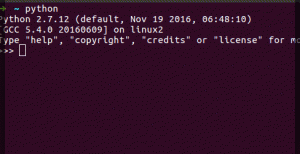
To start coding, install Python and open a terminal. Type python and press Enter. You’ll see a prompt like this:

Python prompt

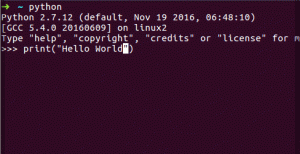
At the prompt, type:

print("Hello World.")
Print Hello World

Congratulations! You’ve written your first Python program.

Python on Raspberry Pi and Microcontrollers

If you're into hardware, explore MicroPython or PyMite.

Python is the primary language for Raspberry Pi. Example: Check if a button is pressed using Python on Raspberry Pi. See example here.

Whichever system you use—Windows, Linux, or Mac—Python has you covered.

References and Further Reading: